

uniapp官方规定跳转tabBar页面时仅支持uni.switchTab且URL不可带参。本文介绍两种有效传参方案:一是通过main.js定义全局变量Vue.prototype并在onShow中读取;二是利用uni.setStorageSync将数据存入本地缓存,在目标页onShow生命周期中通过getStorageSync获取。文章提供具体代码示例与注意事项,解决tabBar跳转数据传递问题。
问题描述
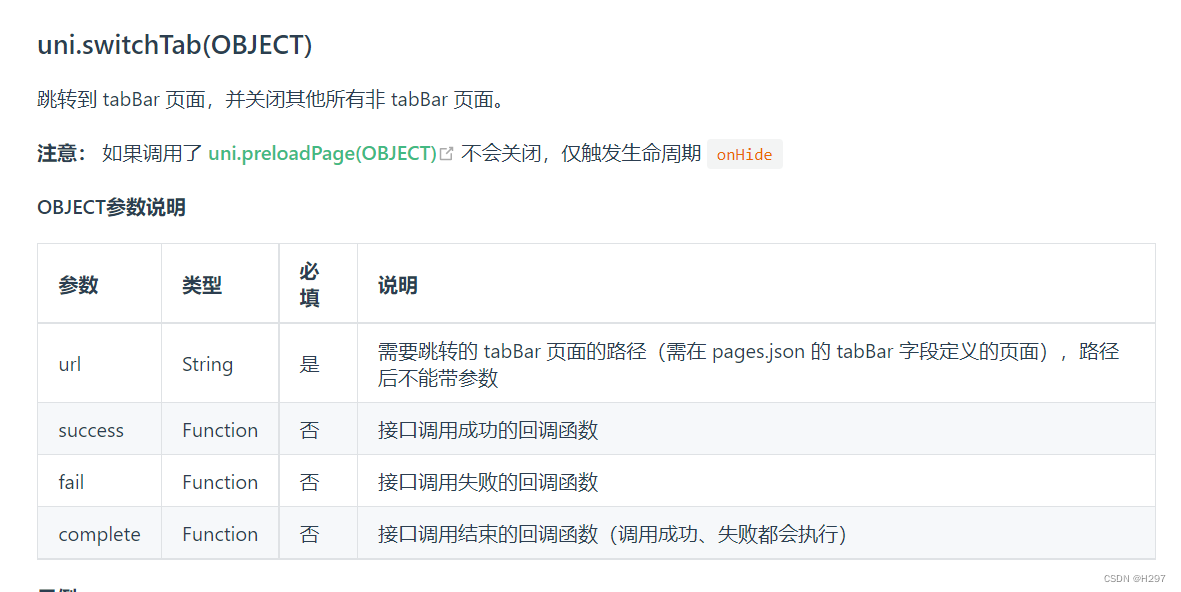
根据官方文档说明,跳转至tabBar页面时,必须使用 uni.switchTab 方法,且 URL 路径后不允许直接附加参数。
解决方法
方案一:利用全局变量
在 main.js 中定义全局变量。
Vue.prototype.$name = '';页面1操作:
name.vue
   this.$name= "chuanzhi";
    uni.switchTab({
                    url:'/pages/index/index'
                })
页面2操作:
index.vue(注意:由于 tabBar 页面存在缓存机制,再次进入时不会触发 onLoad,因此必须在 onShow 生命周期中及时更新数据)。
onShow(){
this.info.name =  this.$name//赋值取得参数
}
此时,this.info.name 即为从 name.vue 页面传递过来的参数值。
方案二:
使用 setStorageSync 进行本地缓存存储。
//name.vue 页
onclick () {
    存起来,到
     // tabBar 的index页面中获取.
    uni.setStorageSync('Name', value);
    uni.switchTab({
                    url:'/pages/index/index'
                })
}
index.vue TabBer 页
uni getStorageSync()//获取存入数据
//在onShow中从本地缓存中获取出来,进行相关操作
onShow() {
const Name = uni.getStorageSync('id');
console.log(Name ,'Name ')
}总结
至此,关于 uniapp 如何实现 tabBar 之间传参的介绍已完成。如需了解更多相关 tabBar 传参内容,可搜索本站历史文章或继续浏览后续相关文章,感谢支持!