

本文介绍如何使用搜狐提供的免费接口,通过JavaScript脚本快速获取访问者的IP地址和所在城市信息。该方法简单直接,适用于需要展示用户地域信息的Web页面,代码示例展示了具体的调用方式与结果展示。
搜狐IP接口简介
目前可用的搜狐接口可用于获取相关信息,但其长期稳定性尚不确定。
具体效果如下图所示:
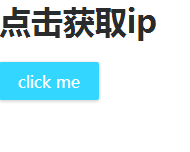
实现代码如下:
代码实现与效果
<!doctype html>
<html>
<head>
<meta charset="utf-8">
<title>t1</title>
<meta content="width=device-width,initial-scale=1.0,maximum-scale=1.0,user-scalable=0" name="viewport">
<style>
/* css reset */
body,p,ol,ul,li,dl,dd,h1,h2,h3,h4,h5,h6,input,iframe,nav,header,footer {
  margin: 0;
  padding: 0;
  list-style: none;
}
body {
  font: 16px Microsoft YaHei, sans-serif;
  color: #2a2b2c;
  background: #fff;
}
a,img {
  text-decoration: none;
  color: #2a2b2c;
  border: 0;
}
*, *::before, *::after {
  outline: none;
  box-sizing: border-box;
}
.xxx-btn {
  display: block;
  width: 100px;
  height: 38px;
  font: 16px/38px Microsoft YaHei;
  color: #fff;
  background: #0cf;
  border: 0;
  cursor: pointer;
  text-align: center;
  border-radius: 2px;
  box-shadow: 0 1px 5px #bbb;
  opacity: .8;
  transition: .5s;
}
.xxx-btn:hover {
  opacity: 1;
  box-shadow: 0 1px 10px #aaa;
}
</style>
</head>
<body>
<h1>点击获取ip</h1>
<br>
<button class="xxx-btn" onclick="aa()">click me</button>
<script src="http://pv.sohu.com/cityjson?ie=utf-8"></script>
<script>
function aa() {
  alert(returnCitySN['cip'] + returnCitySN['cname']);
};
</script>
</body>
</html>
以上内容为本文的全部分享,旨在为读者的学习或工作提供一定参考,欢迎继续支持本站。