

本文提供基于 HTML5 Canvas 和 JavaScript 的水波背景效果实现方案。通过操作 Canvas 2D 上下文,利用 requestAnimationFrame 实现平滑动画循环,绘制动态水波图形。代码包含完整的 HTML 结构、CSS 样式及 JS 逻辑,可直接用于网页背景装饰,适合前端开发者参考学习。
JavaScript 实现 Canvas 水波背景动画效果
本文分享了一段使用 JavaScript 实现水波背景效果的完整代码,供读者参考学习。
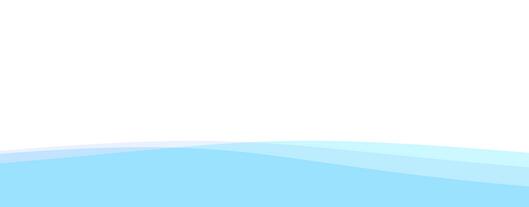
具体视觉效果如下图所示:
核心实现代码如下:
<!DOCTYPE html>
<html>
<head>
 <title>水波背景</title>
 <meta charset="gb2312" />
 <style>
 html, body {width:100%; height:100%; padding:0; margin:0;}
 </style>
</head>
<body>
 <canvas id="canvas" style="position:absolute;top:0px;left:0px;z-index:1;"></canvas>
 <script type="text/javascript">
  var canvas = document.getElementById('canvas');
  var ctx = canvas.getContext('2d');
  canvas.width = canvas.parentNode.offsetWidth;
  canvas.height = canvas.parentNode.offsetHeight;
  //如果浏览器支持requestAnimFrame则使用requestAnimFrame否则使用setTimeout
  window.requestAnimFrame = (function(){
  return window.requestAnimationFrame  ||
    window.webkitRequestAnimationFrame ||
    window.mozRequestAnimationFrame ||
    function( callback ){
     window.setTimeout(callback, 1000 / 60);
    };
  })();
  // 波浪大小
  var boHeight = canvas.height / 10;
  var posHeight = canvas.height / 1.2;
  //初始角度为0
  var step = 0;
  //定义三条不同波浪的颜色
  var lines = ["rgba(0,222,255, 0.2)",
      "rgba(157,192,249, 0.2)",
      "rgba(0,168,255, 0.2)"];
  function loop(){
   ctx.clearRect(0,0,canvas.width,canvas.height);
   step++;
   //画3个不同颜色的矩形
   for(var j = lines.length - 1; j >= 0; j--) {
    ctx.fillStyle = lines[j];
    //每个矩形的角度都不同,每个之间相差45度
    var angle = (step+j*50)*Math.PI/180;
    var deltaHeight = Math.sin(angle) * boHeight;
    var deltaHeightRight = Math.cos(angle) * boHeight;
    ctx.beginPath();
    ctx.moveTo(0, posHeight+deltaHeight);
    ctx.bezierCurveTo(canvas.width/2, posHeight+deltaHeight-boHeight, canvas.width / 2, posHeight+deltaHeightRight-boHeight, canvas.width, posHeight+deltaHeightRight);
    ctx.lineTo(canvas.width, canvas.height);
    ctx.lineTo(0, canvas.height);
    ctx.lineTo(0, posHeight+deltaHeight);
    ctx.closePath();
    ctx.fill();
   }
   requestAnimFrame(loop);
  }
  loop();
 </script>
</body>
</html>
以上内容即为 JavaScript 水波背景效果的完整实现,希望能为学习 JavaScript 程序设计的朋友们提供有益的帮助。