

本文分享利用JavaScript结合HTML5 Canvas实现的新年烟花绘制示例。通过解压代码包即可在浏览器中运行,无需复杂配置。文章介绍了HTML、CSS与JS的前端基础结构,并提供了代码查看指引,适合初学者体验前端开发的浪漫与乐趣。
前言
新春佳节之际,愿新年的钟声为您带来希望与期待。尽管时空存在距离,但祝福始终相伴。
祝愿朋友们财源广进、吉祥高照、鸿运当头,幸福常伴左右,万事顺遂,笑口常开。
值此喜庆时刻,特分享一套烟花代码,下载及使用教程见下文,祝大家新春快乐!
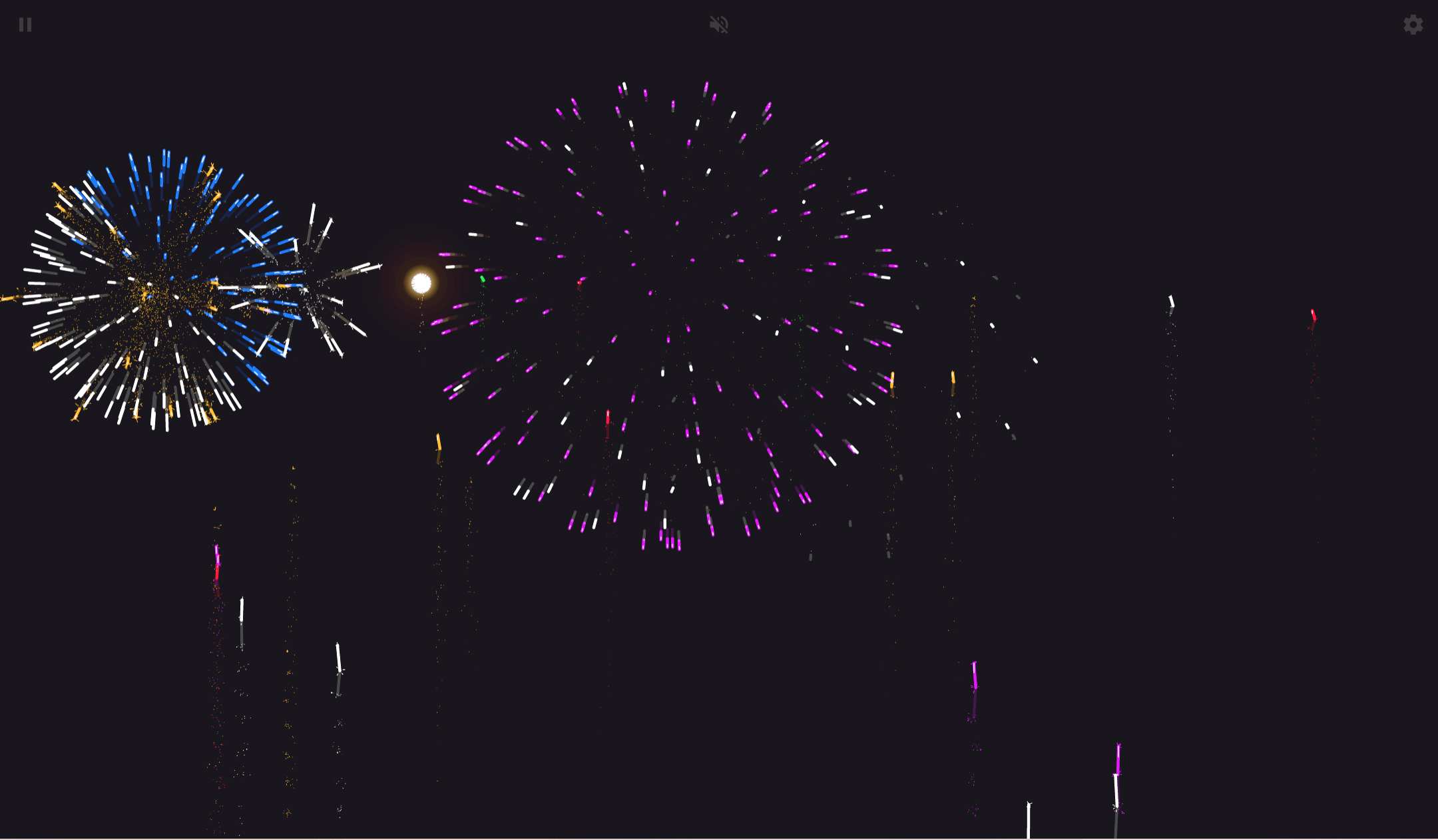
烟花效果展示
烟花样式支持自定义选择,背景音乐采用高仿真的烟花音效。将打包好的代码发送给好友打开,能瞬间营造浓厚的新年氛围。无论过去一年是忙于工作学习,还是事业有成,亦或是遭遇挫折,都请在新年来临之际放下烦恼,多陪伴父母或与朋友聚会,2023年我们重新出发。
使用教程
无论是自行下载研究代码,还是作为初学者分享给朋友欣赏,本教程都非常推荐。以下提供零基础操作指南,带您体验代码带来的视觉浪漫。
第一步:下载代码压缩包文件并进行解压。

第二步:打开解压后的文件夹,可以看到包含三个文件。若只需查看效果,双击后缀为.html的文件,在浏览器中打开运行即可。
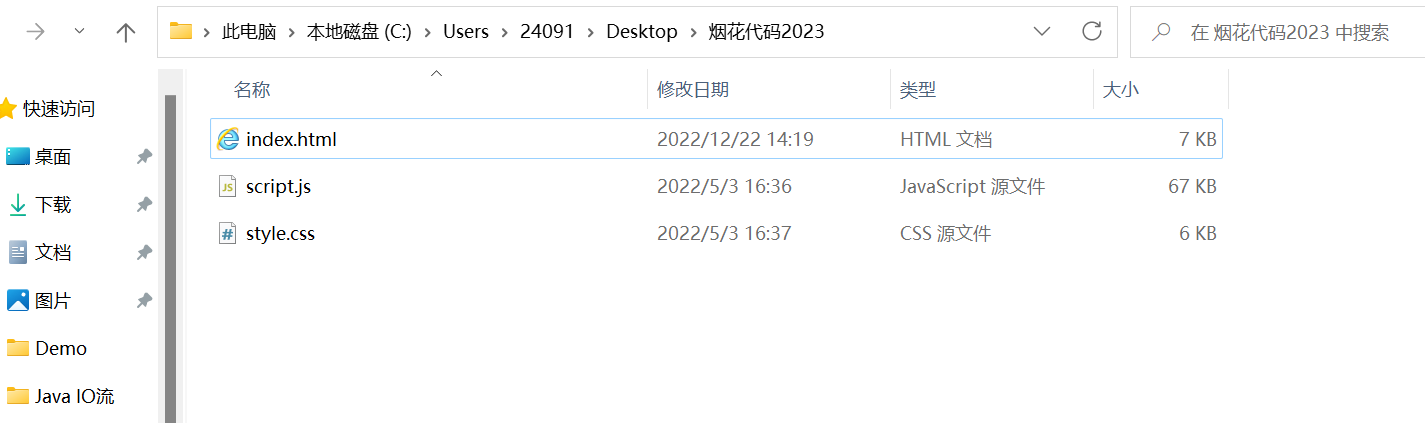
第三步:若希望研究前端代码,可观察文件夹内容。该文件夹内共包含三个文件,具体包括:
- HTML文件
- CSS文件
- JavaScript文件
这三者构成了前端开发的基础,即常说的“前端三剑客”,也是前端技术栈的核心。其中,HTML负责页面结构,如同建筑的骨架;CSS(层叠样式表)负责页面美化;JavaScript则负责交互逻辑。
对于初学者而言,网上教程繁多且容易让人眼花缭乱。本示例的优势在于无需手动新建记事本文件,操作更为便捷。当然,重点在于通过代码学习知识,烟花效果仅为增添新年气氛。
查看源码
HTML代码
受限于文章篇幅,此处仅展示部分HTML代码示例。HTML负责构建页面的基本框架,例如添加按钮、输入框等元素。它是页面的骨架,主要承担结构部分的功能。
<!DOCTYPE html>
<html lang="en" >
<head>
  <meta charset="UTF-8">
  <title>HTML5 Canvas超逼真烟花绽放动画</title>
  <meta name="viewport" content="width=device-width, initial-scale=1, user-scalable=no">
<meta name="mobile-web-app-capable" content="yes">
<meta name="apple-mobile-web-app-capable" content="yes">
<meta name="theme-color" content="#000000">
<link rel="shortcut icon" type="image/png" href="https://s3-us-west-2.amazonaws.com/s.cdpn.io/329180/firework-burst-icon-v2.png" rel="external nofollow"  rel="external nofollow"  rel="external nofollow" >
<link rel="icon" type="image/png" href="https://s3-us-west-2.amazonaws.com/s.cdpn.io/329180/firework-burst-icon-v2.png" rel="external nofollow"  rel="external nofollow"  rel="external nofollow" >
<link rel="apple-touch-icon-precomposed" href="https://s3-us-west-2.amazonaws.com/s.cdpn.io/329180/firework-burst-icon-v2.png" rel="external nofollow"  rel="external nofollow"  rel="external nofollow" >
<meta name="msapplication-TileColor" content="#000000">
<meta name="msapplication-TileImage" content="https://s3-us-west-2.amazonaws.com/s.cdpn.io/329180/firework-burst-icon-v2.png">
<link href="https://fonts.googleapis.com/css?family=Russo+One" rel="external nofollow"  rel="stylesheet"><link rel="stylesheet" href="https://cdnjs.cloudflare.com/ajax/libs/meyer-reset/2.0/reset.min.css" rel="external nofollow" >
<link rel="stylesheet" href="./style.css" rel="external nofollow" >

</head>
<body>

<!-- App -->
<div class="container">
	<div class="loading-init">
		<div class="loading-init__header">Loading</div>
		<div class="loading-init__status">Assembling Shells</div>
	</div>
	<div class="stage-container remove">
		<div class="canvas-container">
			<canvas id="trails-canvas"></canvas>
			<canvas id="main-canvas"></canvas>
		</div>
		<div class="controls">
			<div class="btn pause-btn">
				<svg fill="white" width="24" height="24"><use href="#icon-pause" rel="external nofollow"  rel="external nofollow"  xlink:href="#icon-pause" rel="external nofollow"  rel="external nofollow" ></use></svg>
			</div>
			<div class="btn sound-btn">
				<svg fill="white" width="24" height="24"><use href="#icon-sound-off" rel="external nofollow"  rel="external nofollow"  xlink:href="#icon-sound-off" rel="external nofollow"  rel="external nofollow" ></use></svg>
			</div>
			<div class="btn settings-btn">
				<svg fill="white" width="24" height="24"><use href="#icon-settings" rel="external nofollow"  rel="external nofollow"  xlink:href="#icon-settings" rel="external nofollow"  rel="external nofollow" ></use></svg>
			</div>
		</div>
		<div class="menu hide">
			<div class="menu__inner-wrap">
				<div class="btn btn--bright close-menu-btn">
					<svg fill="white" width="24" height="24"><use href="#icon-close" rel="external nofollow"  rel="external nofollow"  xlink:href="#icon-close" rel="external nofollow"  rel="external nofollow" ></use></svg>
				</div>
				<div class="menu__header">Settings</div>
				<div class="menu__subheader">For more info, click any label.</div>
				<form>
					<div class="form-option form-option--select">
						<label class="shell-type-label">Shell Type</label>
						<select class="shell-type"></select>
					</div>
					<div class="form-option form-option--select">
						<label class="shell-size-label">Shell Size</label>
						<select class="shell-size"></select>
					</div>
					<div class="form-option form-option--select">
						<label class="quality-ui-label">Quality</label>
						<select class="quality-ui"></select>
					</div>
					<div class="form-option form-option--select">
						<label class="sky-lighting-label">Sky Lighting</label>
						<select class="sky-lighting"></select>
					</div>
					<div class="form-option form-option--select">
						<label class="scaleFactor-label">Scale</label>
						<select class="scaleFactor"></select>
					</div>
					<div class="form-option form-option--checkbox">
						<label class="auto-launch-label">Auto Fire</label>
						<input class="auto-launch" type="checkbox" />
					</div>
					<div class="form-option form-option--checkbox form-option--finale-mode">
						<label class="finale-mode-label">Finale Mode</label>
						<input class="finale-mode" type="checkbox" />
					</div>
					<div class="form-option form-option--checkbox">
						<label class="hide-controls-label">Hide Controls</label>
						<input class="hide-controls" type="checkbox" />
					</div>
					<div class="form-option form-option--checkbox form-option--fullscreen">
						<label class="fullscreen-label">Fullscreen</label>
						<input class="fullscreen" type="checkbox" />
					</div>
					<div class="form-option form-option--checkbox">
						<label class="long-exposure-label">Open Shutter</label>
						<input class="long-exposure" type="checkbox" />
					</div>
				</form>
				<div class="credits">
					Passionately built by <a href="https://cmiller.tech/" rel="external nofollow"  target="_blank">Caleb Miller</a>.
				</div>
			</div>
		</div>
	</div>
</div>
<!-- partial -->
  <script src='https://s3-us-west-2.amazonaws.com/s.cdpn.io/329180/fscreen%401.0.1.js'></script>
<script src='https://s3-us-west-2.amazonaws.com/s.cdpn.io/329180/Stage%400.1.4.js'></script>
<script src='https://s3-us-west-2.amazonaws.com/s.cdpn.io/329180/MyMath.js'></script><script  src="./script.js"></script>

</body>
</html>
CSS代码
仅使用HTML的页面往往较为单调,因此需要引入CSS代码对页面进行美化处理。
.help-modal__overlay {
  position: absolute;
  top: 0;
  bottom: 0;
  left: 0;
  right: 0;
  opacity: 0;
  transition-property: opacity;
  transition-timing-function: ease-in;
  transition-duration: 0.25s;
}
.help-modal__dialog {
  display: flex;
  flex-direction: column;
  align-items: center;
  max-width: 400px;
  max-height: calc(100vh - 100px);
  margin: 10px;
  padding: 20px;
  border-radius: 0.3em;
  background-color: rgba(0, 0, 0, 0.4);
  opacity: 0;
  transform: scale(0.9, 0.9);
  transition-property: opacity, transform;
  transition-timing-function: ease-in;
  transition-duration: 0.25s;
}
JavaScript
JavaScript负责处理代码的交互逻辑,这是前端开发中至关重要且具有一定难度的部分。
function toggleSound(toggle) {
	if (typeof toggle === 'boolean') {
		store.setState({ soundEnabled: toggle });
	} else {
		store.setState({ soundEnabled: !store.state.soundEnabled });
	}
}

function toggleMenu(toggle) {
	if (typeof toggle === 'boolean') {
		store.setState({ menuOpen: toggle });
	} else {
		store.setState({ menuOpen: !store.state.menuOpen });
	}
}

function updateConfig(nextConfig) {
	nextConfig = nextConfig || getConfigFromDOM();
	store.setState({
		config: Object.assign({}, store.state.config, nextConfig)
	});

	configDidUpdate();
}

// Map config to various properties & apply side effects
function configDidUpdate() {
	const config = store.state.config;

	quality = qualitySelector();
	isLowQuality = quality === QUALITY_LOW;
	isNormalQuality = quality === QUALITY_NORMAL;
	isHighQuality = quality === QUALITY_HIGH;

	if (skyLightingSelector() === SKY_LIGHT_NONE) {
		appNodes.canvasContainer.style.backgroundColor = '#000';
	}

	Spark.drawWidth = quality === QUALITY_HIGH ? 0.75 : 1;
}
新年祝福
兔年是岁月轮回中美丽的风景,洋溢着灿烂;是季节变迁中幸福的旋律,飘荡着快乐;是人生岁月中温暖的记忆,洒满祝福。祝愿大家兔年大吉大利,万事如意!
以上为利用JavaScript实现绘制2023新年烟花的示例代码详细内容,更多关于JavaScript新年烟花的资料,敬请关注本站其他相关文章。