

本文介绍在微信小游戏中使用three.js进行3D开发时,通过离屏画布渲染并复制到在屏画布的方法。针对部分华为手机无法正常显示的问题,提供了基于WebGLRenderTarget的替代实现方案,确保在vivo、iPhone及华为设备上均能正常渲染3D内容。
微信小游戏3D开发背景
国庆8天长假期间,原定的重庆行程因故取消,利用这段空闲时间,尝试使用three.js结合cannon.js开发一款3D小游戏。
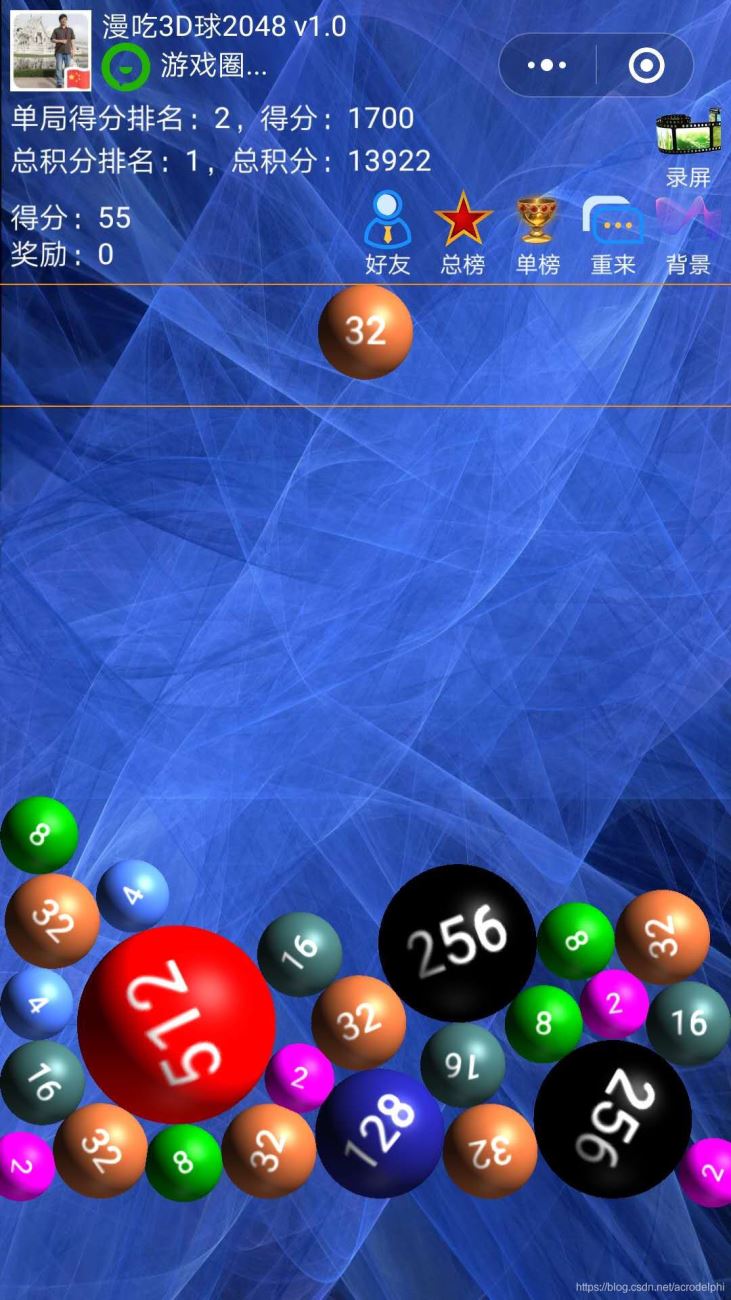
离屏画布渲染常规方案
在微信小游戏的开发环境中,处理three.js生成的3D内容时,通常采用在离屏画布中进行渲染,随后将其内容复制到在屏画布的方式。具体实现步骤如下:
let c_toolbarHeight=140;

let sysInfo=wx.getSystemInfoSync();
require('./js/libs/weapp-adapter.js');
var canvas_webGL=window.canvas;
canvas_webGL.width = sysInfo.screenWidth * sysInfo.pixelRatio;
canvas_webGL.height = (sysInfo.screenHeight-c_toolbarHeight) * sysInfo.pixelRatio;
var ctx_webGL=canvas_webGL.getContext('webgl');

let options={context: ctx_webGL}
let renderer = new THREE.WebGLRenderer(options);
renderer.setSize(sysInfo.screenWidth, sysInfo.screenHeight-c_toolbarHeight);
renderer.setPixelRatio(sysInfo.pixelRatio);

function render(){
  //清除canvas_bkg的3D区域
  wx.tmGlobal.eraseZone(0,
    c_toolbarHeight,
    sysInfo.screenWidth,
    sysInfo.screenHeight);
  renderer.render(scene, camera);
  wx.tmGlobal.ctx_bkg.drawImage(canvas_webGL,
    0,c_toolbarHeight*sysInfo.pixelRatio);
  //画一条横的红线
  wx.tmGlobal.ctx_bkg.strokeStyle = '#FF8C00';
  wx.tmGlobal.ctx_bkg.lineWidth = 2;
  wx.tmGlobal.ctx_bkg.beginPath();
  wx.tmGlobal.ctx_bkg.moveTo(0,
    (c_toolbarHeight)*sysInfo.pixelRatio);
  wx.tmGlobal.ctx_bkg.lineTo(
    sysInfo.screenWidth*sysInfo.pixelRatio,
    (c_toolbarHeight)*sysInfo.pixelRatio);
  //画游戏结束临界线
  wx.tmGlobal.ctx_bkg.moveTo(0,
    (c_toolbarHeight+c_yugaoHeight)*sysInfo.pixelRatio);
  wx.tmGlobal.ctx_bkg.lineTo(
    sysInfo.screenWidth*sysInfo.pixelRatio,
    (c_toolbarHeight+c_yugaoHeight)*sysInfo.pixelRatio);
  wx.tmGlobal.ctx_bkg.stroke();
  //把canvas_bkg画到在屏画布
  wx.tmGlobal.ctx_main.clearRect(0,0,
    wx.tmGlobal.canvas_main.width,wx.tmGlobal.canvas_main.height);
    wx.tmGlobal.ctx_main.drawImage(wx.tmGlobal.canvas_bkg,0,0);
}
华为手机显示异常问题
该方案在vivo和iPhone设备上运行表现正常,但在部分华为手机上却无法显示内容。
相关技术讨论可参考微信开发者社区的相关帖子:https://developers.weixin.qq.com/community/develop/doc/00026c3c1c8eb010de384a82d51000?jumpto=
华为设备兼容解决方案
尽管该问题已被多位用户反馈,且腾讯和华为方面尚未给出官方修复,但经过多次尝试,最终找到了一种可行的替代写法:
renderer = new THREE.WebGLRenderer();
let target = new THREE.WebGLRenderTarget(
sysInfo.screenWidth*sysInfo.pixelRatio,
(sysInfo.screenHeight-c_toolbarHeight)*sysInfo.pixelRatio);
renderer.setRenderTarget(target);
gl=renderer.getContext();
var canvas_huawei=wx.createCanvas();
canvas_huawei.width=sysInfo.screenWidth*sysInfo.pixelRatio;
canvas_huawei.height=(sysInfo.screenHeight-c_toolbarHeight)*sysInfo.pixelRatio;
var ctx_huawei=canvas_huawei.getContext('2d');
var canvas_huawei2=wx.createCanvas();
canvas_huawei2.width=sysInfo.screenWidth*sysInfo.pixelRatio;
canvas_huawei2.height=(sysInfo.screenHeight-c_toolbarHeight)*sysInfo.pixelRatio;
var ctx_huawei2=canvas_huawei2.getContext('2d');
var imageData = ctx_huawei.createImageData(
sysInfo.screenWidth*sysInfo.pixelRatio,
(sysInfo.screenHeight-c_toolbarHeight)*sysInfo.pixelRatio);
var pixels = new Uint8Array(imageData.data.length);
function render(){
//擦除背景画布的webGL区域(因为webGL是用的透明绘制)
wx.tmGlobal.eraseZone(0,
c_toolbarHeight,
sysInfo.screenWidth,
sysInfo.screenHeight);
renderer.render(scene, camera);
gl.readPixels(
0,
0,
gl.drawingBufferWidth,
gl.drawingBufferHeight,
gl.RGBA,gl.UNSIGNED_BYTE,pixels);
imageData.data.set(pixels);
ctx_huawei.putImageData(imageData,0,0);
//清除
ctx_huawei2.clearRect(0,0,canvas_huawei2.width,canvas_huawei2.height);
//上下镜像翻转
ctx_huawei2.translate(0,canvas_huawei2.height);
ctx_huawei2.scale(1, -1);
ctx_huawei2.drawImage(canvas_huawei,0,0);
//恢复
ctx_huawei2.translate(0,canvas_huawei2.height);
ctx_huawei2.scale(1, -1);
wx.tmGlobal.ctx_bkg.drawImage(canvas_huawei2,
0,c_toolbarHeight*sysInfo.pixelRatio);
......
}以上就是关于微信小游戏中three.js离屏画布示例代码的介绍,更多关于微信小游戏three.js离屏画布的内容,欢迎搜索本站历史文章或继续浏览后续相关教程,感谢大家的支持。