

本文提供了一段基于JavaScript实现的飘落星星特效完整代码。通过创建Star类定义星星属性与运动逻辑,结合setInterval定时器控制生成频率与移动速度,实现背景中星星持续飘落的视觉效果。
JavaScript实现飘落星星动画特效
本文分享了一段使用JavaScript实现的飘落星星特效代码,供读者参考学习。
1. 效果展示
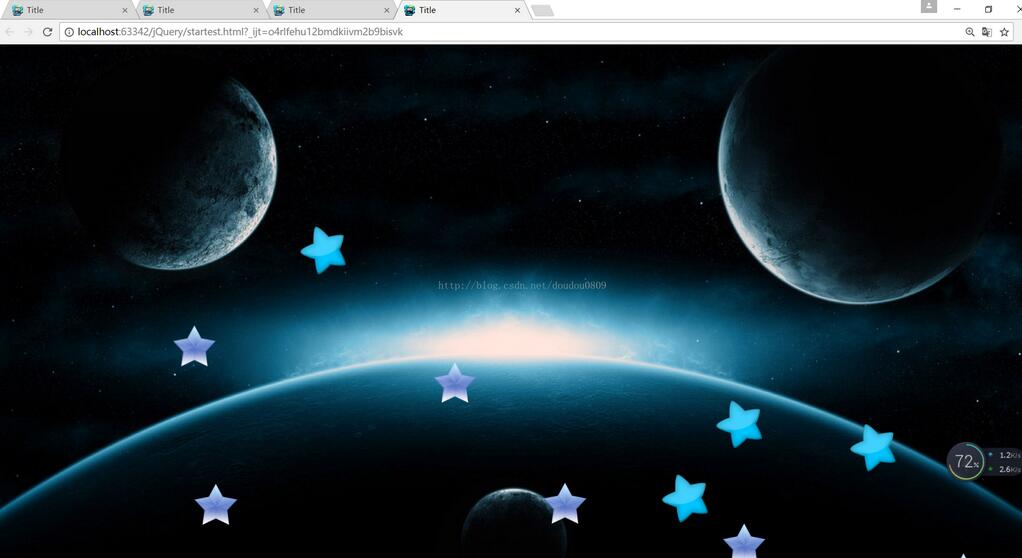
2. 实现代码
<!DOCTYPE html>
<html lang="en">
<head>
 <meta charset="UTF-8">
 <title>Title</title>
 <style>
 img{
  position: absolute;
 }
 body {

  background-image: url(img/bg.jpg);
  background-size: 100%;

 }
 </style>

 <script>

 function Star() {


  this.speed=10;
  this.img=new Image();
  this.img.src="img/star"+parseInt(Math.random()*4+1)+".png";
  this.img.style.width=50+'px';
  this.img.style.height=50+'px';
  this.img.style.top=Math.random()*window.innerHeight+1+'px';
  this.img.style.left=Math.random()*window.innerWidth+1+'px';
  document.body.appendChild(this.img);
 }

 Star.prototype.slip=function () {

  var that=this;
  function move() {
  that.img.style.top=that.img.offsetTop+that.speed+'px';
  console.log(that.img.offsetTop+"star");
  console.log(window.innerHeight+"window");
  if(that.img.offsetTop>window.innerHeight){
   clearInterval(sh);
   that.img.style.height=0;
   that.img.style.width=0;
  }
  }
  var sh=setInterval(move,100);
 }

  setInterval(function () {
  for(var i=1;i<5;i++){
  new Star().slip();
  }
  },1000)

 </script>

</head>

<body>


</body>
</html>
以上内容即为本文的全部代码与说明,希望能为读者的学习带来帮助,同时也欢迎大家继续支持本站。