

本文系统梳理 ECMAScript 6 (ES2015) 的核心新特性,涵盖箭头函数、类、解构赋值、模板字符串、Set/Map 数据结构、Proxy 代理及 Promise 异步处理等关键语法。通过丰富的代码范例,帮助开发者快速掌握 ES6 规范并提升前端开发效率。
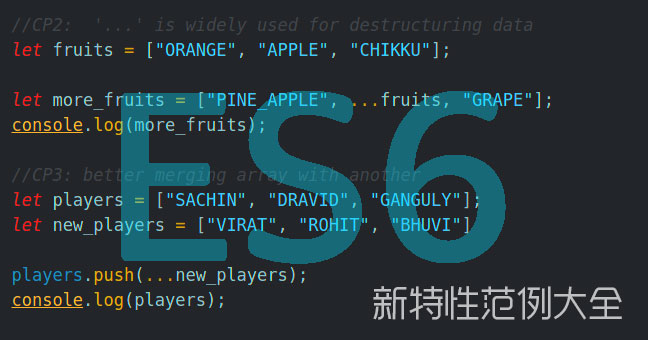
ECMAScript 6(即 ECMAScript 2015,常被称为 ES6,区别于 ES5 和 ES2016)技术在前端开发领域已广泛普及。它为前端开发人员提供了诸多便利,其提供的语法糖使得复杂操作变得更为简洁。
本文并未对各项新特性进行冗长的理论描述,因为网络上已有大量相关介绍。本文主要侧重于收集 ES6 新特性的相关范例代码,旨在帮助读者快速了解这一新的 JavaScript 规范。
箭头函数
function() 是函数的简写表示法,但它并不绑定 this。
var odds = evens.map(v => v + 1); // no parentes and no brackets
var nums = evens.map((v, i) => v + i);
var pairs = evens.map(v => ({even: v, odd: v + 1}));

// Statement bodies
nums.forEach(v => {
 if (v % 5 === 0)
  fives.push(v);
});
this 的工作机制是怎样的?
var object = {
  name: "Name",
  arrowGetName: () => this.name,
  regularGetName: function() { return this.name },
  arrowGetThis: () => this,
  regularGetThis: function() { return this }
}

console.log(this.name)
console.log(object.arrowGetName());
console.log(object.arrowGetThis());
console.log(this)
console.log(object.regularGetName());
console.log(object.regularGetThis());
运行结果如下:
this.name ->
object.arrowGetName() ->
object.arrowGetThis() -> [object Window]
this -> [object Window]
object.regularGetName() -> Name
object.regularGetThis() -> {"name":"Name"}
类 (Classes)
我们熟知的“真正”语言中的类 (Classes),在 ES6 中实际上是原型继承的语法糖。
class SkinnedMesh extends THREE.Mesh {
 constructor(geometry, materials) {
  super(geometry, materials);

  this.idMatrix = SkinnedMesh.defaultMatrix();
  this.bones = [];
  this.boneMatrices = [];
  //...
 }
 update(camera) {
  //...
  super.update();
 }
 get boneCount() {
  return this.bones.length;
 }
 set matrixType(matrixType) {
  this.idMatrix = SkinnedMesh[matrixType]();
 }
 static defaultMatrix() {
  return new THREE.Matrix4();
 }
}
Lebab.io
增强的对象字面量
var theProtoObj = {
 toString: function() {
  return "The ProtoOBject To string"
 }
}

var handler = () => "handler"


var obj = {
  // __proto__
  __proto__: theProtoObj,

  // Shorthand for ‘handler: handler'
  handler,

  // Methods
  toString() {

   // Super calls
   return "d " + super.toString();
  },

  // Computed (dynamic) property names
  [ "prop_" + (() => 42)() ]: 42
};

console.log(obj.handler)
console.log(obj.handler())
console.log(obj.toString())
console.log(obj.prop_42)
运行结果如下:
obj.handler -> () => "handler"
obj.handler() -> handler
obj.toString() -> d The ProtoOBject To string
obj.prop_42 -> 42
字符串插值
这种字符串插值的语法非常优美。
字符串插值
var name = "Bob", time = "today";

var multiLine = `This

Line

Spans Multiple

Lines`


console.log(`Hello ${name},how are you ${time}?`)
console.log(multiLine)
运行结果如下:
`Hello ${name},how are you ${time}?` -> Hello Bob,how are you today?
multiLine -> This Line Spans Multiple Lines
解构 (Destructuring)
愚人码头注:列表匹配
// list "matching"
var [a, , b] = [1,2,3];
console.log(a)
console.log(b)
运行结果如下:
a -> 1
b -> 3
对象同样可以很好地被解构。
nodes = () => { return {op: "a", lhs: "b", rhs: "c"}}
var { op: a, lhs: b , rhs: c } = nodes()
console.log(a)
console.log(b)
console.log(c)
运行结果如下:
a -> a
b -> b
c -> c
使用速记表示法。
nodes = () => { return {lhs: "a", op: "b", rhs: "c"}}

// binds `op`, `lhs` and `rhs` in scope
var {op, lhs, rhs} = nodes()

console.log(op)
console.log(lhs)
console.log(rhs)
运行结果如下:
op -> b
lhs -> a
rhs -> c
可在函数参数位置使用。
function g({name: x}) {
 return x
}

function m({name}) {
 return name
}

console.log(g({name: 5}))
console.log(m({name: 5}))
运行结果如下:
g({name: 5}) -> 5
m({name: 5}) -> 5
故障弱化解构
var [a] = []
var [b = 1] = []
var c = [];
console.log(a)
console.log(b);
console.log(c);
运行结果如下:
a -> undefined
b -> 1
c -> []
参数默认值(Default)
function f(x, y=12) {
 return x + y;
}

console.log(f(3))
console.log(f(3,2))
运行结果如下:
f(3) -> 15
f(3,2) -> 5
扩展(Spread)
在函数中的应用:
function f(x, y, z) {
 return x + y + z;
}
// 传递数组的每个元素作为参数
console.log(f(...[1,2,3]))
运行结果如下:
f(...[1,2,3]) -> 6
在数组中的应用:
var parts = ["shoulders", "knees"];
var lyrics = ["head", ...parts, "and", "toes"];

console.log(lyrics)
运行结果如下:
lyrics -> ["head","shoulders","knees","and","toes"]
扩展 + 对象字面量
我们可以利用这一点创造出很酷的对象。
let { x, y, ...z } = { x: 1, y: 2, a: 3, b: 4 };
console.log(x); // 1
console.log(y); // 2
console.log(z); // { a: 3, b: 4 }

// Spread properties
let n = { x, y, ...z };
console.log(n); // { x: 1, y: 2, a: 3, b: 4 }
console.log(obj)
遗憾的是,目前它还不支持以下用法:
npm install --save-dev babel-plugin-transform-object-rest-spread
Rest
我们可以使用 rest 操作符来允许接收无限数量的参数。
function demo(part1, ...part2) {
  return {part1, part2}
}

console.log(demo(1,2,3,4,5,6))
运行结果如下:
demo(1,2,3,4,5,6) -> {"part1":1,"part2":[2,3,4,5,6]}
Let
let 是新的 var。因为它具有块级作用域。
{
  var globalVar = "from demo1"
}

{
  let globalLet = "from demo2";
}

console.log(globalVar)
console.log(globalLet)
运行结果如下:
globalVar -> from demo1
globalLet -> ReferenceError: globalLet is not defined
但是,它不会向 window 分配任何内容:
let me = "go"; // 全局作用域
var i = "able"; // 全局作用域

console.log(window.me);
console.log(window.i);
运行结果如下:
window.me -> undefined
window.i -> able
不能使用 let 重新声明一个变量:
let me = "foo";
let me = "bar";
console.log(me);
运行结果如下:
SyntaxError: Identifier 'me' has already been declared
var me = "foo";
var me = "bar";
console.log(me)
运行结果如下:
me -> bar
Const
const 是只读变量。
const a = "b"
a = "a"
运行结果如下:
TypeError: Assignment to constant variable.
需要注意,const 声明的对象其属性仍然可以被修改。
const a = { a: "a" }
a.a = "b"
console.log(a)
运行结果如下:
a -> {"a":"b"}
For..of
这是一种新的迭代器类型,可以替代 for..in。它返回的是值而不是 keys。
let list = [4, 5, 6];

console.log(list)

for (let i in list) {
  console.log(i);
}
运行结果如下:
list -> [4,5,6]
i -> 0
i -> 1
i -> 2
let list = [4, 5, 6];

console.log(list)


for (let i of list) {
  console.log(i);
}
运行结果如下:
list -> [4,5,6]
i -> 4
i -> 5
i -> 6
迭代器(Iterators)
迭代器是一种比数组更动态的数据类型。
let infinite = {
 [Symbol.iterator]() {
  let c = 0;
  return {
   next() {
    c++;
    return { done: false, value: c }
   }
  }
 }
}

console.log("start");

for (var n of infinite) {
 // truncate the sequence at 1000
 if (n > 10)
  break;
 console.log(n);
}
运行结果如下:
"start" -> start
n -> 1
n -> 2
n -> 3
n -> 4
n -> 5
n -> 6
n -> 7
n -> 8
n -> 9
n -> 10
使用 TypeScript 时,我们可以看到其接口的样子:
interface IteratorResult {
 done: boolean;
 value: any;
}
interface Iterator {
 next(): IteratorResult;
}
interface Iterable {
 [Symbol.iterator](): Iterator
}
生成器(Generators)
生成器用于创建迭代器,并且比迭代器更具动态性。它们不必以相同的方式跟踪状态,且不支持 done 的概念。
var infinity = {
 [Symbol.iterator]: function*() {
  var c = 1;
  for (;;) {
   yield c++;
  }
 }
}

console.log("start")
for (var n of infinity) {
 // truncate the sequence at 1000
 if (n > 10)
  break;
 console.log(n);
}
运行结果如下:
"start" -> start
n -> 1
n -> 2
n -> 3
n -> 4
n -> 5
n -> 6
n -> 7
n -> 8
n -> 9
n -> 10
使用 TypeScript 再次显示接口:
interface Generator extends Iterator {
  next(value?: any): IteratorResult;
  throw(exception: any);
}
function* Iterators and generator
一个产量的例子*
function* anotherGenerator(i) {
 yield i + 1;
 yield i + 2;
 yield i + 3;
}

function* generator(i) {
 yield i;
 yield* anotherGenerator(i);
 yield i + 10;
}

var gen = generator(10);

console.log(gen.next().value);
console.log(gen.next().value);
console.log(gen.next().value);
console.log(gen.next().value);
console.log(gen.next().value);
运行结果如下:
gen.next().value -> 10
gen.next().value -> 11
gen.next().value -> 12
gen.next().value -> 13
gen.next().value -> 20
Unicode
ES6 为 Unicode 提供了更好的支持。
var regex = new RegExp('\u{61}', 'u');

console.log(regex.unicode)
console.log("\uD842\uDFD7")
console.log("\uD842\uDFD7".codePointAt())
运行结果如下:
regex.unicode -> true
"" ->
"".codePointAt() -> 134103
模块和模块加载器
原生支持模块。
import defaultMember from "module-name";
import * as name from "module-name";
import { member } from "module-name";
import { member as alias } from "module-name";
import { member1 , member2 } from "module-name";
import { member1 , member2 as alias2 , [...] } from "module-name";
import defaultMember, { member [ , [...] ] } from "module-name";
import defaultMember, * as name from "module-name";
import "module-name";
export { name1, name2, …, nameN };
export { variable1 as name1, variable2 as name2, …, nameN };
export let name1, name2, …, nameN; // also var
export let name1 = …, name2 = …, …, nameN; // also var, const

export expression;
export default expression;
export default function (…) { … } // also class, function*
export default function name1(…) { … } // also class, function*
export { name1 as default, … };

export * from …;
export { name1, name2, …, nameN } from …;
export { import1 as name1, import2 as name2, …, nameN } from …;
Import Export
Set
Set 对应数学集合,其中所有项目都是唯一的。对于熟悉 SQL 的人来说,这相当于 distinct。
var set = new Set();
set.add("Potato").add("Tomato").add("Tomato");
console.log(set.size)
console.log(set.has("Tomato"))

for(var item of set) {
  console.log(item)
}
运行结果如下:
set.size -> 2
set.has("Tomato") -> true
item -> Potato
item -> Tomato
Set
WeakSet
WeakSet 对象允许在集合中存储弱持有的对象。没有引用的对象将被垃圾回收。
var item = { a:"Potato"}
var set = new WeakSet();
set.add({ a:"Potato"}).add(item).add({ a:"Tomato"}).add({ a:"Tomato"});
console.log(set.size)
console.log(set.has({a:"Tomato"}))
console.log(set.has(item))

for(let item of set) {
  console.log(item)
}
运行结果如下:
set.size -> undefined
set.has({a:"Tomato"}) -> false
set.has(item) -> true
TypeError: set[Symbol.iterator] is not a function
WeakSet
Map
Map 也称为词典。
var map = new Map();
map.set("Potato", 12);
map.set("Tomato", 34);

console.log(map.get("Potato"))


for(let item of map) {
  console.log(item)
}


for(let item in map) {
  console.log(item)
}
运行结果如下:
map.get("Potato") -> 12
item -> ["Potato",12]
item -> ["Tomato",34]
可以使用除字符串之外的其他类型作为键。
var map = new Map();
var key = {a: "a"}
map.set(key, 12);


console.log(map.get(key))
console.log(map.get({a: "a"}))
运行结果如下:
map.get(key) -> 12
map.get({a: "a"}) -> undefined
Map
WeakMap
使用键的对象,并且只保留对键的弱引用。
var wm = new WeakMap();

var o1 = {}
var o2 = {}
var o3 = {}


wm.set(o1, 1);
wm.set(o2, 2);
wm.set(o3, {a: "a"});
wm.set({}, 4);

console.log(wm.get(o2));
console.log(wm.has({}))

delete o2;

console.log(wm.get(o3));

for(let item in wm) {
  console.log(item)
}


for(let item of wm) {
  console.log(item)
}
运行结果如下:
wm.get(o2) -> 2
wm.has({}) -> false
wm.get(o3) -> {"a":"a"}
TypeError: wm[Symbol.iterator] is not a function
WeakMap
代理(Proxy)
代理可以用来改变对象的行为。它们允许我们定义 trap(拦截器)。
var obj = function ProfanityGenerator() {
  return {
    words: "Horrible words"
  }
}()

var handler = function CensoringHandler() {
    return {
    get: function (target, key) {
      return target[key].replace("Horrible", "Nice");
    },
  }

}()

var proxy = new Proxy(obj, handler);

console.log(proxy.words);
运行结果如下:
proxy.words -> Nice words
提供以下 trap:
var handler =
{
 get:...,
 set:...,
 has:...,
 deleteProperty:...,
 apply:...,
 construct:...,
 getOwnPropertyDescriptor:...,
 defineProperty:...,
 getPrototypeOf:...,
 setPrototypeOf:...,
 enumerate:...,
 ownKeys:...,
 preventExtensions:...,
 isExtensible:...
}
Proxy
Symbols
Symbols 是一种新类型。可用于创建匿名属性。
var typeSymbol = Symbol("type");

class Pet {

 constructor(type) {

  this[typeSymbol] = type;

 }
 getType() {
   return this[typeSymbol];
 }

}


var a = new Pet("dog");
console.log(a.getType());
console.log(Object.getOwnPropertyNames(a))


console.log(Symbol("a") === Symbol("a"))
运行结果如下:
a.getType() -> dog
Object.getOwnPropertyNames(a) -> []
Symbol("a") === Symbol("a") -> false
更多信息
可继承内置函数
我们现在可以继承原生类。
class CustomArray extends Array {

}

var a = new CustomArray();

a[0] = 2
console.log(a[0])
运行结果如下:
a[0] -> 2
不能使用数组的代理 (Proxy) 来覆盖 getter 函数。
新类库
各种新的方法和常量。
console.log(Number.EPSILON)
console.log(Number.isInteger(Infinity))
console.log(Number.isNaN("NaN"))

console.log(Math.acosh(3))
console.log(Math.hypot(3, 4))
console.log(Math.imul(Math.pow(2, 32) - 1, Math.pow(2, 32) - 2))

console.log("abcde".includes("cd") )
console.log("abc".repeat(3) )


console.log(Array.of(1, 2, 3) )
console.log([0, 0, 0].fill(7, 1) )
console.log([1, 2, 3].find(x => x == 3) )
console.log([1, 2, 3].findIndex(x => x == 2))
console.log([1, 2, 3, 4, 5].copyWithin(3, 0))
console.log(["a", "b", "c"].entries() )
console.log(["a", "b", "c"].keys() )
console.log(["a", "b", "c"].values() )

console.log(Object.assign({}, { origin: new Point(0,0) }))
运行结果如下:
Number.EPSILON -> 2.220446049250313e-16
Number.isInteger(Infinity) -> false
Number.isNaN("NaN") -> false
Math.acosh(3) -> 1.7627471740390859
Math.hypot(3, 4) -> 5
Math.imul(Math.pow(2, 32) - 1, Math.pow(2, 32) - 2) -> 2
"abcde".includes("cd") -> true
"abc".repeat(3) -> abcabcabc
Array.of(1, 2, 3) -> [1,2,3]
[0, 0, 0].fill(7, 1) -> [0,7,7]
[1, 2, 3].find(x => x == 3) -> 3
[1, 2, 3].findIndex(x => x == 2) -> 1
[1, 2, 3, 4, 5].copyWithin(3, 0) -> [1,2,3,1,2]
["a", "b", "c"].entries() -> {}
["a", "b", "c"].keys() -> {}
["a", "b", "c"].values() -> TypeError: ["a","b","c"].values is not a function
Object.assign({}, { origin: new Point(0,0) }) -> ReferenceError: Point is not defined
文档: Number, Math, Array.from, Array.of, Array.prototype.copyWithin, Object.assign
二进制和八进制
二进制和八进制数字的字面量。
console.log(0b11111)
console.log(0o2342)

console.log(0xff); // also in es5
运行结果如下:
0b11111 -> 31
0o2342 -> 1250
0xff -> 255
Promises
异步编程。
var p1 = new Promise((resolve, reject) => {
 setTimeout(() => resolve("1"), 101)
})
var p2 = new Promise((resolve, reject) => {
 setTimeout(() => resolve("2"), 100)
})

Promise.race([p1, p2]).then((res) => {
  console.log(res)
})

Promise.all([p1, p2]).then((res) => {
  console.log(res)
})
运行结果如下:
res -> 2
res -> ["1","2"]
快速的 Promise
var p1 = Promise.resolve("1")
var p2 = Promise.reject("2")

Promise.race([p1, p2]).then((res) => {
  console.log(res)
})
运行结果如下:
res -> 1
快速失败
如果一个 promise 失败,all和race也将 reject(拒绝)。
var p1 = new Promise((resolve, reject) => {
 setTimeout(() => resolve("1"), 1001)
})
var p2 = new Promise((resolve, reject) => {
 setTimeout(() => reject("2"), 1)
})

Promise.race([p1, p2]).then((res) => {
  console.log("success" + res)
}, res => {
  console.log("error " + res)
})

Promise.all([p1, p2]).then((res) => {
  console.log("success" + res)
}, res => {
  console.log("error " + res)
})
运行结果如下:
"error " + res -> error 2
"error " + res -> error 2
更多信息
反射(Reflect)
新类型的元编程与新的 API,现有的还有一些新的方法。
var z = {w: "Super Hello"}
var y = {x: "hello", __proto__: z};

console.log(Reflect.getOwnPropertyDescriptor(y, "x"));
console.log(Reflect.has(y, "w"));
console.log(Reflect.ownKeys(y, "w"));

console.log(Reflect.has(y, "x"));
console.log(Reflect.deleteProperty(y,"x"))
console.log(Reflect.has(y, "x"));
运行结果如下:
Reflect.getOwnPropertyDescriptor(y, "x") -> {"value":"hello","writable":true,"enumerable":true,"configurable":true}
Reflect.has(y, "w") -> true
Reflect.ownKeys(y, "w") -> ["x"]
Reflect.has(y, "x") -> true
Reflect.deleteProperty(y,"x") -> true
Reflect.has(y, "x") -> false
更多信息
尾调用(Tail Call)优化
尾调用的概念非常简单,一句话就能说清楚,就是指某个函数的最后一步是调用另一个函数。
ES6 可以确保尾调用不会造成堆栈溢出。(并非所有实现都支持)。
function factorial(n, acc = 1) {
  if (n <= 1) return acc;
  return factorial(n - 1, n * acc);
}
console.log(factorial(10))
console.log(factorial(100))
console.log(factorial(1000))
console.log(factorial(10000))
console.log(factorial(100000))
console.log(factorial(1000000))
运行结果如下:
factorial(10) -> 3628800
factorial(100) -> 9.332621544394418e+157
factorial(1000) -> Infinity
factorial(10000) -> Infinity
factorial(100000) -> RangeError: Maximum call stack size exceeded
factorial(1000000) -> RangeError: Maximum call stack size exceeded
原文:ES6 Features