

本文详解 console.log 在控制台输出字符串时的多种场景。涵盖单双引号原样输出、不同引号嵌套规则、相同引号需转义的处理方式,以及反斜杠、换行符和%c样式参数的具体用法与代码示例。
console.log() 用于在浏览器控制台中打印日志信息。
1. 当 console.log 的括号内
仅包含 'hello' 或 "hello" 时,引号内的内容将按原样输出。
<script>
     console.log('hello');
     console.log("world");
</script>
2. 当 console.log 的括号内
内容为 'hello"world"' 或 "world'hello'" 时,只要引号类型不一致(单双引号混合),即使内部包含引号也能正常原样输出。
<script>
     console.log('hello"world"');
     console.log("world'hello'");
</script>
3. 当 console.log 的括号内
内容为 'hello'world'' 或 "world"hello"" 时,若字符串内部包含与外部相同的引号,必须使用 "\" 进行转义才能正确输出。
<script>
   console.log('hello\'world\'');
   console.log("world\"hello\"");
</script>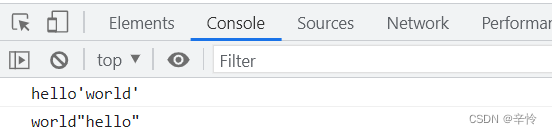
4. 若需要在两个内容之间输出右斜杠
使用 "\\" 即可在控制台显示一个右斜杠。
<script>
   console.log('world\\\\hello');
</script>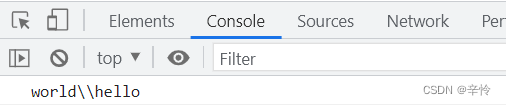
5. 若需要在两个内容之间实现换行
需在字符串间添加 "\n";若直接敲击回车键,程序会报错。
<script>
   console.log('hello\n\n\nworld');
</script>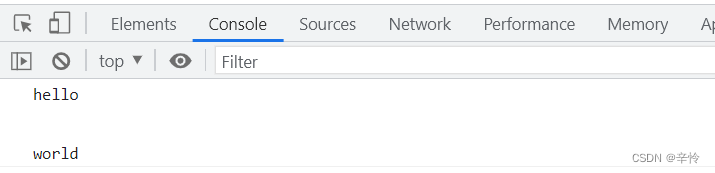
6. 为字符串设置样式
可使用 "%c" 占位符来实现。
<script>
console.log('%chello%cworld','color:red;','color:orange');
</script>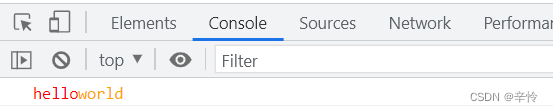
总结
以上为个人经验总结,希望能给大家一个参考,也希望大家多多支持本站。