

本文介绍了在uniapp项目中实现页面滚动回到顶部的两种常用方法。第一种利用原生onPageScroll监听与uni.pageScrollTo API,通过判断滚动距离控制按钮显示;第二种则直接调用uView库的u-back-top组件,简化开发流程。
本文介绍如何在uniapp项目中实现页面滚动回到顶部的功能。由于回顶按钮可能在多个页面中复用,建议将其封装为独立组件以便调用。
一、方法一
<template>
    <view class="content">
        <view class="" v-for="(item,index) in 100" :key="index">
            {{index}}
        </view>
        <view class="upward" v-if="isShow" @click="Totop()">
            <u-icon name="arrow-upward" color="#434343" size="28"></u-icon>
        </view>
    </view>
</template>
<script>
    export default {
        data() {
            return {
                isShow:false,
            }
        },
        onPageScroll(e){
             // 监听页面滚动
            if(e.scrollTop>200){
                this.isShow=true;
            }else{
                this.isShow=false;
            }
        },
        methods: {
            Totop(){
                uni.pageScrollTo({
                    scrollTop: 0,//滚动到页面的目标位置
                    duration: 300
                });
            }
        }
    }
</script>
<style lang="less">
    .content{
        width: 100%;
        position: relative;
        .u-tabs{
            width: 100%;
            // margin: 18rpx auto;
            height: 80rpx;
            display: flex;
            align-items: center;
            background-color: #fff;
        }
        .upward{
            width: 70rpx;
            height: 70rpx;
            display: flex;
            justify-content: center;
            align-items: center;
            border-radius: 100%;
            border: 3rpx solid #d0d0d0;
            margin-bottom: 20rpx;
            background-color: rgba(255, 255, 255, 0.4);
            position: fixed;
            bottom: 300rpx;
            right: 30rpx;
        }
    }
</style>
利用页面生命周期onPageScroll监听滚动行为,该函数接收Object类型的参数。
具体参数配置可参考uni.pageScrollTo的官方文档说明。
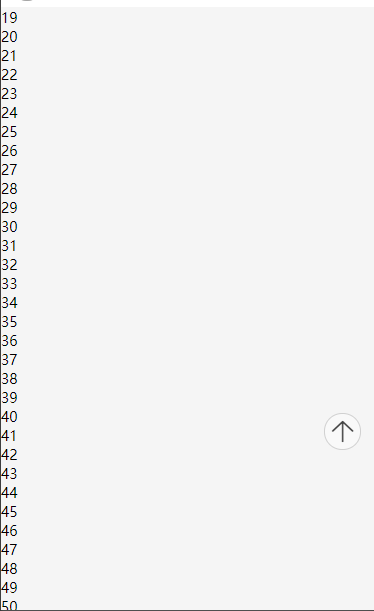
运行效果如图,当页面滚动距离超过200时,回顶按钮将会显示。
二、使用uView组件
<template>
    <view class="wrap">
        <text>滑动页面,返回顶部按钮将出现在右下角</text>
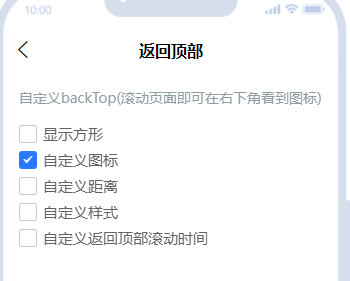
        <u-back-top :scroll-top="scrollTop"></u-back-top>
    </view>
</template>
<script>
export default {
    data() {
        return {
            scrollTop: 0
        }
    },
    onPageScroll(e) {
        this.scrollTop = e.scrollTop;
    }
};
</script>
<style lang="scss" scoped>
    .wrap {
        height: 200vh;
    }
</style>
总结
至此,关于uniapp页面回到顶部的两种实现方式已介绍完毕。如需了解更多相关内容,可查阅本站过往文章或继续浏览后续教程,感谢支持。