

本文解决TypeScript项目中引入第三方依赖时报错“无法找到模块声明文件”的问题。核心方案是在vite-env.d.ts中使用declare module语法进行类型声明。文章详细演示了如何为file-saver、*.vue组件及vue-router等常见库添加声明,并提供了包含scss、axios扩展在内的完整配置示例,帮助开发者快速消除类型检查错误。

TypeScript模块声明文件配置方法
当TypeScript项目引入第三方依赖时,若编译器提示找不到该模块的声明文件,通常是因为ts未识别新引入的依赖。解决方法是在项目的类型声明文件vite-env.d.ts中显式声明该依赖,具体语法为declare module "依赖名";。
第三方库file-saver声明示例
declare module "file-saver";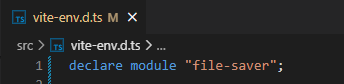
Vue组件类型声明
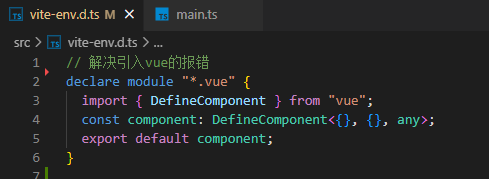
针对引入Vue组件时报错找不到模块“./App.vue”或其相应类型声明的问题,需要在类型声明文件中添加针对.vue文件的模块定义。

*.vue文件类型定义代码
declare module "*.vue" {
  import { DefineComponent } from "vue";
  const component: DefineComponent<{}, {}, any>;
  export default component;
}
Vue Router模块声明
处理路由模块引入时的类型报错,需针对vue-router相关模块进行声明。

router模块声明示例
declare module '*./router' {
  import type { DefineComponent } from 'vue-router'
  const component: DefineComponent<{}, {}, any>
  export default component
}
vue-router模块声明
declare module 'vue-router'多类依赖报错综合解决方案
汇总解决各类依赖引入报错的通用方法,包括处理.scss样式文件、第三方UI库及自定义模块的声明。
完整类型声明配置代码
// <reference types="vite/client" />
// 解决引入vue的报错
declare module "*.vue" {
  import { DefineComponent } from "vue";
  const component: DefineComponent<{}, {}, any>;
  export default component;
}

// 解决引入scss报错问题
declare module "*.scss" {
  const scss: Record<string, string>;
  export default scss;
}

// 解决引入模块的报错提示
declare module "vuedraggable/src/vuedraggable";
declare module "@pureadmin/components";
declare module "@pureadmin/theme";
declare module "@pureadmin/theme/dist/browser-utils";
declare module "nprogress";
declare module "file-saver";
declare module "element-plus/dist/locale/zh-cn.mjs"; /*解决element-plus国际化依赖报错*/


/*
  解决axios报错:类型“{ params: any; "": any; }”的参数不能赋给类型“AxiosRequestConfig<any>
  解决:属性“xxxxx”在类型”{ $: ComponentInternalInstance; $data : {}; $props:Part......报错问题
  */
declare module "axios" {
  export interface AxiosRequestConfig {
    // 添加数据类型
    handlerEnabled?: boolean;
    baseURL: string;
    timeout: number;
  }
}

// 处理TS数据类型问题  类型“AxiosResponse<any, any>”上不存在属性“meta”。
declare module "axios" {
  interface AxiosResponse<T = any> {
    meta: any;
    // 这里追加你的参数
    baseURL?: string;
    timeout?: number;
  }
  export function create(config?: AxiosRequestConfig): AxiosInstance;
}
总结
综上所述,通过合理配置类型声明文件,可有效解决TypeScript项目中因缺少类型定义导致的编译错误。
相关文章推荐
本文介绍了TypeScript依赖引入报错及模块声明文件缺失问题的解决方法。如需了解更多关于ts无法找到模块xxxxxx的声明文件相关内容,请搜索本站历史文章或继续浏览后续相关文章,感谢支持。