

本文介绍如何使用JavaScript实现一个动态生成随机颜色表格的功能。通过获取用户输入的行列数,程序动态创建HTML表格元素,并为每个单元格填充随机生成的背景颜色。代码包含完整的事件监听与DOM操作逻辑,适用于前端交互开发学习。
JavaScript动态生成随机颜色表格
具体实现代码如下所示:
<!DOCTYPE html>
<html>
<head>
<meta charset="UTF-8">
<title></title>
<style>
table{width:500px;height:400px;}
table td{width:100px;height:50px;}
</style>
<script>
window.onload=function(){
var inps=document.getElementsByTagName('input');
var btn=document.getElementsByTagName("button")[0];
//点击获取table
btn.onclick=function(){
var table=document.createElement("table");
var tbody=document.createElement("tbody");
var n=inps[0].value;
var m=inps[1].value;
for(var i=1;i<=n;i++){
var tr=document.createElement("tr");
//循环时获取颜色值
for(var j=1;j<=m;j++){
var td=document.createElement("td");
tr.appendChild(td);
var color="rgb("+parseInt(Math.random()*256)+","+parseInt(Math.random()*256)+","
+parseInt(Math.random()*256)+")";
td.style.backgroundColor=color;
}
inps[0].value="";
inps[1].value="";
tbody.appendChild(tr);
table.appendChild(tbody);
document.body.appendChild(table);
}
}
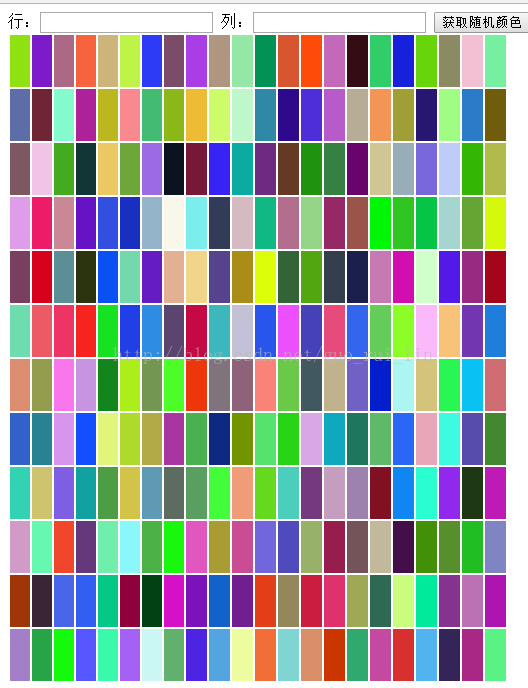
}
</script>
</head>
<body>
行:<input type="text" value=""/>
列:<input type="text" value="" />
<button>获取随机颜色</button>
</body>
</html>以上所述是小编给大家介绍的基于JavaScript实现随机颜色输入框,希望对大家有所帮助,如果大家有任何疑问欢迎给我留言,小编会及时回复大家的!