

本文介绍如何利用JavaScript和CSS实现时尚的文件上传表单域美化效果。通过隐藏原生input元素并使用label模拟按钮,结合JS监听change事件更新文件名显示,同时处理键盘导航、鼠标悬停及禁用JS时的降级方案,提供完整的HTML结构与样式代码示例。
文件上传表单域美化特效概述
介绍一种视觉效果出色的文件上传表单域美化方案,并附上简要的制作步骤。
首先展示几个实际运行效果供参考:


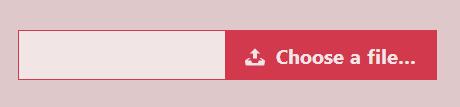
使用方法与HTML结构
使用方法
该文件上传域美化的核心思路是隐藏原生的<input type="file">元素,转而使用一个<label>元素来构建美化后的界面。
HTML结构
实现此文件上传域美化效果的基础HTML结构如下所示:
<input type="file" name="file" id="file" class="inputfile" />
<label for="file">Choose a file</label>
CSS样式实现细节
CSS样式
首要步骤是隐藏<input>元素。需注意,不能使用display: none或visibility: hidden,因为这会导致上传至服务器的值丢失,且在按TAB键时无法定位到该元素。推荐的隐藏方式如下:
.inputfile {
 width: 0.1px;
 height: 0.1px;
 opacity: 0;
 overflow: hidden;
 position: absolute;
 z-index: -1;
}
随后为<label>元素定义样式,将其设计为按钮外观。
.inputfile + label {
 font-size: 1.25em;
 font-weight: 700;
 color: white;
 background-color: black;
 display: inline-block;
}

.inputfile:focus + label,
.inputfile + label:hover {
 background-color: red;
}
当鼠标悬停在label上时,光标应显示为小手形状以提示可点击。
.inputfile + label {
 cursor: pointer; /* "hand" cursor */
}
为了支持键盘导航功能,需添加以下代码:
.inputfile:focus + label {
 outline: 1px dotted #000;
 outline: -webkit-focus-ring-color auto 5px;
}
-webkit-focus-ring-color auto 5px可在Chrome、Opera和Safari浏览器中呈现默认的边框外观。

若使用了类似FastClick(用于消除移动触摸设备上300毫秒tap-pause的工具库)并添加了文本标签,则需设置pointer-events: none,否则按钮可能无法正常工作。
<label for="file"><strong>Choose a file</strong></label>
.inputfile + label * {
 pointer-events: none;
}
JavaScript交互逻辑
JavaScript
最后一步是标识用户已选择的文件。原生文件上传域具备此功能,但此处使用的是虚拟按钮,因此需通过JavaScript实现该功能。
<input type="file" name="file" id="file" class="inputfile" data-multiple-caption="{count} files selected" multiple />
var inputs = document.querySelectorAll( '.inputfile' );
Array.prototype.forEach.call( inputs, function( input )
{
 var label = input.nextElementSibling,
 labelVal = label.innerHTML;

 input.addEventListener( 'change', function( e )
 {
 var fileName = '';
 if( this.files && this.files.length > 1 )
  fileName = ( this.getAttribute( 'data-multiple-caption' ) || '' ).replace( '{count}', this.files.length );
 else
  fileName = e.target.value.split( '\\' ).pop();

 if( fileName )
  label.querySelector( 'span' ).innerHTML = fileName;
 else
  label.innerHTML = labelVal;
 });
});
禁用JavaScript时的降级处理
浏览器禁用JavaScript的处理
若浏览器禁用了JavaScript,则仅使用原生的文件上传域组件。解决方法是在<html>元素上添加.no-js类,随后由JavaScript将其替换。
<html class="no-js">
 <head>
  <!-- remove this if you use Modernizr -->
  <script>(function(e,t,n){var r=e.querySelectorAll("html")[0];r.className=r.className.replace(/(^|\s)no-js(\s|$)/,"$1js$2")})(document,window,0);</script>
 </head>
</html>
js .inputfile {
 width: 0.1px;
 height: 0.1px;
 opacity: 0;
 overflow: hidden;
 position: absolute;
 z-index: -1;
}

.no-js .inputfile + label {
 display: none;
}
以上即为js实现文件上传表单域美化特效的全部内容,希望对学习有所帮助。