

本文介绍如何使用 JavaScript 为 HTML 的 TextArea 文本框添加行号显示功能。通过设置特定的 ID 并调用封装好的 JS 函数,即可在文本框左侧显示数字序号,方便代码查看与定位。文中提供了完整的 HTML、CSS 及 JS 代码示例,并附带在线演示地址供参考。
JavaScript 实现文本框行号显示功能
本文详细介绍了一种利用 JavaScript 为 TextArea 文本框添加行号显示功能的方法,供开发者参考使用。
该功能通过 JavaScript 实现,使 TextArea 的每一行前显示对应的数字序号。这对于查看代码或长文本非常有用,无需手动计数即可快速定位特定行。使用时,只需确保 TextArea 拥有指定的 ID,并在页面中引入相应的 JavaScript 代码即可。文本框的尺寸由 CSS 控制,建议调整 CSS 中的长宽参数,使其与 JS 逻辑相匹配,以达到最佳显示效果。
实际运行效果如下图所示:
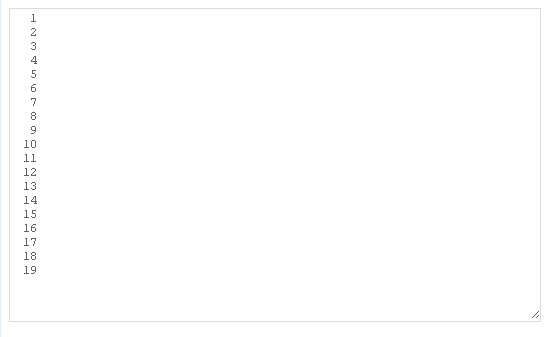
如需在线体验该功能,请访问以下演示地址:
http://demo.jb51.net/js/2015/js-textarea-show-row-num-codes/
具体实现代码如下:
<html>
<head>
<title>Js给文本框添加行号功能</title>
<style type="text/css">
 #codeTextarea{width: 500px;height: 310px;}
.textAreaWithLines{font-family: courier;border: 1px solid #ddd;}
.textAreaWithLines textarea,.textAreaWithLines div{border: 0px;line-height: 120%;font-size: 12px;}
.lineObj{color: #666;}
</style>
<script type="text/javascript">
var lineObjOffsetTop = 2;
function createTextAreaWithLines(id)
{
  var el = document.createElement('DIV');
  var ta = document.getElementById(id);
  ta.parentNode.insertBefore(el,ta);
  el.appendChild(ta);
  el.className='textAreaWithLines';
  el.style.width = (ta.offsetWidth + 30) + 'px';
  ta.style.position = 'absolute';
  ta.style.left = '30px';
  el.style.height = (ta.offsetHeight + 2) + 'px';
  el.style.overflow='hidden';
  el.style.position = 'relative';
  el.style.width = (ta.offsetWidth + 30) + 'px';
  var lineObj = document.createElement('DIV');
  lineObj.style.position = 'absolute';
  lineObj.style.top = lineObjOffsetTop + 'px';
  lineObj.style.left = '0px';
  lineObj.style.width = '27px';
  el.insertBefore(lineObj,ta);
  lineObj.style.textAlign = 'right';
  lineObj.className='lineObj';
  var string = '';
  for(var no=1;no<20;no++){
   if(string.length>0)string = string + '<br>';
   string = string + no;
  }
   ta.onkeydown = function() { positionLineObj(lineObj,ta); };
   ta.onmousedown = function() { positionLineObj(lineObj,ta); };
   ta.onscroll = function() { positionLineObj(lineObj,ta); };
   ta.onblur = function() { positionLineObj(lineObj,ta); };
   ta.onfocus = function() { positionLineObj(lineObj,ta); };
   ta.onmouseover = function() { positionLineObj(lineObj,ta); };
   lineObj.innerHTML = string;
  }
function positionLineObj(obj,ta)
{
   obj.style.top = (ta.scrollTop * -1 + lineObjOffsetTop) + 'px';
}
</script>
</head>
<body>
<form>
<textarea id="codeTextarea"></textarea>
</form>
<script type="text/javascript">
createTextAreaWithLines('codeTextarea');
</script>
</body>
</html>
希望本文提供的 JavaScript 程序设计示例能对读者有所帮助。