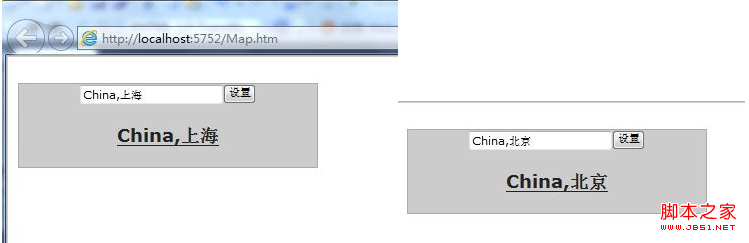
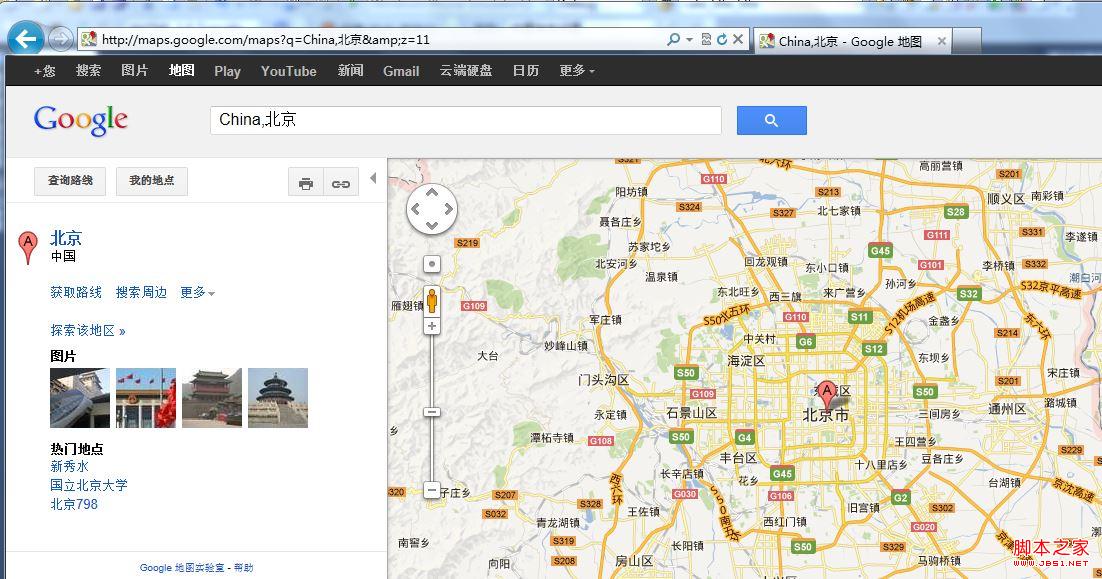
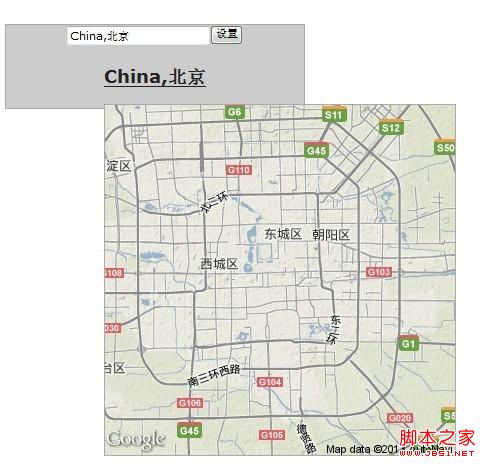
本文介绍如何使用jQuery和Google Maps API实现一个输入城市名称并动态生成地图的功能。通过配置jQuery UI Tooltip插件,当鼠标悬停在链接上时,自动显示对应城市的地图预览。同时,提供输入框和按钮,用户可设置城市名称,点击链接即可跳转至Google地图页面。
jQuery实现输入城市查看地图功能
代码示例如下:
<html xmlns="http://www.w3.org/1999/xhtml">
<head>
<title></title> //注意JavaScript引入顺序
<link href="css/jquery.ui.base.css" rel="stylesheet" type="text/css" />
<link href="css/jquery.ui.theme.css" rel="stylesheet" type="text/css" />
<script src="js/jquery-1.9.1.js" type="text/javascript"></script>
<script src="js/jquery.ui.core.js" type="text/javascript"></script>
<script src="js/jquery.ui.widget.js" type="text/javascript"></script>
<script src="js/jquery.ui.position.js" type="text/javascript"></script>
<script src="js/jquery.ui.tooltip.js" type="text/javascript"></script>
<link href="css/demos.css" rel="stylesheet" type="text/css" />
<style type="text/css">
.photo {
width: 300px;
text-align: center;
}
.photo .ui-widget-header {
margin: 1em 0;
}
.map {
width: 350px;
height: 350px;
}
.ui-tooltip {
max-width: 350px;
}
</style>
<script type="text/javascript">
$(function () {
$(document).tooltip({
items: "img, [data-geo], [title]",
content: function () {
var element = $(this);
if (element.is("[data-geo]")) {
var text = element.text();
return "<img class='map' alt='" + text +
"' src='http://maps.google.com/maps/api/staticmap?" +
"zoom=11&size=350x350&maptype=terrain&sensor=false¢er=" +
text + "'>";
}
if (element.is("[title]")) {
return element.attr("title");
}
if (element.is("img")) {
return element.attr("alt");
}
}
});
$('#Button1').click(function () {
$('#AName').text($('#Text1').val());
$('#AName').attr('href', "http://maps.google.com/maps?q="+$('#Text1').val()+"&z=11");
})
});
</script>
</head>
<body>
<div class="ui-widget photo">
<div class="ui-widget-header ui-corner-all">
<input id="Text1" type="text" value="China,上海"/><input id="Button1" type="button" value="设置" />
<h3><a href="http://maps.google.com/maps?q=China,上海&z=11" data-geo id="AName">China,上海</a></h3>
</div>
</div>
</body>
</html>操作步骤:输入国家与城市(逗号分隔),点击设置按钮后,下方超链接更新为对应城市地址,点击可跳转至地图页面;鼠标悬停于超链接时,显示350x350像素的地图预览。
效果展示: