

本文介绍在移动端实现Echarts图表横屏模式的方法。核心思路包括监听屏幕旋转事件,通过CSS切换竖屏与横屏样式,并在状态改变后调用resize方法重绘图表,确保显示正常。
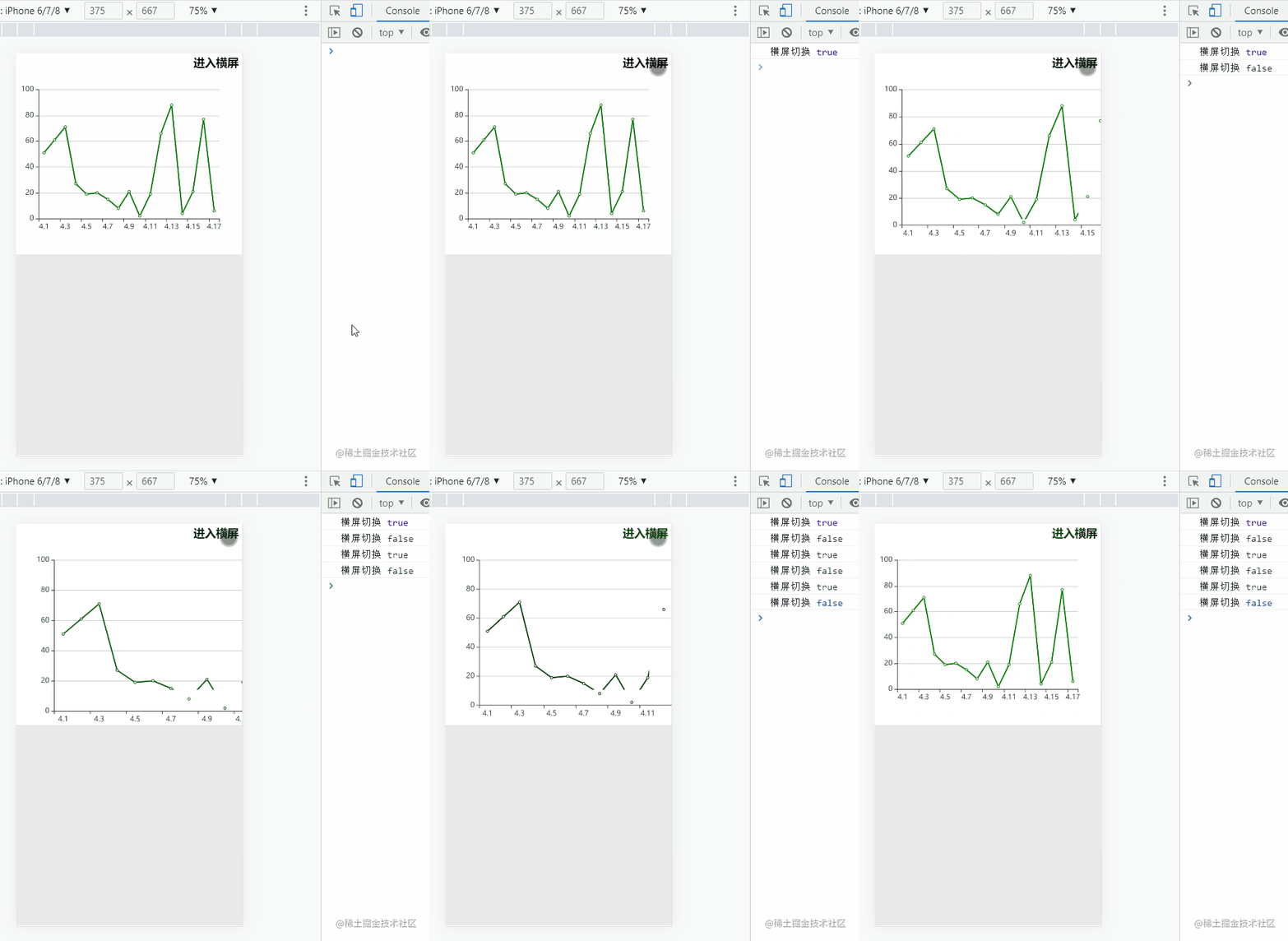
效果图
代码
<template>
  <div class="outWrap">
    <div
      :class="
        isHorizontalScreen ? 'horizontalEchartsFather' : 'verticalEchartsFather'
      "
    >
      <!-- 全屏进入退出按钮 -->
      <h3
        @click="switchFn"
        :class="isHorizontalScreen ? 'horizontalIcon' : 'verticalIcon'"
      >
        {{ isHorizontalScreen ? "退出横屏" : "进入横屏" }}
      </h3>
      <!-- echarts部分 -->
      <div
        id="echartsId"
        :class="isHorizontalScreen ? 'horizontal' : 'vertical'"
      ></div>
    </div>
  </div>
</template>
<script>
import Echarts from "echarts";
export default {
  data() {
    return {
      myChart: null, // echarts的实例
      isFull: false, // 是否全屏
      isHorizontalScreen: false, // 是否是横向屏幕,默认false,默认是竖向屏幕
      option: {
        dataZoom: [
          {
            type: "inside",
          },
        ],
        xAxis: {
          data: [
            "4.1",
            "4.2",
            "4.3",
            "4.4",
            "4.5",
            "4.6",
            "4.7",
            "4.8",
            "4.9",
            "4.10",
            "4.11",
            "4.12",
            "4.13",
            "4.14",
            "4.15",
            "4.16",
            "4.17",
          ],
        },
        yAxis: {},
        series: {
          name: "股价",
          type: "line",
          data: [
            51, 61, 71, 27, 19, 20, 15, 8, 21, 2, 19, 66, 88, 4, 21, 77, 6,
          ],
          itemStyle: {
            normal: {
              color: "green", //改变折线点的颜色
              lineStyle: {
                color: "green", //改变折线颜色
              },
            },
          },
        },
      },
    };
  },
  watch: {
    // 当横屏进入退出要重绘一下echarts
    isHorizontalScreen(newVal) {
      console.log("横屏切换", newVal);
      this.myChart.setOption(this.option, true);
      this.$nextTick(() => {
        this.resize();
      });
    },
  },
  mounted() {
    // 添加自适应监听
    window.addEventListener("resize", this.resize);
    this.echarts();
  },
  methods: {
    // 初始化
    echarts() {
      this.myChart = Echarts.init(document.querySelector("#echartsId"));
      this.myChart.setOption(this.option);
    },
    resize() {
      this.myChart.resize(); // 窗口大小发生变化的时候重置
    },
    // 切换 水平垂直~全屏默认屏
    switchFn() {
      this.isHorizontalScreen = !this.isHorizontalScreen;
      this.isFull = !this.isFull;
    },
  },
  // 移除自适应监听
  beforeDestroy() {
    window.removeEventListener("resize", this.resize);
  },
};
</script>
<style lang="less" scoped>
// 最外层满屏
.outWrap {
  width: 100%;
  height: 100vh;
  background: #e9e9e9;
}
/* 用于给竖向echarts画布定位用 */
.verticalEchartsFather {
  width: 100%;
  height: 50%;
  background-color: #fff;
  position: relative;
}
// 竖向的正常百分比即可
.vertical {
  width: 100%;
  height: 100%;
}
/* 用于给横向echarts画布定位用,横向就旋转90度即可 */
.horizontalEchartsFather {
  transform: rotate(90deg);
  position: relative;
  width: 100%;
}
// 因为横向了,所以颠倒一下
.horizontal {
  width: 100vh;
  height: 100vw;
}
/* 进入横屏和退出横屏两套样式,定位在不同的位置 */
.verticalIcon {
  position: absolute;
  top: 2px;
  right: 6px;
  z-index: 999;
  user-select: none;
}
.horizontalIcon {
  position: absolute;
  top: 2px;
  left: 6px;
  z-index: 999;
  user-select: none;
}
</style>
总结
当设备处于横屏状态时,可视区域相当于竖屏旋转了90度。实现该功能需要添加屏幕旋转监听器,调整相应的CSS样式,并在切换完成后调用Echarts的resize方法进行重绘,以保证图表正常显示。
至此,关于Echarts图表在移动端实现横屏进入与退出的功能介绍完毕。如需了解更多Echarts移动端横屏相关内容,建议查阅本站往期文章或继续浏览后续内容。感谢大家的支持!