

本文介绍如何使用JavaScript结合HTML5 Canvas实现一个简易的鼠标移动事件画笔小游戏。主要功能包括:鼠标点击开始绘制、双击停止绘制、鼠标进入和离开画板区域时改变颜色。
本文分享一个基于JavaScript实现的鼠标移动事件画笔小游戏,供读者参考学习。
功能概述
具体实现的功能如下: 1. 当鼠标在画板上点击时,可以开始绘画。 2. 如果鼠标双击,则停止绘画。 3. 当鼠标移动进入画板区域时,颜色会发生变化;当鼠标移出画板区域时,颜色也会相应改变。
<!DOCTYPE html>
<html lang="en">
  <head>
    <meta charset="UTF-8" />
    <meta name="viewport" content="width=device-width, initial-scale=1.0" />
    <meta http-equiv="X-UA-Compatible" content="ie=edge" />
    <title>Document</title>
  </head>
  <style>
    * {
      margin: 0;
      padding: 0;
      box-sizing: border-box;
    }
    .drawbox {
      width: 1100px;
      height: 600px;
      background-color: skyblue;
      position: relative;
    }
  </style>
  <body>
    <div class="drawbox"></div>
    <script>
      /*
        1.鼠标点击时可以在画板上画画
        如果鼠标双击那么停止
        移动进画板颜色改变移除时颜色改变
        */
      var darwbox = document.querySelector("div");
      darwbox.onmouseenter = function() {
        darwbox.style.backgroundColor = "red";
      };
      darwbox.onmouseleave = function() {
        darwbox.style.backgroundColor = "skyblue";
      };
      var istrue = false;
      darwbox.onmousedown = function(e) {
        istrue = true;
      };
      darwbox.onmousemove = function(e) {
        if (istrue == true) {
          var x = e.pageX;
          var y = e.pageY;
          var circle = document.createElement("div");
          circle.style.width = "10px";
          circle.style.height = "10px";
          circle.style.backgroundColor = "#fff";
          circle.style.position = "absolute";
          circle.style.left = x - 5 + "px";
          circle.style.top = y - 5 + "px";
          circle.style.borderRadius = "50%";

          darwbox.appendChild(circle);
        }
      };
      darwbox.onmouseup = function(e) {
        istrue = false;
      };
    </script>
  </body>
</html>
效果展示:
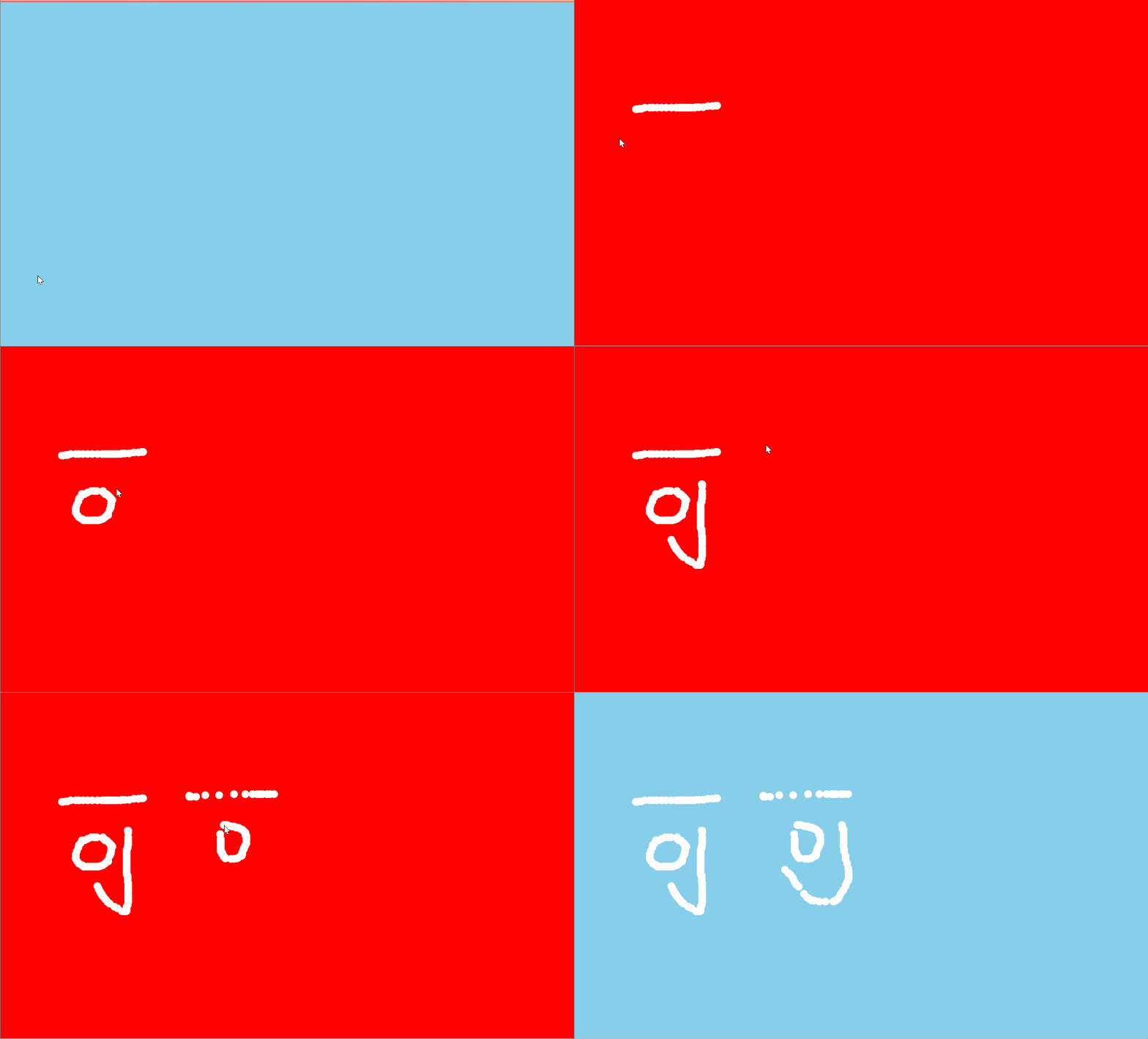
以上就是本文的全部内容,希望对大家的学习有所帮助,也希望大家多多支持本站。