

本文详细解析使用 JavaScript 从零开发贪吃蛇游戏的全过程。通过 HTML 表格构建游戏框架,利用构造函数封装蛇、食物及游戏控制器(Game)对象。内容涵盖 DOM 动态创建、数组操作实现蛇身移动、碰撞检测逻辑及方向控制,最终整合为完整可运行的前端小游戏。
本文深入解析贪吃蛇游戏的开发细节。
本次分享将完整展示贪吃蛇游戏从无到有的构建过程,涉及核心逻辑与界面实现。
以下将详细阐述具体的开发步骤与实现方案。
首先展示最终的游戏运行效果,以便直观了解目标形态。
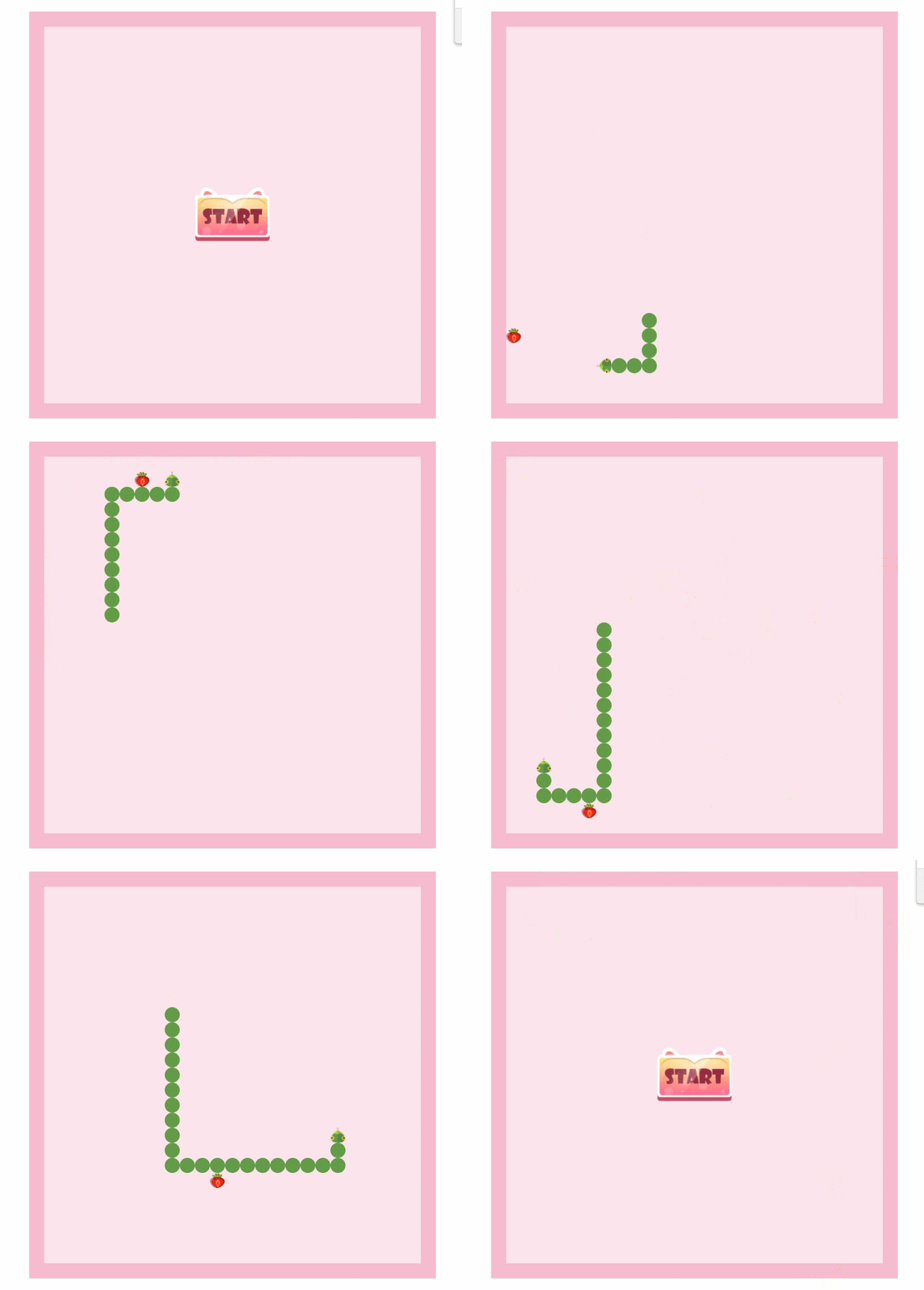
实际交互体验流畅,操作反馈清晰。
接下来进入具体的代码实现环节。
贪吃蛇的核心机制是在表格单元格中渲染颜色块。初始状态下的界面布局如上图所示。
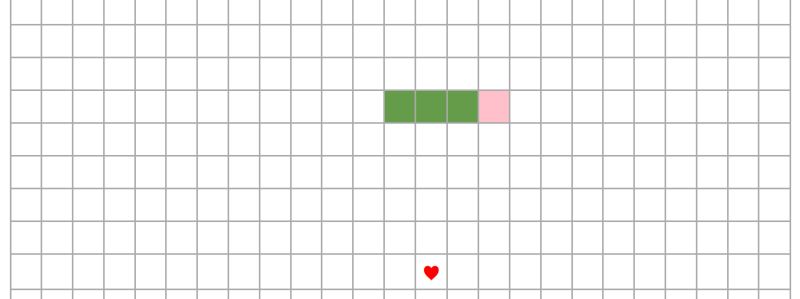
游戏逻辑基于数组数据结构,并通过构造函数进行面向对象封装。
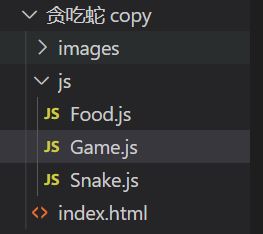
项目结构包含三个主要 JavaScript 文件:分别负责食物(Food)、蛇(Snake)逻辑以及中介者 Game.js 的全局状态管理。
开发初期,index.html 仅包含一个空的 div 容器(id为 app),表格、蛇身及食物等 DOM 元素均通过 JavaScript 动态生成。
一、创建html结构
页面初始化的基础 HTML 代码如下:
<body>
    <div id="app">
    </div>
    <script src="js/Snake.js"></script>
    <script src="js/Food.js"></script>
    <script src="js/Game.js"></script>
    <script>
        var game=new Game();
    </script>
</body>
二、创建表格
第一步是动态生成游戏网格。通过 JavaScript 创建 table、tr 和 td 元素并追加至页面,构建游戏的基础框架。
function Game() {
    this.row = 25;  // 行数
    this.col = 25;  // 列数
    this.init();    //初始化节点
}
Game.prototype.init = function () {
    this.dom = document.createElement('table'); // 创建表格
    var tr, td;
    // 遍历行和列
    for (var i = 0; i < this.row; i++) {
        tr = document.createElement('tr');  // 创建行
        for (var j = 0; j < this.col; j++) {
            td = document.createElement('td');  // 创建列
            tr.appendChild(td);     // 把列追加到行
        }
        this.dom.appendChild(tr);   // 把行追加到表格
    }
    document.querySelector('#app').appendChild(this.dom);   //把表格追加到div里
}
三、创建蛇头、蛇身
第二步实现蛇的初始化与渲染。
function Snake() {
    // 蛇的初始化身体
    this.body = [
        { 'row': 3, 'col': 5 },
        { 'row': 3, 'col': 4 },
        { 'row': 3, 'col': 3 },
        { 'row': 3, 'col': 2 }
    ];
}
Snake.prototype.render = function () {
    // 蛇头的渲染
    game.setColorHead(this.body[0].row, this.body[0].col);
    // 蛇身的渲染
    for (var i = 1; i < this.body.length; i++) {
        game.setColor(this.body[i].row, this.body[i].col, '#649c49')
    }
}
Snake 对象通过调用 Game 原型链上的方法,获取表格 DOM 引用并设置单元格样式。
Game.prototype.setColor = function (row, col, color) {
    this.dom.getElementsByTagName('tr')[row].getElementsByTagName('td')[col].style.background = color;
}
四、创建食物
第三步生成随机位置的食物对象,确保其不与蛇身重叠。
function Food(gameSnake) {
    var self = this;
    // 下面的 do-while 循环语句作用是先创建一个 row 和 col 然后判断这个 row 和 col 是否在蛇的身上
    do {
        // 食物的位置
        this.row = parseInt(Math.random() * gameSnake.row)
        this.col = parseInt(Math.random() * gameSnake.col)
    } while ((function () {
        // 遍历蛇的 row col 然后和 food 新随机出来的 row col 进行判断,是否重合
        for (var i = 0; i < gameSnake.snake.body.length; i++) {
            if (self.row == gameSnake.snake.body[i].row && self.col == gameSnake.snake.body[i].col) {
                return true;
            }
        }
        return false;
    })());
}
Food.prototype.render = function () {
    game.setHTML(this.row, this.col);
}
五、让蛇动起来
第四步实现蛇的移动逻辑。利用数组的 unshift(头部插入)和 pop(尾部删除)操作,实现蛇身的位移效果。
// 蛇的运动
Snake.prototype.update = function () {
    this.direction = this.willDirection;
    switch (this.direction) {
        case 'R':   //右
            this.body.unshift({ 'row': this.body[0].row, 'col': this.body[0].col + 1 });
            break;
        case 'D':   //下
            this.body.unshift({ 'row': this.body[0].row + 1, 'col': this.body[0].col });
            break;
        case 'L':   //左
            this.body.unshift({ 'row': this.body[0].row, 'col': this.body[0].col - 1 });
            break;
        case 'U':   //上
            this.body.unshift({ 'row': this.body[0].row - 1, 'col': this.body[0].col });
            break;
    }
    // 死亡的判断,超出了表格边缘的部分
    if (this.body[0].col > game.col - 1 || this.body[0].col < 0 || this.body[0].row > game.row - 1 || this.body[0].row < 0) {
        alert('撞到墙了哦,一共吃掉了' + game.score + '颗草莓');
        this.body.shift();
        clearInterval(game.timer);
        location.reload();
    }
    // 自己撞到自己的时候会判定死亡
    for (var i = 1; i < this.body.length; i++) {
        // 如果当前蛇的头部和身体的某一个部位的 row 和 col 完全重合的时候
        if (this.body[0].row == this.body[i].row && this.body[0].col == this.body[i].col) {
            alert('撞到自己了,吃掉了' + game.score + '颗草莓');
            this.body.shift();
            clearInterval(game.timer);
            location.reload();
        }
    }
    // 蛇吃食物
    // 判断如果当前的蛇的头部没有和食物进行重合,就代表此时没有吃到食物,此时就进行尾部删除,如果重合了就代表迟到了,此时我们不进行删除尾部
    if (this.body[0].row == game.food.row && this.body[0].col == game.food.col) {
        // 此时情况是只有头部增加了,尾部没有删除
        game.food = new Food(game);    //创建新的食物
        game.score++;
        game.f = 0;
    } else {
        this.body.pop();    //删除数组最后一个元素
    }
}
六、控制蛇的方向
第五步处理键盘事件,改变蛇的移动方向,并处理反向移动的限制逻辑。
// 蛇的方向改变,防止的是在一次渲染之前会出现调头的情况
Snake.prototype.changeDirection = function (d) {
    this.willDirection = d;
}
// 设置键盘的事件监听
Game.prototype.bindEvent = function () {
    var self = this;
    document.addEventListener('keydown', function (e) {
        // 用ASCII码值判断键盘方向
        switch (e.keyCode) {
            case 37:    //左
                if (self.snake.direction == 'R') return;    // 先进行判断,如果当前的方向是向右移动,此时我们不能按左键
                self.snake.changeDirection('L');
                self.d = 'L';
                break;
            case 38:    //上
                if (self.snake.direction == 'D') return;    // 先进行判断,如果当前的方向是向下移动,此时我们不能按上键
                self.snake.changeDirection('U');
                self.d = 'U';
                break;
            case 39:    //右
                if (self.snake.direction == 'L') return;    // 先进行判断,如果当前的方向是向左移动,此时我们不能按右键
                self.snake.changeDirection('R');
                self.d = 'R';
                break;
            case 40:    //下
                if (self.snake.direction == 'U') return;    // 先进行判断,如果当前的方向是向上移动,此时我们不能按下键
                self.snake.changeDirection('D');
                self.d = 'D';
                break;
        }
    })
}
最后,根据审美需求添加 CSS 样式,包括蛇身颜色、食物图标及整体界面美化。
七、完整代码
index.html
<!DOCTYPE html>
<html lang="en">

<head>
    <meta charset="UTF-8">
    <meta http-equiv="X-UA-Compatible" content="IE=edge">
    <meta name="viewport" content="width=device-width, initial-scale=1.0">
    <title>贪吃蛇</title>
    <style>
        * {
            padding: 0;
            margin: 0;
        }

        #app {
            position: relative;
            border: 20px solid #f8bbd0;
            background-color: #fce4ec;
            width: 500px;
            height: 500px;
            margin: 15px auto;
        }

        table {
            border-collapse: collapse;
            background-color: #fce4ec;
        }

        td {
            position: relative;
            background-size: 100% 100%;
            border-radius: 50%;
            width: 20px;
            height: 20px;
            text-align: center;
            /* background-color: #fce4ec; */
            /* border: 1px solid #aaa; */
        }

        td .snake {
            position: absolute;
            top: 0;
            left: 0;
            width: 100%;
            height: 100%;
        }

        .start,
        .suspend {
            cursor: pointer;
            position: absolute;
            width: 150px;
            top: 50%;
            left: 50%;
            transform: translate(-50%, -50%);
        }

        .suspend {
            display: none;
            z-index: 2;
        }
    </style>
</head>

<body>
    <!-- <h3 id="f">帧编号:0</h3>
    <h3 id="score">分数:0</h3> -->
    <div id="app">
        <img src="images/start.gif" alt="" class="start">
        <img src="images/suspended.png" alt="" class="suspend">
    </div>
    <!-- <script src="js/last.js"></script> -->
    <script src="js/Snake.js"></script>
    <script src="js/Food.js"></script>
    <script src="js/Game.js"></script>
    <script>
        var game = null;
        var flag = true;
        var suspend = document.querySelector('.suspend');
        document.querySelector('.start').addEventListener('click', function () {
            // document.querySelector('#app').style.backgroundColor='white';
            this.style.display = 'none';
            game = new Game();
            document.querySelector('table').addEventListener('click', function () {
                clearInterval(game.timer);
                suspend.style.display = 'block';

            })
            suspend.addEventListener('click', function () {
                suspend.style.display = 'none';
                game.timer = setInterval(function () {
                    game.f++;
                    // document.getElementById('f').innerHTML = '帧编号:' + game.f;
                    // document.getElementById('score').innerHTML = '分数:' + game.score;
                    // 清屏
                    game.clear();
                    // 蛇的运动(更新)
                    // 蛇的更新速度,当蛇变长的时候,速度要加快
                    var during = game.snake.body.length < 30 ? 30 - game.snake.body.length : 1;
                    game.f % during == 0 && game.snake.update();

                    // game.snake.update();
                    // 渲染蛇
                    game.snake.render();
                    // 渲染食物
                    game.food.render();
                }, 10)
            })
        })
    </script>
</body>

</html>
Game.js
function Game() {
    this.row = 25;  // 行数
    this.col = 25;  // 列数
    this.score = 0;   //分数
    this.init();    //初始化节点
    this.snake = new Snake();  //实例化蛇类
    this.food = new Food(this);   //初始化食物
    // this.last = new Last();
    this.start();   //执行定时器任务
    this.bindEvent();   //键盘的事件监听
    this.d = 'R';
}
Game.prototype.init = function () {
    this.dom = document.createElement('table'); // 创建表格
    var tr, td;
    // 遍历行和列
    for (var i = 0; i < this.row; i++) {
        tr = document.createElement('tr');  // 创建行
        for (var j = 0; j < this.col; j++) {
            td = document.createElement('td');  // 创建列
            tr.appendChild(td);     // 把列追加到行
        }
        this.dom.appendChild(tr);   // 把行追加到表格
    }
    document.querySelector('#app').appendChild(this.dom);   //把表格追加到div里
}
// 遍历表格,清除表格上的颜色
Game.prototype.clear = function () {
    for (var i = 0; i < this.row; i++) {
        for (var j = 0; j < this.col; j++) {
            this.dom.getElementsByTagName('tr')[i].getElementsByTagName('td')[j].style.background = '';
            this.dom.getElementsByTagName('tr')[i].getElementsByTagName('td')[j].innerHTML = '';
        }
    }
}
// 设置颜色的方法 让表格的第几行,第几列设置什么颜色
Game.prototype.setColor = function (row, col, color) {
    this.dom.getElementsByTagName('tr')[row].getElementsByTagName('td')[col].style.background = color;
}
// 设置蛇头
Game.prototype.setColorHead = function (row, col) {
    var img = document.createElement('img');
    img.src = 'images/snake.png';
    img.className = 'snake';
    this.dom.getElementsByTagName('tr')[row].getElementsByTagName('td')[col].appendChild(img);
    // this.dom.getElementsByTagName('tr')[row].getElementsByTagName('td')[col].style.backgroundColor='transparent'
    switch (this.d) {
        case 'R':   //右
                break;
        case 'D':   //下
                img.style.transform = 'rotate(90deg)';
                break;
        case 'L':   //左
                img.style.transform = 'rotate(180deg)';
                break;
        case 'U':   //上
                img.style.transform = 'rotate(-90deg)';
                break;
    }
}
// 渲染食物
Game.prototype.setHTML = function (row, col) {
    this.dom.getElementsByTagName('tr')[row].getElementsByTagName('td')[col].style.backgroundImage = 'url(./images/food.png)';
}
// 设置键盘的事件监听
Game.prototype.bindEvent = function () {
    var self = this;
    document.addEventListener('keydown', function (e) {
        // 用ASCII码值判断键盘方向
        switch (e.keyCode) {
            case 37:    //左
                if (self.snake.direction == 'R') return;    // 先进行判断,如果当前的方向是向右移动,此时我们不能按左键
                self.snake.changeDirection('L');
                self.d = 'L';
                break;
            case 38:    //上
                if (self.snake.direction == 'D') return;    // 先进行判断,如果当前的方向是向下移动,此时我们不能按上键
                self.snake.changeDirection('U');
                self.d = 'U';
                break;
            case 39:    //右
                if (self.snake.direction == 'L') return;    // 先进行判断,如果当前的方向是向左移动,此时我们不能按右键
                self.snake.changeDirection('R');
                self.d = 'R';
                break;
            case 40:    //下
                if (self.snake.direction == 'U') return;    // 先进行判断,如果当前的方向是向上移动,此时我们不能按下键
                self.snake.changeDirection('D');
                self.d = 'D';
                break;
        }
    })
}
Game.prototype.start = function () {
    // 帧编号
    this.f = 0;
    // 定时器里面的核心就是游戏的渲染本质:清屏-更新-渲染
    this.timer = setInterval(function () {
        game.f++;
        // document.getElementById('f').innerHTML = '帧编号:' + game.f;
        // document.getElementById('score').innerHTML = '分数:' + game.score;
        // 清屏
        game.clear();
        // 蛇的运动(更新)
        // 蛇的更新速度,当蛇变长的时候,速度要加快
        var during = game.snake.body.length < 30 ? 30 - game.snake.body.length : 1;
        game.f % during == 0 && game.snake.update();
        // game.snake.update();
        // 渲染蛇
        game.snake.render();
        // 渲染食物
        game.food.render();
    }, 10)
}
Snake.js
function Snake() {
    // 蛇的初始化身体
    this.body = [
        { 'row': 3, 'col': 5 },
        { 'row': 3, 'col': 4 },
        { 'row': 3, 'col': 3 },
        { 'row': 3, 'col': 2 }
    ];
    this.direction = 'R';   //信号量,设置运动方向
    this.willDirection = 'R';   //即将改变的方向,目的就是为了方向出现原地调头的情况
}
Snake.prototype.render = function () {
    // 蛇头的渲染
    game.setColorHead(this.body[0].row, this.body[0].col);
    // 蛇身的渲染
    for (var i = 1; i < this.body.length; i++) {
        game.setColor(this.body[i].row, this.body[i].col, '#649c49')
    }
}
// 蛇的运动
Snake.prototype.update = function () {
    this.direction = this.willDirection;
    switch (this.direction) {
        case 'R':   //右
            this.body.unshift({ 'row': this.body[0].row, 'col': this.body[0].col + 1 });
            break;
        case 'D':   //下
            this.body.unshift({ 'row': this.body[0].row + 1, 'col': this.body[0].col });
            break;
        case 'L':   //左
            this.body.unshift({ 'row': this.body[0].row, 'col': this.body[0].col - 1 });
            break;
        case 'U':   //上
            this.body.unshift({ 'row': this.body[0].row - 1, 'col': this.body[0].col });
            break;
    }
    // 死亡的判断,超出了表格边缘的部分
    if (this.body[0].col > game.col - 1 || this.body[0].col < 0 || this.body[0].row > game.row - 1 || this.body[0].row < 0) {
        alert('撞到墙了哦,一共吃掉了' + game.score + '颗草莓');
        this.body.shift();
        clearInterval(game.timer);
        location.reload();
    }
    // 自己撞到自己的时候会判定死亡
    for (var i = 1; i < this.body.length; i++) {
        // 如果当前蛇的头部和身体的某一个部位的 row 和 col 完全重合的时候
        if (this.body[0].row == this.body[i].row && this.body[0].col == this.body[i].col) {
            alert('撞到自己了,吃掉了' + game.score + '颗草莓');
            this.body.shift();
            clearInterval(game.timer);
            location.reload();
        }
    }
    // 蛇吃食物
    // 判断如果当前的蛇的头部没有和食物进行重合,就代表此时没有吃到食物,此时就进行尾部删除,如果重合了就代表迟到了,此时我们不进行删除尾部
    if (this.body[0].row == game.food.row && this.body[0].col == game.food.col) {
        // 此时情况是只有头部增加了,尾部没有删除
        game.food = new Food(game);    //创建新的食物
        game.score++;
        game.f = 0;
    } else {
        this.body.pop();    //删除数组最后一个元素
    }
}
// 蛇的方向改变,防止的是在一次渲染之前会出现调头的情况
Snake.prototype.changeDirection = function (d) {
    this.willDirection = d;
}
Food.js
function Food(gameSnake) {
    var self = this;
    // 下面的 do-while 循环语句作用是先创建一个 row 和 col 然后判断这个 row 和 col 是否在蛇的身上
    do {
        // 食物的位置
        this.row = parseInt(Math.random() * gameSnake.row)
        this.col = parseInt(Math.random() * gameSnake.col)
    } while ((function () {
        // 遍历蛇的 row col 然后和 food 新随机出来的 row col 进行判断,是否重合
        for (var i = 0; i < gameSnake.snake.body.length; i++) {
            if (self.row == gameSnake.snake.body[i].row && self.col == gameSnake.snake.body[i].col) {
                return true;
            }
        }
        return false;
    })());
}
Food.prototype.render = function () {
    game.setHTML(this.row, this.col);
}
八、图片
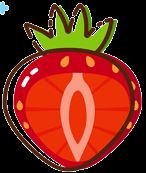
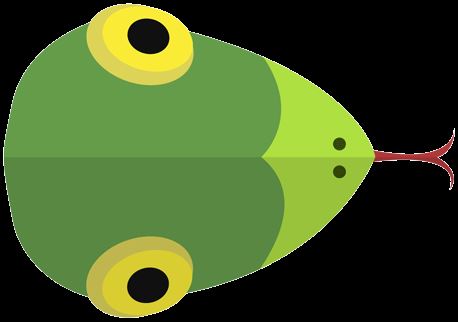
此处提供开发过程中使用的素材图片,可直接下载应用于项目中。

九、总结
通过上述步骤,贪吃蛇游戏的核心功能已完整实现。建议读者动手实践以巩固理解。
到此这篇关于JavaScript 精美贪吃蛇实现流程的文章就介绍到这了,更多相关JavaScript 贪吃蛇内容请搜索本站以前的文章或继续浏览下面的相关文章希望大家以后多多支持本站!