
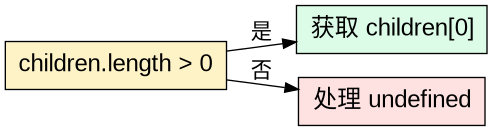
使用 children[0] 获取第一个子元素时,需确保父节点存在且包含子节点。直接访问前建议检查 children.length > 0 ,避免 undefined 错误。

当前位置:首页 > JavaScript DOM 与事件 > 正文
JavaScript使用children[0]获取第一个子元素的方法与注意事项
作者:像素猫
时间:2026-11-28
浏览:676
文章目录

理解 children 与 childNodes 的区别
children 属性仅返回元素节点(Element),忽略文本和注释节点;而 childNodes 包含所有节点类型。因此,children[0] 更精准地指向第一个子元素。

当 HTML 结构中存在换行或空格时,childNodes[0] 可能指向文本节点,导致后续操作失败。例如:<div><p>Hello</p></div> 使用 children[0] 可直接获取 <p> 元素,无需过滤。
安全获取第一个子元素的完整程序
以下代码演示如何安全获取并操作第一个子元素,适用于 DOM 加载完成后执行。
<!DOCTYPE html>
<html>
<head>
  <title>Get First Child</title>
</head>
<body>
  <div id="parent">
    <span class="child">First</span>
    <span class="child">Second</span>
  </div>
  <script>
    const parent = document.getElementById('parent');
    if (parent && parent.children.length > 0) {
      const firstChild = parent.children[0];
      console.log('First child:', firstChild.textContent);
      firstChild.style.color = 'red';
    } else {
      console.log('No children found');
    }
  </script>
</body>
</html>
程序输出为 First child: First,并将第一个 <span> 文字变为红色。若父节点无子元素,则输出 No children found。此方法避免了因空白节点导致的索引错位问题。
将代码保存为 index.html,在浏览器中打开即可看到效果。若控制台输出 null,说明父节点无子元素。
空容器场景下的行为验证
当父节点为空时,children[0] 返回 undefined,此时调用方法会抛出异常。
沿用上述程序,修改 HTML 为 <div id="parent"></div>,运行后检查控制台。建议在访问前添加条件判断:if (parent.children.length) { ... } 以增强健壮性。
实用工具推荐
电子包浆
使用 ›绿化、压缩、噪点和虚拟水印,自由调节做旧程度。
图片压缩
使用 ›选择画质和输出格式,预览压缩前后的大小。
作者最新文章
相关文章