
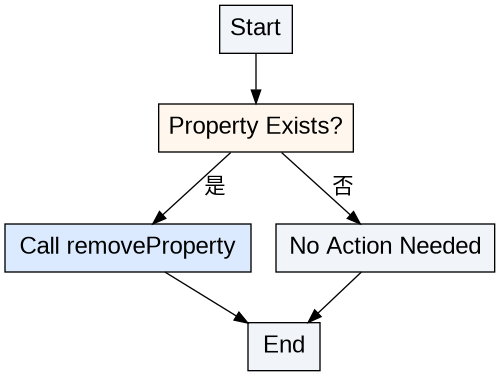
直接调用元素的 style 对象的 removeProperty() 方法,传入对应的 CSS 属性名即可清除已设置的行内样式。

当前位置:首页 > JavaScript DOM 与事件 > 正文
怎么通过JS清除元素已设置的行内样式
作者:像素漫游
时间:2026-11-26
浏览:129
文章目录

使用 removeProperty 清除样式
element.style.removeProperty('property-name') 是标准且最直接的清除方式。它从元素的行内样式表中移除指定属性,使该元素恢复为继承或外部样式表定义的状态。注意属性名需使用连字符格式(如 'font-size'),而非驼峰命名。

该方法不会删除整个 style 对象,仅移除特定键值对。若需清除所有行内样式,可遍历 style 属性或使用其他技巧,但针对单一属性,removeProperty 是最安全的选择,因为它不影响其他已设置的行内样式。
完整示例与运行验证
以下代码创建了一个带有行内样式的 div,演示如何清除其颜色样式并观察效果变化。
<!DOCTYPE html>
<html lang="zh">
<head>
<meta charset="UTF-8">
<title>Clear Inline Style Example</title>
<style>
  body { font-family: sans-serif; padding: 20px; }
  button { padding: 10px 20px; cursor: pointer; }
</style>
</head>
<body>

<div id="target" style="color: red; font-weight: bold;">Hello World</div>
<button onclick="clearStyle()">Clear Color Style</button>

<script>
function clearStyle() {
  const el = document.getElementById('target');
  // 使用 removeProperty 清除 'color' 样式
  el.style.removeProperty('color');
  console.log('Color style cleared. Current style:', el.style.color);
}
</script>

</body>
</html>
程序运行后,初始状态 div 文字为红色加粗。点击按钮触发 clearStyle 函数,调用 el.style.removeProperty('color')。执行后,控制台输出空字符串,表示颜色属性已被移除,视觉上文字恢复默认颜色。若再次点击,因属性已不存在,操作无副作用。
将代码保存为 HTML 文件并在浏览器中打开,点击按钮后,文本颜色将从红色变为默认黑色(或继承色)。
属性名格式与兼容性细节
开发者常混淆 CSS 属性名与 JS 属性名的映射关系。removeProperty 要求使用标准的 CSS 字符串名称(kebab-case),例如 'background-color' 而非 'backgroundColor'。若传入驼峰命名,方法可能静默失败或无效。
此行为在所有现代浏览器中一致。对于极老旧的 IE8 及以下版本,可能需要通过设置 element.style.propertyName = '' 来模拟清除,但当前开发环境通常无需考虑此类兼容性问题。
实用工具推荐
电子包浆
使用 ›绿化、压缩、噪点和虚拟水印,自由调节做旧程度。
图片压缩
使用 ›选择画质和输出格式,预览压缩前后的大小。
作者最新文章
相关文章