

本文介绍如何使用 JavaScript 实现限定区域内的元素拖拽效果。通过监听鼠标按下、移动和抬起事件,结合 CSS 定位与事件处理逻辑,限制元素在指定父容器内移动。提供完整 HTML 与 JS 代码示例,帮助开发者快速掌握相关实现技巧。
JavaScript 实现限定区域拖拽功能
本文分享了一段使用 JavaScript 实现限定区域内元素拖拽的具体代码,供读者参考。
针对需要在特定范围内进行拖拽的需求,以往查阅的资料大多未能完全满足要求。因此,本文通过监听鼠标按下、鼠标抬起以及鼠标移动这三个关键事件,自行编写了相应的控制逻辑。
具体实现代码如下所示。
<!DOCTYPE html>

<html lang="en">
 <head>
  <meta charset="UTF-8" />
  <meta name="viewport" content="width=device-width, initial-scale=1.0" />
  <title>Document</title>
  <style>

   #drag {

    background: aqua;
    width: 200px;
    height: 200px;
    position: absolute;
    -moz-user-select: none;
    -khtml-user-select: none;
    user-select: none;

   }

   #parent {
    position: relative;
    background: #cde4dc;
    height: 80vh;
    overflow: hidden;

   }

  </style>
 </head>

<body>
  <section id="parent">
   <div id="drag"><div>这是一个测试</div></div>
  </section>
  <script type="text/javascript">

   //自执行函数,需要拖拽的元素需要设置position:absolute,父元素position:relative
   //有传父亲节点、若无则默认body为父节点

   ((parent, children, mouseType) => {

    if (!children) return;
    let childrenDiv = document.querySelector(children);
    childrenDiv.style.position = 'absolute';
    let parentDiv = parent

     ? document.querySelector(parent)
     : document.querySelector('body');

    let isDown = false;

    let x,
     y,
     l,
     t = 0;

    childrenDiv.onmousedown = function (e) {

     x = e.clientX;
     y = e.clientY;

     // 获取左部和底部的偏移量

     l = childrenDiv.offsetLeft;
     t = childrenDiv.offsetTop;
     isDown = true;
     childrenDiv.style.cursor = mouseType || 'move';

    };

    // 鼠标移动

    window.onmousemove = function (e) {

     if (!isDown) {

      return;

     }

     //获取移动后的x和y坐标

     let nx = e.clientX;
     let ny = e.clientY;

     //获取父元素的宽高

     let parentWidth = parentDiv.clientWidth;
     let parentHeight = parentDiv.clientHeight;

     //获取子元素的宽高

     let childrenWidth = childrenDiv.clientWidth;
     let childrenHight = childrenDiv.clientHeight;

     // 计算移动后的左偏移量和顶部偏移量

     let nLeft = nx - (x - l);
     let nTop = ny - (y - t);
     let nRight = nLeft + childrenWidth;
     let nBottom = nTop + childrenHight;
     nLeft = nLeft <= 0 ? 0 : nLeft; //判断左边距离是否越界
     nTop = nTop <= 0 ? 0 : nTop; //判断上边距离是否越界
     //判断右边距离大于父元素宽度

     if (nRight >= parentWidth) {

      nLeft = parentWidth - childrenHight;

     }

     // 判断下边界是否越界

     if (nBottom >= parentHeight) nTop = parentHeight - childrenHight;
     childrenDiv.style.left = nLeft + 'px';
     childrenDiv.style.top = nTop + 'px';

    };

    // 鼠标抬起事件
    document.onmouseup = function (e) {
     //鼠标抬起
     isDown = false;

     childrenDiv.style.cursor = 'default';

    };

   })('#parent', '#drag', 'move');

  </script>
 </body>
</html>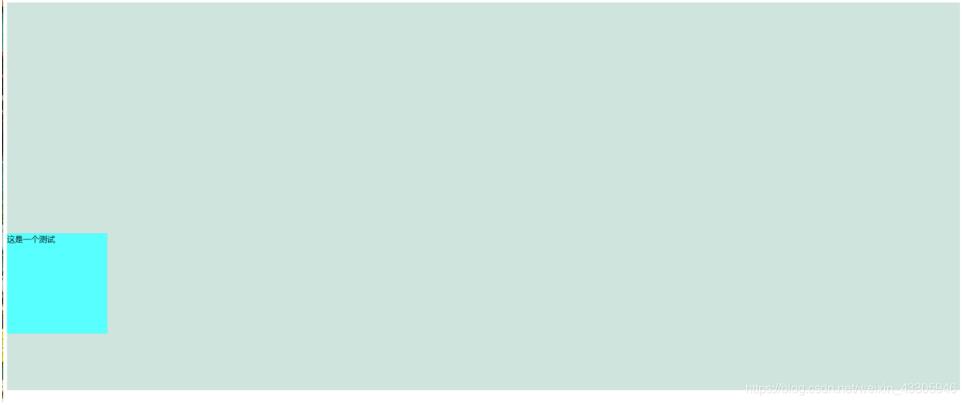
以上即为本文的全部内容,希望这段代码能对各位的学习有所启发。同时也欢迎大家继续支持本站,获取更多技术分享。