

本文通过JavaScript原生代码演示如何实现HTML元素的拖拽效果。利用HTML5的Drag and Drop API,结合ondragover和ondrop事件,实现元素在不同容器间的移动。文章提供了完整的HTML结构、CSS样式及JS逻辑代码,帮助开发者快速掌握拖拽交互的实现方法。
JavaScript实现HTML元素拖拽交互
本文分享了使用JavaScript实现元素拖拽效果的具体代码示例,供读者参考学习。
最终实现的交互效果如下所示:
HTML结构代码如下:
<!DOCTYPE html>
<html lang="en">

<head>
  <meta charset="UTF-8">
  <meta name="viewport" content="width=device-width, initial-scale=1.0">
  <meta http-equiv="X-UA-Compatible" content="ie=edge">
  <title>拖拽</title>
<body>
  <div class="leftBox"></div>
  <div class="rightBox">
    <!-- 开启拖拽属性draggable -->
    <div class="circle" draggable="true"></div>
  </div>
</body>

</html>
CSS样式代码如下:
<style>
    .leftBox {
      display: inline-block;
      width: 100px;
      height: 100px;
      border: 1px solid black;
      border-radius: 10px;
      position: relative;
    }

    .rightBox {
      display: inline-block;
      width: 100px;
      height: 100px;
      border: 1px solid black;
      border-radius: 10px;
      position: relative;
    }

    .circle {
      width: 50px;
      height: 50px;
      border-radius: 50%;
      background: radial-gradient(25px at center, white, skyblue);
      /* 绝对居中 */
      position: absolute;
      left: 50%;
      margin-left: -25px;
      top: 50%;
      margin-top: -25px;
    }
  </style>
JavaScript逻辑代码如下:
<script>
  //获取dom元素,分别是左盒子 圆圈 右盒子
  var leftBox = document.querySelector('.leftBox');
  var circle = document.querySelector('.circle');
  var rightBox = document.querySelector('.rightBox');
  var text = document.querySelector('.text');

  //移动circle
  circle.

  //开启左盒子的移入事件
  leftBox.ondragover = function (event) {
    event.preventDefault();
  }
  leftBox.ondrop = function () {
    leftBox.appendChild(circle);
  }

  //开启右盒子的移入事件
  rightBox.ondragover = function (event) {
    event.preventDefault();
  }
  rightBox.ondrop = function () {
    rightBox.appendChild(circle);
  }

</script>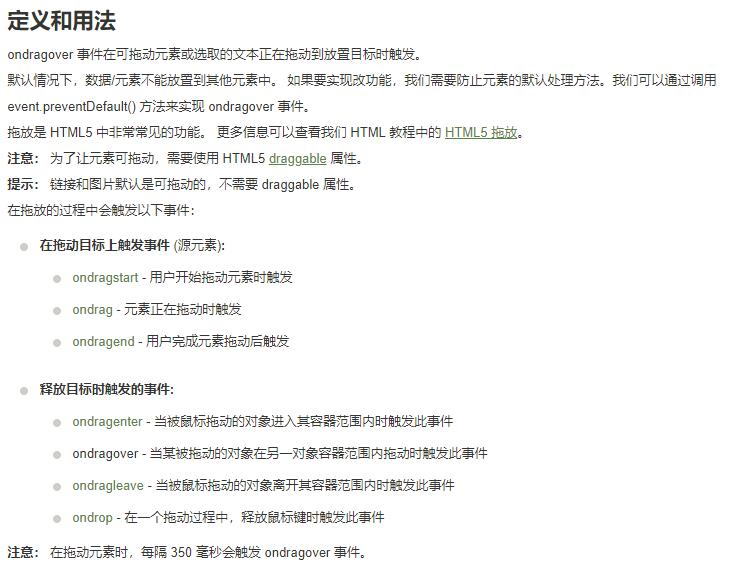
在事件处理方面,官方文档建议使用object.addEventListener("dragover", myScript)以及event.target.id来获取目标元素ID。
以上内容为本文的全部介绍,希望能为读者的学习提供有益帮助,同时也欢迎大家继续支持本站。