

本文介绍如何使用 HTML、CSS 和 JavaScript 构建一个简易的聊天室界面。通过封装 DOM 操作函数,实现消息发送功能,并根据消息序号自动区分左右布局样式,提供完整的前端代码参考。
简易聊天室前端实现
聊天室应用广泛,例如微信和 QQ 的聊天界面。下面展示一个简易聊天室的结构示例。
1.html代码
<div class="content">
 <div class="section"></div>
 <form action="#">
 <textarea id="$value"></textarea>
 <button type="button" id="sub">发送</button>
 </form>
</div>
2.css代码
.content{
 border-radius: 5px;
 border: 2px solid #cccccc;
 width: 500px;
 height: 700px;
 margin: 50px auto 0;
 overflow: hidden;
 }
 .section{
 width: 500px;
 height: 569px;
 overflow-x: hidden;
 overflow-y: auto;
 border-bottom: 1px solid #cccccc;
 padding-top: 30px;
 }
 .section::-webkit-scrollbar{
 display: none;
 }
 form{
 width: 500px;
 height: 100px;
 }
 form textarea{
 outline: none;
 border: none;
 display: block;
 float: left;
 width: 370px;
 height: 100px;
 font-size: 25px;
 text-align: top;
 line-height: 35px;
 resize: none;
 }
 form button{
 outline: none;
 border: none;
 display: block;
 float: left;
 width: 130px;
 height: 100px;
 }
 form button:active{
 background: #ccc;
 }
 .line{
 width: 500px;
 overflow: hidden;
 }
 .left,.right{
 height: auto;
 font-size: 25px;
 line-height: 50px;
 border-radius: 10px;
 padding: 0 10px;
 overflow-wrap: break-word;
 margin-bottom: 20px;
 }
 .left{
 max-width: 400px;
 margin-left: 20px;
 float: left;
 background: rgb(243, 244, 245);
 }
 .right{
 max-width: 400px;
 float: right;
 margin-right: 20px;
 background: rgb(79, 230, 49);
 }
3.js代码
<script type="text/javascript">
 function $(str){
 if (str[0]=='.') {
  return document.getElementsByClassName(str.substring(1));
 }else if (str[0]=='#') {
  return document.getElementById(str.substring(1));
 }else{
  return document.getElementsByTagName(str);
 }
 }
 //以上代码可以单独封装成一个函数
 var count = 0;
 $('#sub').onclick=function(){
 //当点击发送按钮后,创建class名为line的盒子,来盛放聊天的内容
 var div = document.createElement('div');
 div.className = 'line';
 $('.section')[0].appendChild(div);
 var str = $('#$value').value;
 var p = document.createElement('p');
 if (count%2==1) {
  p.className = 'left';
 }else{
  p.className = 'right';
 }
 p.innerHTML = str;
 $('#$value').value = '';
 div.appendChild(p);
 count++;
 }

</script>
4.效果图
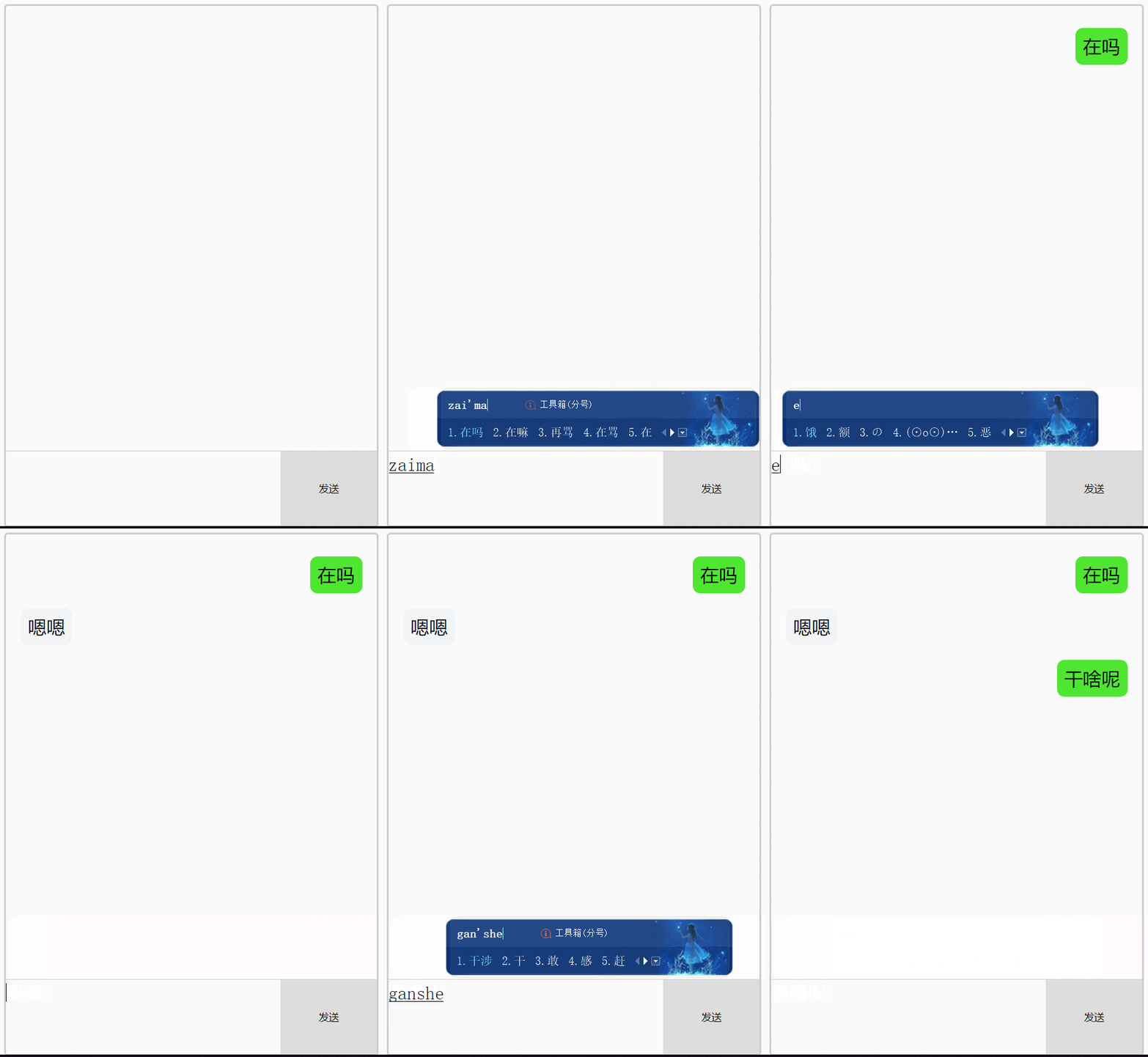
至此,一个简易聊天室的制作便完成了。
以上就是本文的全部内容,希望对大家的学习有所帮助,也希望大家多多支持本站。