Windows Server 2003配置并启用路由和远程访问

作者:技术拾光

时间:2023-04-27

浏览:411

Windows Server 2003如何配置启用路由和远程访问?小编特此写了篇经验供大家参考

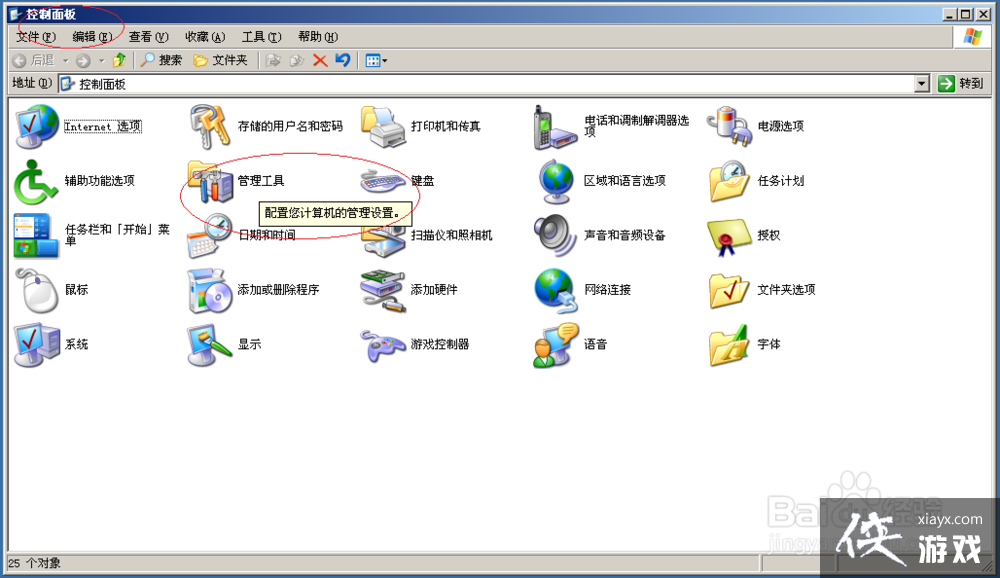
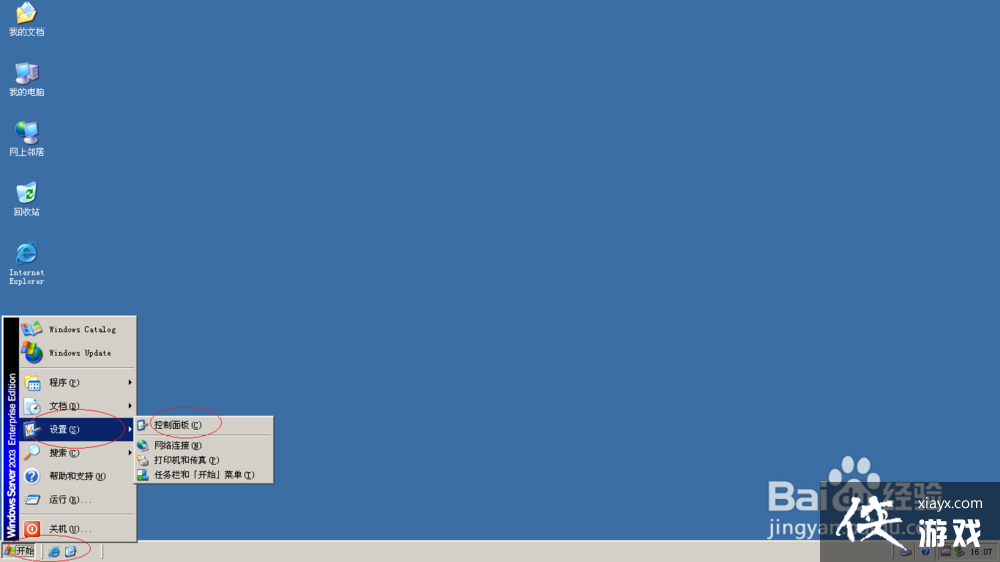
1、首先,选择开始菜单"设置→控制面板"项
Windows Server 2003配置并启用路由和远程访问

2、点击"管理工具"图标

Windows Server 2003配置并启用路由和远程访问

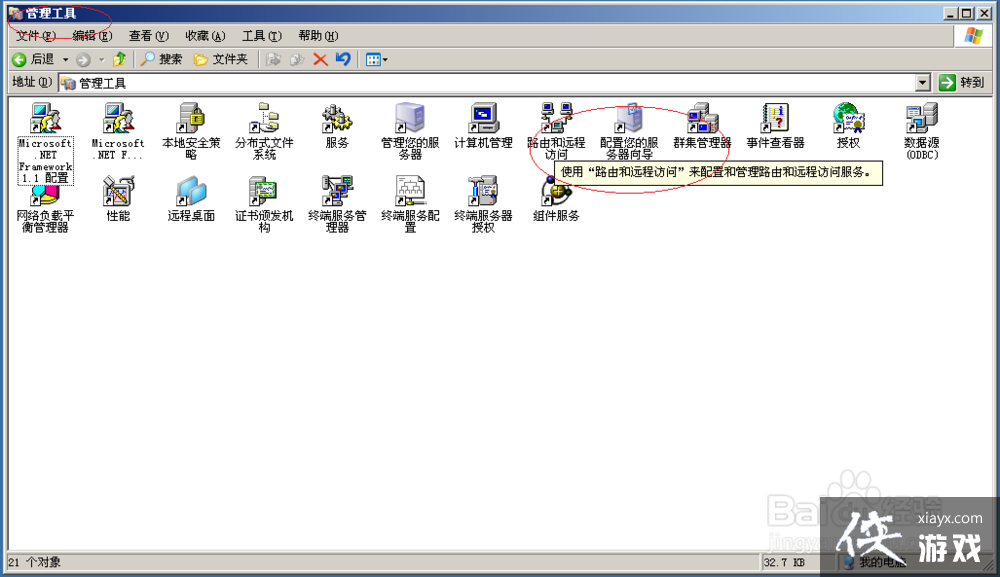
3、唤出"管理工具"选项界面,点击"路由和远程访问"图标

Windows Server 2003配置并启用路由和远程访问

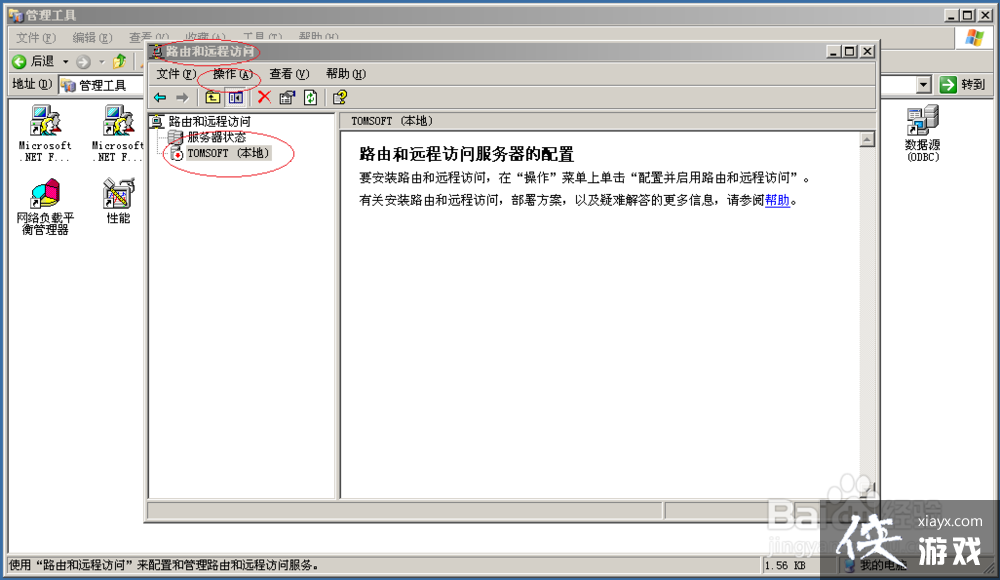
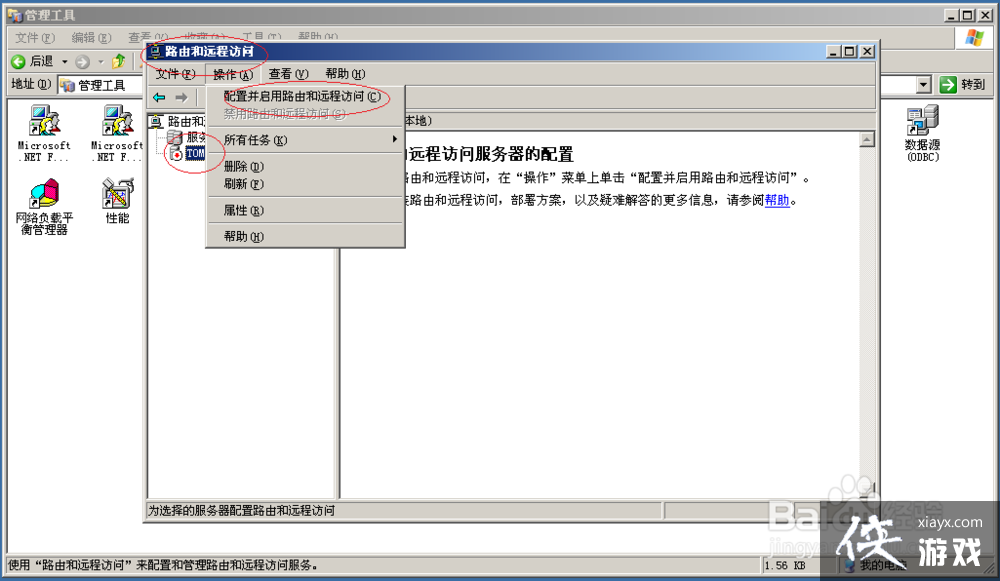
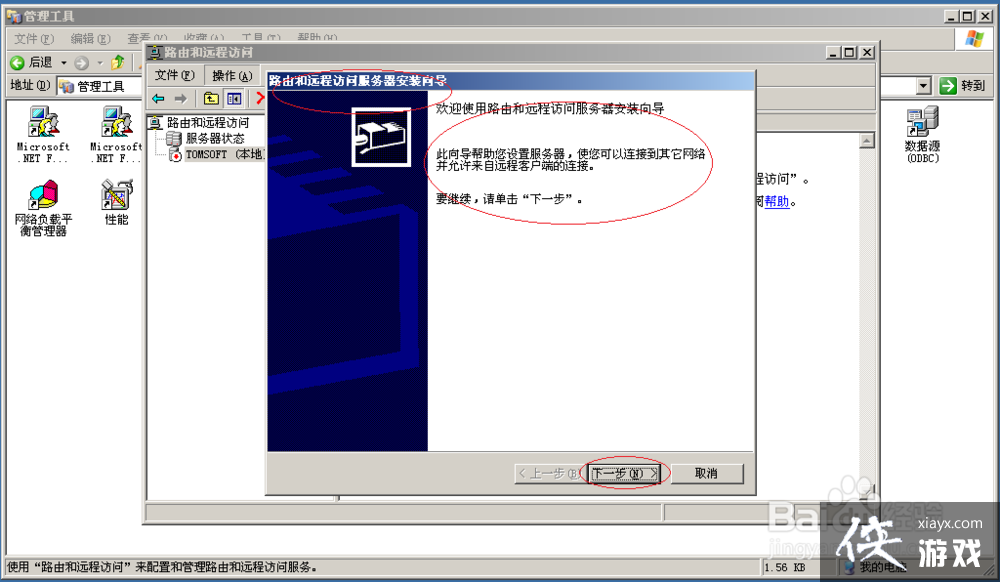
4、点击"操作→配置并启用路由和远程访问"图标

Windows Server 2003配置并启用路由和远程访问

Windows Server 2003配置并启用路由和远程访问

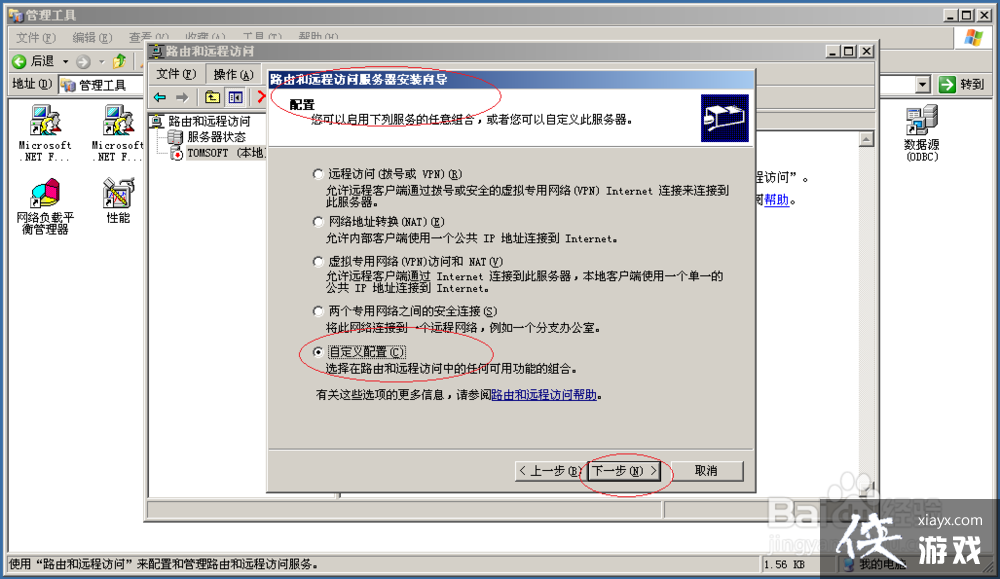
5、勾选"配置→自定义配置"单选框

Windows Server 2003配置并启用路由和远程访问

Windows Server 2003配置并启用路由和远程访问

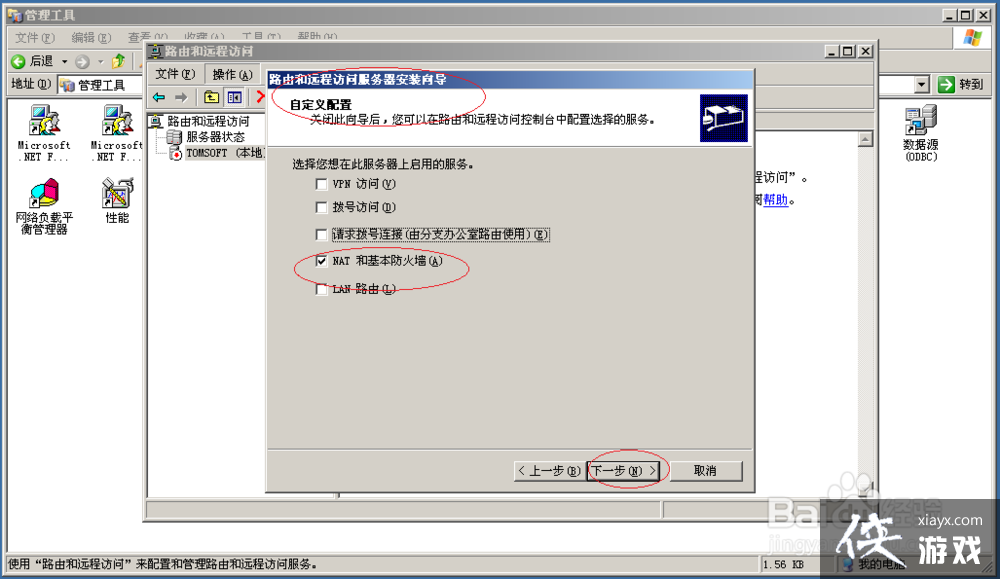
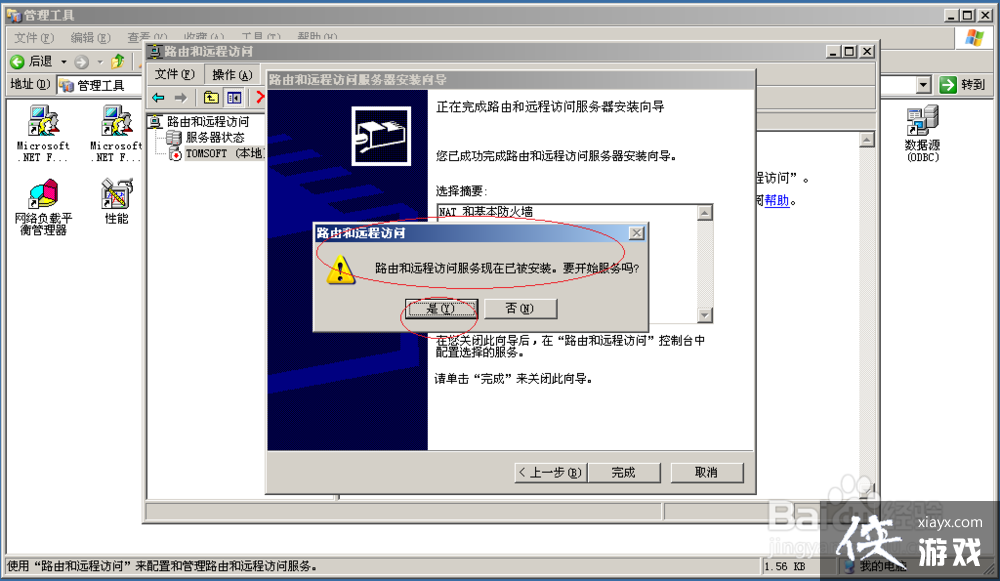
6、勾选"NAT和基本防火墙"复选框

Windows Server 2003配置并启用路由和远程访问

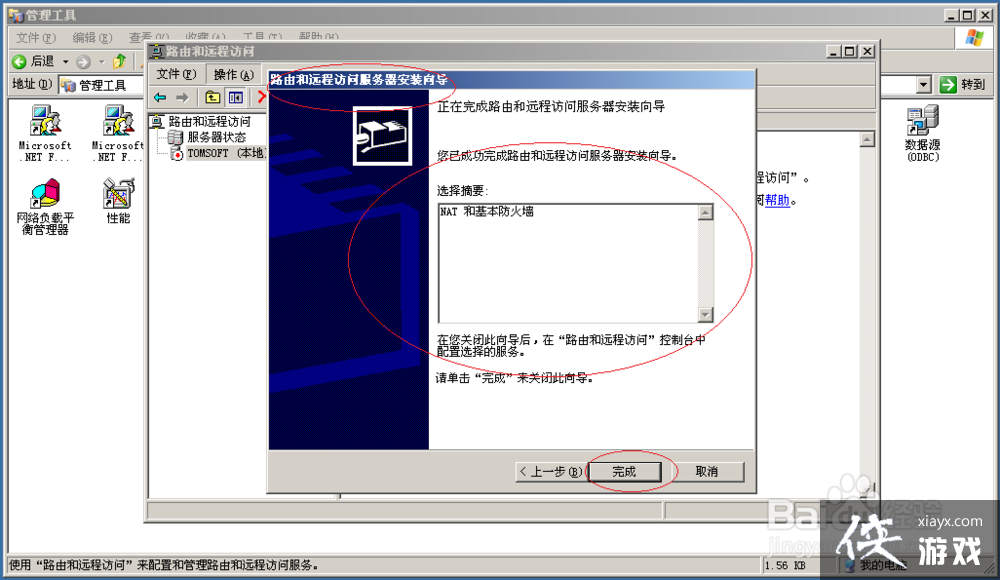
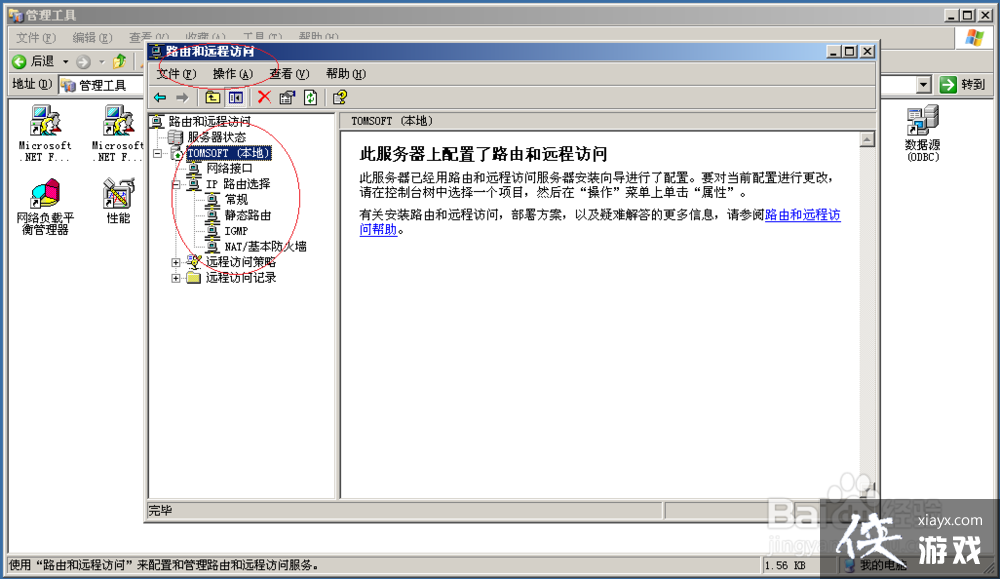
7、完成操作,谢谢关注

Windows Server 2003配置并启用路由和远程访问

Windows Server 2003配置并启用路由和远程访问

Windows Server 2003配置并启用路由和远程访问

实用工具推荐

电子包浆

绿化、压缩、噪点和虚拟水印,自由调节做旧程度。

使用 ›
图片压缩

选择画质和输出格式,预览压缩前后的大小。

使用 ›