

本文介绍如何使用Dynamsoft Document Viewer在JavaScript中实现PDF页面标注的扁平化处理。通过配置UI和调用相关API,开发者可以选择丢弃、合并为图像、扁平化或保留可编辑性四种模式,并深入解析PDF字典层面的实现原理,帮助开发者掌握PDF交互功能的集成方法。
首先,利用Dynamsoft Document Viewer打开目标PDF文件,并开启标注添加功能以准备后续操作。
- 接下来,新建一个HTML文件,其中需包含特定的模板结构。
<!DOCTYPE html>
<html lang="en">
<head>
  <meta charset="UTF-8">
  <meta http-equiv="X-UA-Compatible" content="IE=edge">
  <meta name="viewport" content="width=device-width, initial-scale=1.0, minimum-scale=1.0, maximum-scale=1.0, user-scalable=no">
  <title>Burn PDF Annotation</title>
  <style>
  </style>
</head>
<body>
</body>
<script>
</script>
</html>
- 在HTML页面中引入Dynamsoft Document Viewer的相关资源文件。
<script src="https://cdn.jsdelivr.net/npm/dynamsoft-document-viewer@2.1.0/dist/ddv.js"></script>
<link rel="stylesheet" href="https://cdn.jsdelivr.net/npm/dynamsoft-document-viewer@2.1.0/dist/ddv.css" rel="external nofollow" >
- 通过提供有效的许可证来初始化Dynamsoft Document Viewer,用户可前往官方渠道申请证书。
Dynamsoft.DDV.Core.license = "DLS2eyJoYW5kc2hha2VDb2RlIjoiMjAwMDAxLTE2NDk4Mjk3OTI2MzUiLCJvcmdhbml6YXRpb25JRCI6IjIwMDAwMSIsInNlc3Npb25QYXNzd29yZCI6IndTcGR6Vm05WDJrcEQ5YUoifQ=="; //one-day trial
Dynamsoft.DDV.Core.engineResourcePath = "https://cdn.jsdelivr.net/npm/dynamsoft-document-viewer@2.1.0/dist/engine";// Lead to a folder containing the distributed WASM files
await Dynamsoft.DDV.Core.init();
- 实例化一个新的文档对象,作为后续操作的基础。
const docManager = Dynamsoft.DDV.documentManager;
const doc = docManager.createDocument();
- 创建Edit Viewer实例并将其绑定至指定容器,用于展示前述创建的文档。其中的按钮配置可通过
UIConfig对象进行设置,并需添加标注按钮以提供创建标注的操作入口。
HTML代码部分如下:
<div id="viewer"></div>
JavaScript逻辑代码如下:
Dynamsoft.DDV.setProcessingHandler("imageFilter", new Dynamsoft.DDV.ImageFilter());
let uiConfig = {
  type: "Layout",
  flexDirection: "column",
  className: "ddv-edit-viewer-desktop",
  children: [
    {
      type: "Layout",
      className: "ddv-edit-viewer-header-desktop",
      children: [
        {
          type: "Layout",
          children: [
            "ThumbnailSwitch",
            "FitMode",
            "DisplayMode",
            "RotateLeft",
            "Crop",
            "Filter",
            "Undo",
            "Redo",
            "DeleteCurrent",
            "DeleteAll",
            "Pan",
            "SeparatorLine",
            "AnnotationSet"
          ],
          enableScroll: true
        },
        {
          type: "Layout",
          children: [
            {
              "type": "Pagination",
              "className": "ddv-edit-viewer-pagination-desktop"
            },
            {
              type: Dynamsoft.DDV.Elements.Button,
              className: "ddv-button-download",
              events: {
                click: "exportPDFWithOptions",
              },
            },
          ]
        }
      ]
    },
    "MainView"
  ]
}
editViewer = new Dynamsoft.DDV.EditViewer({
  uiConfig: uiConfig,
  container: document.getElementById("viewer")
});
CSS样式代码如下:
#viewer {
  width: 320px;
  height: 480px;
}
- 通过
input元素选择图像或PDF文件,并将其加载至文档实例中。
对应的HTML代码如下:
<label>
  Select a file to load:
  <br/>
  <input type="file" id="files" name="files" onchange="filesSelected()"/>
</label>
相关的JavaScript代码如下:
async function filesSelected(){
  let filesInput = document.getElementById("files");
  let files = filesInput.files;
  if (files.length>0) {
    const file = files[0];
    const blob = await readFileAsBlob(file);
    await doc.loadSource(blob); // load the file
  }
}

function readFileAsBlob(file){
  return new Promise((resolve, reject) => {
    const fileReader = new FileReader();
    fileReader.onload = async function(e){
      const response = await fetch(e.target.result);
      const blob = await response.blob();
      resolve(blob);
    };
    fileReader.onerror = function () {
      reject('oops, something went wrong.');
    };
    fileReader.readAsDataURL(file);
  })
}
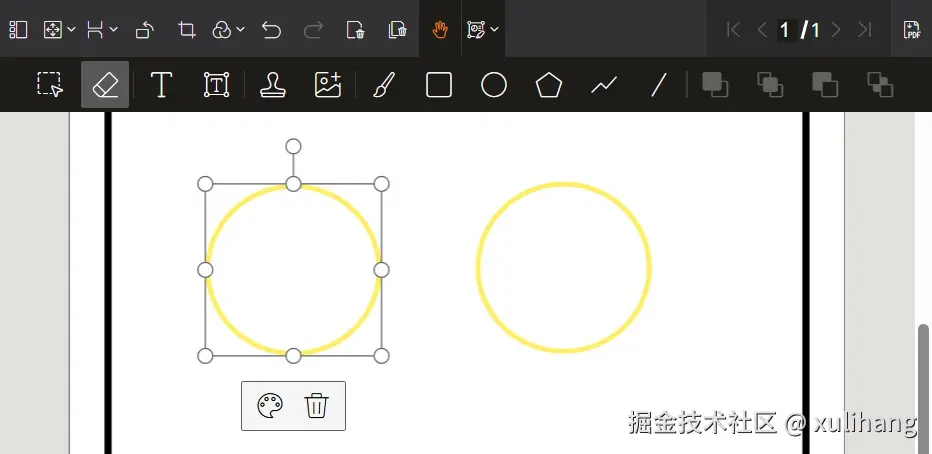
此时,界面将显示如下查看器效果:
完成标注后,需执行扁平化操作并保存PDF文件。
Dynamsoft Document Viewer提供了四种处理PDF标注的策略:
none:直接丢弃所有标注信息。image:将所有内容合并至光栅图像中。flatten:对所有标注执行扁平化处理。annotation:以可编辑形式保存标注。需注意,被标记为扁平化的单个标注仍会被执行扁平化操作。
利用flatten选项保存PDF文件,即可实现所有标注的扁平化。
let blob = await doc.saveToPdf({
  saveAnnotation: "flatten"
})
若希望部分标注扁平化而保留其他标注的可编辑性,可设置标注的扁平化属性,并使用annotation选项保存PDF文件。
let annotations = Dynamsoft.DDV.annotationManager.getAnnotationsByDoc(doc.uid);
let annotation = annotations[0];
annotation.flattened = true;
let blob = await doc.saveToPdf({
  saveAnnotation: "annotation"
})
接下来探讨其内部运作机制。
PDF文件基于PostScript语言进行描述。以下通过示例展示扁平化过程中的内部操作细节。
PDF文件包含多个字典,以下为一个页面字典的示例结构。
4 0 obj
<<
  /Type/Page                 % Specifies that this dictionary defines a page.
  /Annots[ 8 0 R ]           % A list of references to annotation objects on this page.
  /Contents 7 0 R            % Reference to page content stream.
  /MediaBox[ 0 0 147 143.25] % Page dimensions.
  % Other page properties
>>
endobj
7 0 obj
<</Filter/FlateDecode/Length 44>>stream
x??41W0 BCc=#S039椝 ?J缫w媹0Tp蒞? 卵
endstream
endobj
上述页面引用了相关的标注字典内容。
8 0 obj
<<
  /Type/Annot
  /AP<<
  /Contents(annotation)
    /CreationDate(D:20241227135119+08'00')
    /DA(0.9411764705882353 0.07450980392156863 0.0784313725490196 rg /Helvetica 16 Tf)
    /DS(font:  'Helvetica' 16pt; text-align:left; color:#F01314)
    /F 4
    /IT/FreeTextTypeWriter/M(D:20241227135125+08'00')/NM(m56c4eb9uq)/RC(<?xml version="1.0"?><body xmlns="http://www.w3.org/1999/xhtml" xmlns:xfa="http://www.xfa.org/schema/xfa-data/1.0/" xfa:APIVersion="Acrobat:18.11.0" xfa:spec="2.0.2" style="font-size:16pt;text-align:left;color:#f01314;font-weight:normal;font-style:normal;font-family:'Helvetica';font-stretch:normal;"><p dir="ltr"><span>annotation</span></p></body>)
    /Rect[ 22.1854 112.467 98.423 129.217]
    /Subj()
    /Subtype
    /FreeText
    /T()
>>
endobj
扁平化处理完成后,页面字典将更新为如下内容。此时不再包含标注节点,原标注节点的内容将转换为图形并附加至页面正文中。
4 0 obj
<<
  /Type/Page
  /Contents 13 0 R
  /MediaBox[ 0 0 147 143.25]
>>
endobj
7 0 obj
<</Filter/FlateDecode/Length 48>>stream
x???41W0 BCc=#S039椝 ?J缫w媹0Tp蒞溻
 靔	?
endstream
endobj
13 0 obj
[ 7 0 R  14 0 R ]
endobj
14 0 obj
<</Filter/FlateDecode/Length 29>>stream
x?T0T0 B櫆珷镦b犩挴 M+?
endstream
endobj
以上即为使用JavaScript将PDF页面中的标注扁平化的操作指南的详细内容,更多关于JavaScript PDF标注扁平化的资料请关注本站其它相关文章!