

本文介绍如何在 Element Plus 中实现表格表头与内容的居中显示。针对单列居中,可直接在 el-table-column 设置 align="center";若需所有列统一居中,则需在 el-table 组件上绑定 :cell-style 和 :header-cell-style 属性,分别指定 textAlign 为 center。
需求
针对 Element Plus 中的表格组件,实现表头及单元格内容的居中显示。
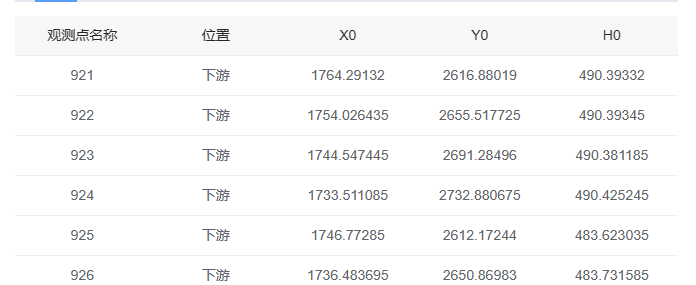
分析
实现单列表头与内容的居中:只需在对应的 el-table-column 组件上添加 align="center" 属性即可。
<el-table-column prop="name" label="商品名称" align="center" />实现表格所有列表头与内容的居中:需在 el-table 组件上添加以下两行配置。
:cell-style="{ textAlign: 'center' }" :header-cell-style="{ 'text-align': 'center' }"
<el-table
	fit
	:cell-style="{ textAlign: 'center' }"
	:data="tableData"
	style="
		width: 100%"
		height="350"
       :header-cell-style="{
         background: '#f7f7f7',
         color: 'rgba(0,0,0,.85)',
         'font-weight': '500',
         'text-align': 'center'
       }"
       v-loading="loading"
  >
     <el-table-column prop="name" label="商品名称" />
  </el-table>
至此,关于 Element Plus 表格表头和内容居中的介绍完成,更多相关 Element Plus 表格内容居中内容请搜索本站以前的文章或继续浏览下面的相关文章希望大家以后多多支持本站!