

本文针对Vue项目中常见的两个报错进行解析:exports is not defined与$ is not defined。前者通常因使用CommonJS语法而非ES6模块导出导致,后者多由ESLint未识别jQuery引起。通过修正JS文件导出方式及在.eslintrc.js中关闭no-undef规则,可快速解决此类问题。
在Vue开发过程中,可能会遇到“exports is not defined”的报错信息。
具体的报错提示如下所示。
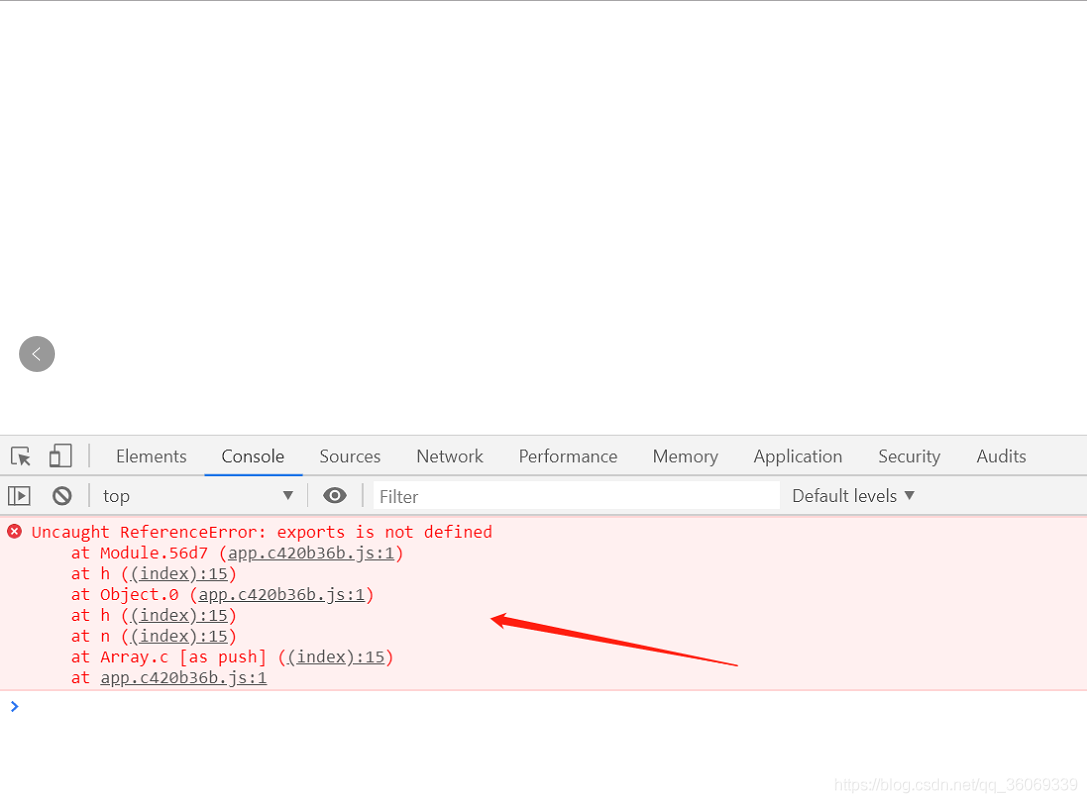
该问题的产生原因主要在于代码规范与模块语法的冲突。
排查项目中的全局搜索结果显示,除了配置文件外,仅有一个新增的JS文件使用了exports关键字,这很可能是导致报错的直接原因。
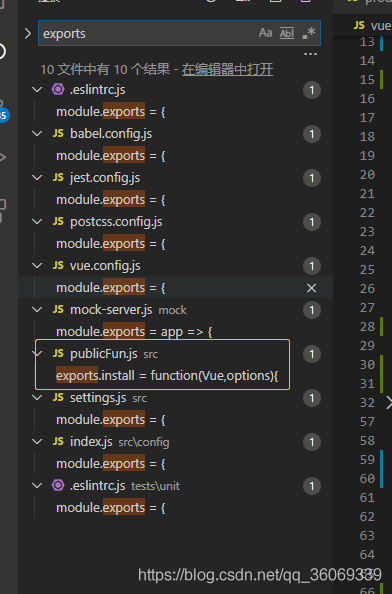
该文件旨在声明全局函数,但经查阅发现,其编写方式未遵循ES6语法规范,从而引发了错误。
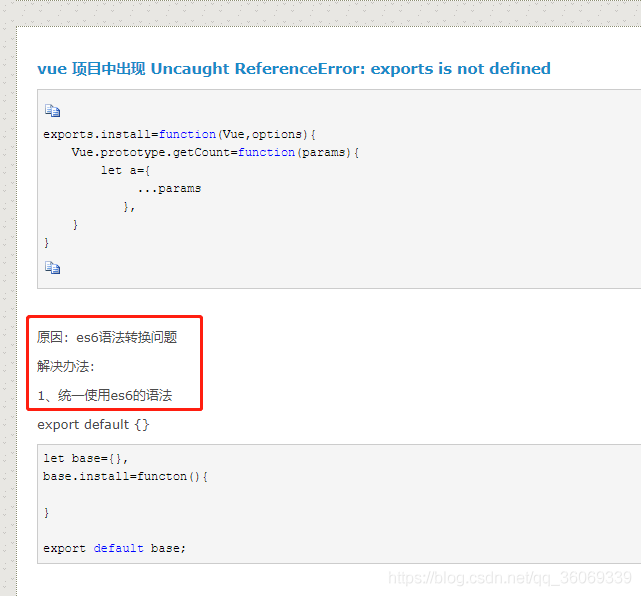
以下是相关的代码示例对比。
//以前的错误写法
exports.install = function(Vue,options){
}
//正确的写法
let base={};
base.install = function(Vue,options){
};
export default base;此外,Vue页面中还可能报出“$ is not defined (no-undef)”的错误。
例如,在Vue组件中尝试执行$('body').attr('class', 'login-layout light-login');时,会触发该报错。
<script>
    $('body').attr('class', 'login-layout light-login');
export default {
  name: 'App',
}
</script>
针对上述问题的解决方案如下。
需要在Vue项目的根目录下创建一个名为.eslintrc.js的配置文件。
该文件的具体配置内容如下。
module.exports = {
    root: true,
    env: {
        node: true
    },
    'extends': [
        'plugin:vue/essential',
        'eslint:recommended'
    ],
    rules: {
        'no-console': process.env.NODE_ENV === 'production' ? 'error' : 'off',
        'no-debugger': process.env.NODE_ENV === 'production' ? 'error' : 'off',
        'no-undef': 'off',
        'vue/no-unused-vars': 'off',
        'vue/require-v-for-key': 'off',
        'no-unused-vars': 'off',
        'vue/no-unused-components': 'off'
    },
    parserOptions: {
        parser: 'babel-eslint'
    }
};
ESLint主要用于检测代码规范,确保代码质量。
虽然ESLint是一把双刃剑,部分检测规则可能并不必要,但可以通过修改配置文件来禁用这些规则。
总结以上经验。
以上内容为个人经验分享,旨在提供参考,欢迎大家支持。