

本文介绍如何使用纯JavaScript结合notie.js插件实现多种消息提示特效。通过简单的HTML按钮调用,可轻松生成Alert提示框、确认对话框以及带输入功能的消息框,支持HTML内容嵌入,为前端开发提供直观的交互反馈方案。
notie.js消息提示特效介绍
本文分享一个基于notie.js插件的纯JavaScript消息提示特效示例。该插件能够生成Alert提示框、确认对话框以及包含输入功能的消息框,供开发者参考使用。
效果预览如下:
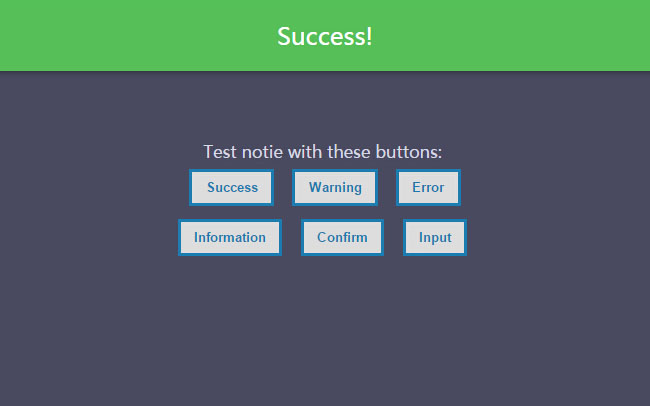
具体实现代码分为HTML与JS两部分,首先看HTML结构:
HTML界面结构
<br><br><br><br><br><br>
  <article class="zzsc">
    <div class="div-ext">
      <div class="div-int">

        <span>Test notie with these buttons:</span>
        <br>
        <button onclick="success();">Success</button>
        <button onclick="warning();">Warning</button>
        <button onclick="error();">Error</button><br>
        <button onclick="info();">Information</button>
        <button onclick="confirm();">Confirm</button>
        <button onclick="input();">Input</button>
        <br>


      </div>
    </div>
  </article>
接着是JavaScript逻辑代码:
JavaScript核心代码
function success() {
      notie.alert(1, 'Success!', 2);
    }

    function warning() {
      notie.alert(2, 'Warning<br><b>with</b><br><i>HTML</i><br><u>included.</u>', 2);
    }

    function error() {
      notie.alert(3, 'Error.', 2);
    }

    function info() {
      notie.alert(4, 'Information.', 2);
    }

    function confirm() {
      notie.confirm('Are you sure you want to do that?<br><b>That\'s a bold move...</b>', 'Yes', 'Cancel', function () {
        notie.alert(1, 'Good choice!', 2);
      });
    }

    function input() {
      notie.input('Please enter your email address:', 'Submit', 'Cancel', 'email', 'name@example.com', function (value_entered) {
        notie.alert(1, 'You entered: ' + value_entered, 2);
      });
    }
希望上述内容能协助大家掌握JavaScript程序设计中的相关技巧。