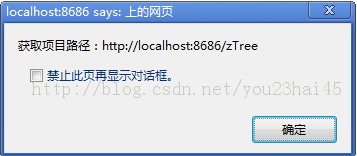
本文介绍如何使用 JavaScript 通过 window.document.location 对象获取当前网页的完整 URL、主机地址、目录路径以及包含斜杠的项目名称。通过结合 indexOf 和 substring 方法,计算出最终的项目根路径,适用于需要动态获取资源相对路径的前端场景。
JavaScript 获取路径源码实现
1、源码架构
代码实现如下:
<%@ page language="java" import="java.util.*" pageEncoding="UTF-8"%>
<!DOCTYPE HTML PUBLIC "-//W3C//DTD HTML 4.01 Transitional//EN">
<html>
<head>
<title>JavaScript路径解析</title>
<meta http-equiv="pragma" content="no-cache">
<meta http-equiv="cache-control" content="no-cache">
<meta http-equiv="expires" content="0">
<meta http-equiv="keywords" content="keyword1,keyword2,keyword3">
<meta http-equiv="description" content="This is my page">
<script type="text/javascript">
function findPath()
{
//提取当前网页地址
var curNetAddr = window.document.location.href;
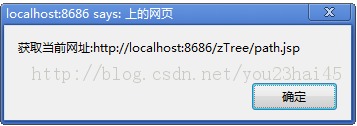
alert("提取当前网页地址:" + curNetAddr);
//提取主机地址后的目录部分
var hostPath = window.document.location.pathname;
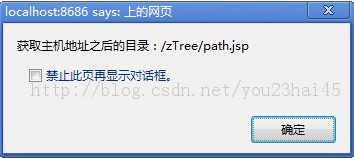
alert("提取主机地址后的目录:" + hostPath);
//定位指定子串在字符串中首次出现的索引
var count = curNetAddr.indexOf(hostPath);
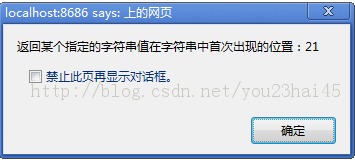
alert("定位指定子串在字符串中首次出现的索引:" + count);
//提取主机地址部分
var hostAddr = curNetAddr.substring(0,count);
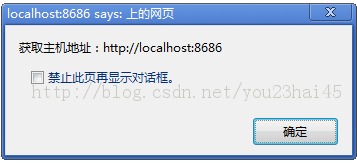
alert("提取主机地址:" + hostAddr);
//提取包含前导斜杠的项目名称
var projectName = hostPath.substring(0,hostPath.substr(1).indexOf('/')+1);
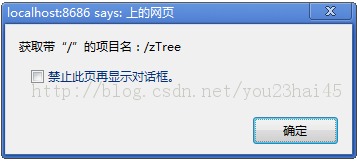
alert("提取包含前导斜杠的项目名称:" + projectName);
//拼接完整项目路径
var path = hostAddr + projectName;
alert("拼接完整项目路径:" + path);
}
</script>
</head>
<body>
<div id="body_div">
<input type="button" id="btn" value="获取路径" onclick="findPath()"/>
</div>
</body>
</html>
2、运行效果
(1)页面加载初始化阶段

(2)提取当前网页地址
(3)提取主机地址后的目录部分
(4)定位指定子串在字符串中首次出现的索引
(5)提取主机地址部分
(6)提取包含前导斜杠的项目名称
(7)拼接完整项目路径