

本文详细介绍如何在JavaScript环境中使用mqtt.js库进行Web端MQTT通讯。内容涵盖从环境准备、连接建立、消息订阅与发送,到取消订阅及断开连接的完整操作流程。同时针对特定项目集成中可能遇到的字节数组接收问题提供了相应的解决思路,旨在帮助开发者快速掌握前端MQTT集成技术。
ActiveMQ应用(二):在JavaScript中集成mqtt.js
1. 环境配置 jQuery-1.10
下载地址:https://www.jsdelivr.com/package/npm/jquery-1.10.2?tab=filesmqtt.js 4.3.7:下载地址:https://www.jsdelivr.com/package/npm/mqtt
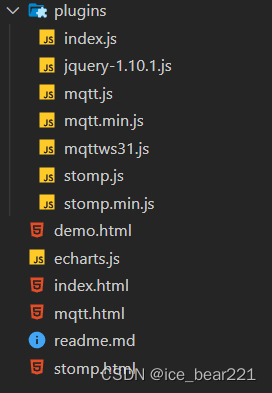
2. 核心代码实现
<!DOCTYPE html>
<html lang="en">
<head>
    <meta charset="UTF-8">
    <meta http-equiv="X-UA-Compatible" content="IE=edge">
    <meta name="viewport" content="width=device-width, initial-scale=1.0">
    <title>Document</title>
</head>
<body>
    <div class="connect-input-box">
        <label for="host">host:</label>
        <input type="text" name="host" placeholder="input host" value="127.0.0.1"><br>
        <label for="port">port:</label>
        <input type="text" name="port" placeholder="input port" value="61614"><br>
        <label for="clientId">client id:</label>
        <input type="text" name="clientId" placeholder="input client id"><br>
        <label for="userId">user id:</label>
        <input type="text" name="userId" placeholder="input user id" value="user"><br>
        <label for="password">password:</label>
        <input type="text" name="password" placeholder="input password" value="pass"><br>
        <label for="destination">destination:</label>
        <input type="text" name="destination" placeholder="input destination" value="world"><br>
        <button id="connect" type="submit">connect</button>
        <button id="disconnect" type="submit">disconnect</button>
    </div>
    <div class="log-box">
        <p id="log-show"></p>
    </div>
    <div class="send-message-box">
        <label for="topic">topic:</label>
        <input type="text" name="topic"><br>
        <label for="queue">queue:</label>
        <input type="text" name="queue"><br>
        <input type="text" name="message"><br>
        <button id="send">send</button>
    </div>
    <div class="subscribe-box">
        <label for="subscribe-topic">subscribe-topic:</label>
        <input type="text" name="subscribe-topic">
        <button id="subscribe">subscribe</button>
    </div>
    <div class="unsubscribe-box">
        <label for="unsubscribe-topic"></label>
        <input type="text" name="unsubscribe-topic">
        <button id="unsubscribe">unsubscribe</button>
    </div>

    <script src="plugins/jquery-1.10.1.js"></script>
    <script src="plugins/mqtt.min.js"></script>
    <script type="module">

        $(() => {
            console.log('mqtt: ', mqtt)
            $('input[name="clientId"]').val("example-" + Math.floor(Math.random() * 10000))

            if (!window.WebSocket) {
                console.log('不支持WebSocket')
            } else {

            }
        })

        var client, destination

        $('#connect').click(() => {
            var host = $('input[name="host"]').val()
            var port = $('input[name="port"]').val()
            var clientId = $('input[name="clientId"]').val()
            var user = $('input[name="userId"]').val()
            var password = $('input[name="password"]').val()

            destination = $('input[name="destination"]').val()
            console.log(host)
            console.log(mqtt)

            // 创建一个client 实例
            let url = 'ws://' + host + ':' + port + '/mqtt'
            client = mqtt.connect(url)
            console.log(client)
            client.on('connect', onConnect)

            // 断开连接以后触发
            client.on('close', () => {
                console.log('disconnected')
            })

            // 收到断开连接的报文后触发
            client.on('disconnect', packet => {
                console.log(packet)
            })

            // 客户端下线时触发
            client.on('offline', () => {
                console.log('offline')
            })

            // 接收消息
            client.on('message', (topic, payload, packet) => {
                // message is buffer
                console.log(`Topic: ${topic}, Message: ${payload.toString()}, QoS: ${packet.qos}`)
            })
        })

        // 当client连接时调用
        function onConnect() {
            // 订阅主题
            client.subscribe('world', err => {
                if (!err) {
                    // 发布消息
                    client.publish('world', 'hello mqtt')
                }
            })
        }

        // 断开连接
        $('#disconnect').click(() => {
            console.log('disconnect');
            client.end()
        })

        // 发送消息
        $('#send').click(() => {
            console.log('send')
            let topic = $('input[name="topic"]').val()
            let payload = $('input[name="message"]').val()
            let options = {
                qos: 0,
                retain: false,
                properties: {
                    payloadFormatIndicator: true
                }
            }
            client.publish(topic.toString(), payload, options, (err) => {
                if (err) {
                    console.log(err)
                } else {
                    console.log('published')
                }
            })
        })

        // 订阅主题
        $('#subscribe').click(() => {
            console.log('subscribe')
            let topic = $('input[name="subscribe-topic"]').val()
            client.subscribe(topic, {qos: 0}, (error, granted) => {
                if (error) {
                    console.log(error)
                } else {
                    console.log(`${granted[0].topic} was subscribed`)
                }
            })
        })

        // 取消订阅主题
        $('#unsubscribe').click(() => {
            console.log('unsubscribe')
            let topic = $('input[name="unsubscribe-topic"]').val()
            client.unsubscribe(topic, err => {
                if (err) {
                    console.log(err)
                } else {
                    console.log('unscribed')
                }
            })
        })
    </script>
</body>
</html>
3. 运行效果演示
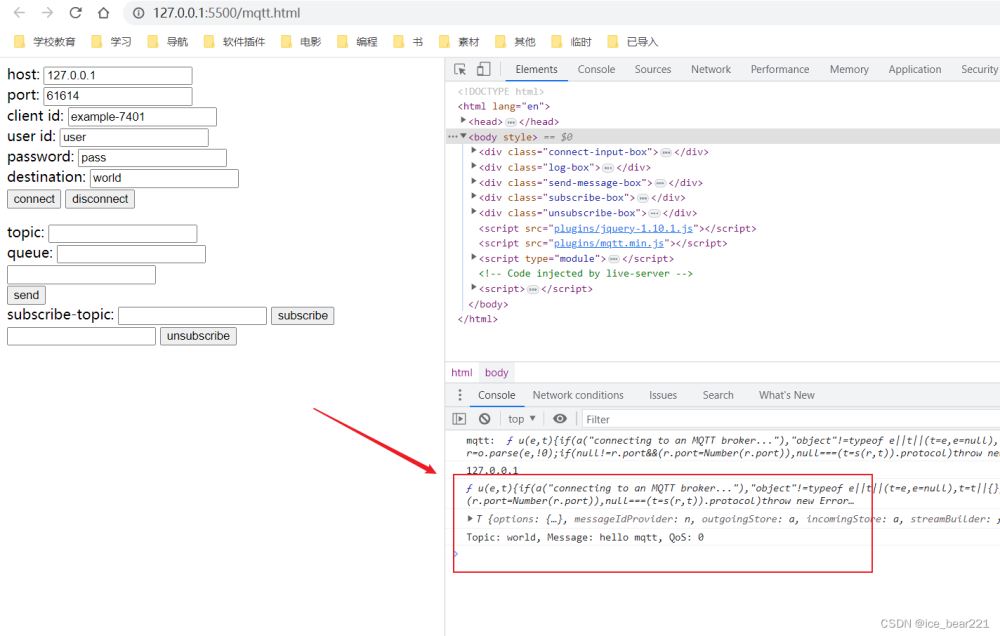
3.1 建立连接
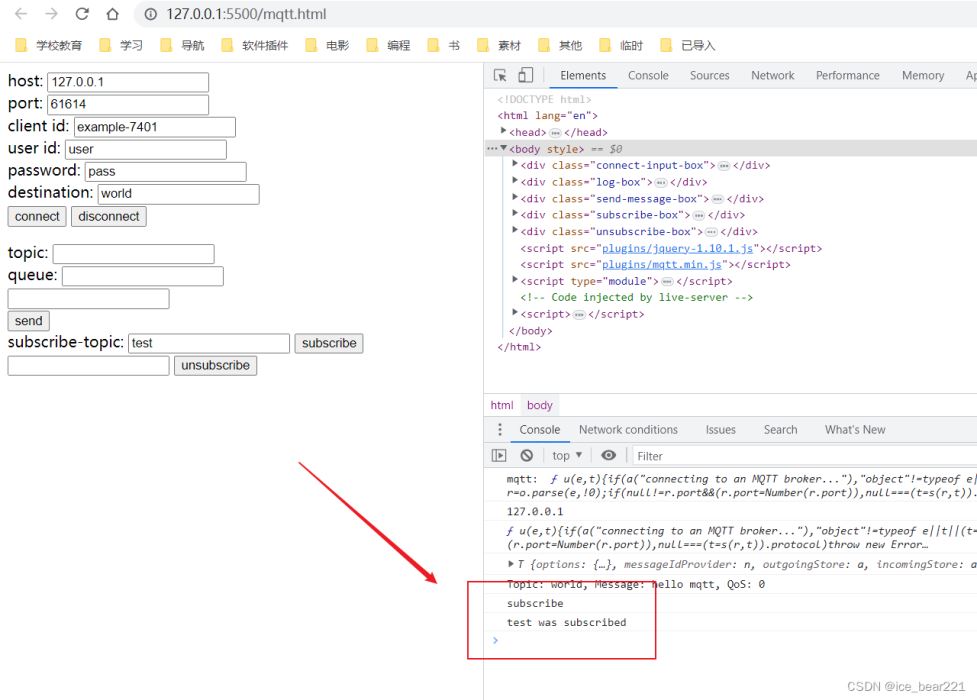
3.2 执行订阅
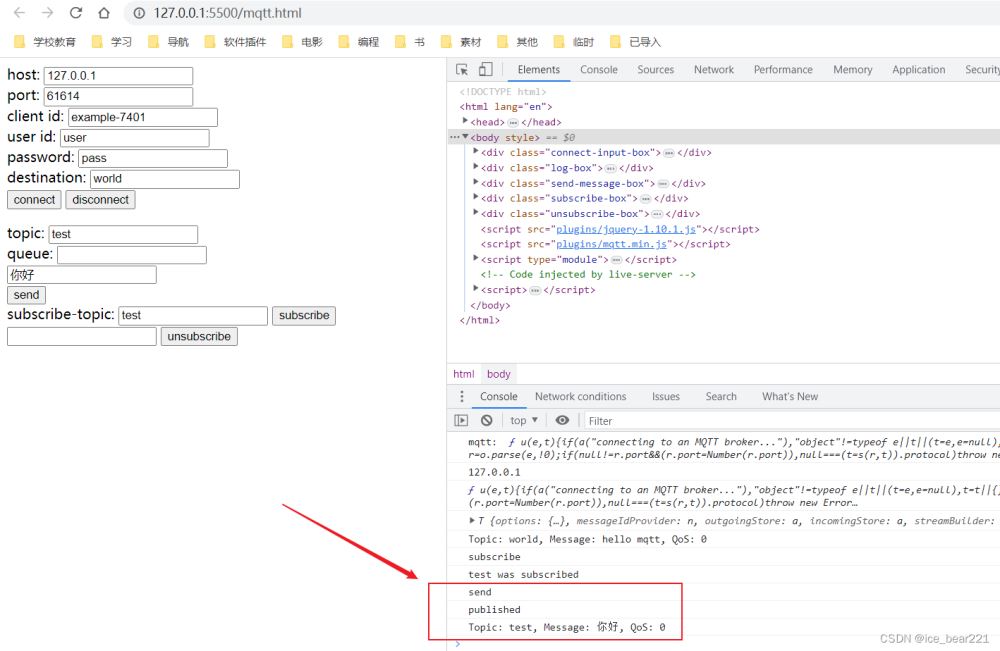
3.3 传输消息
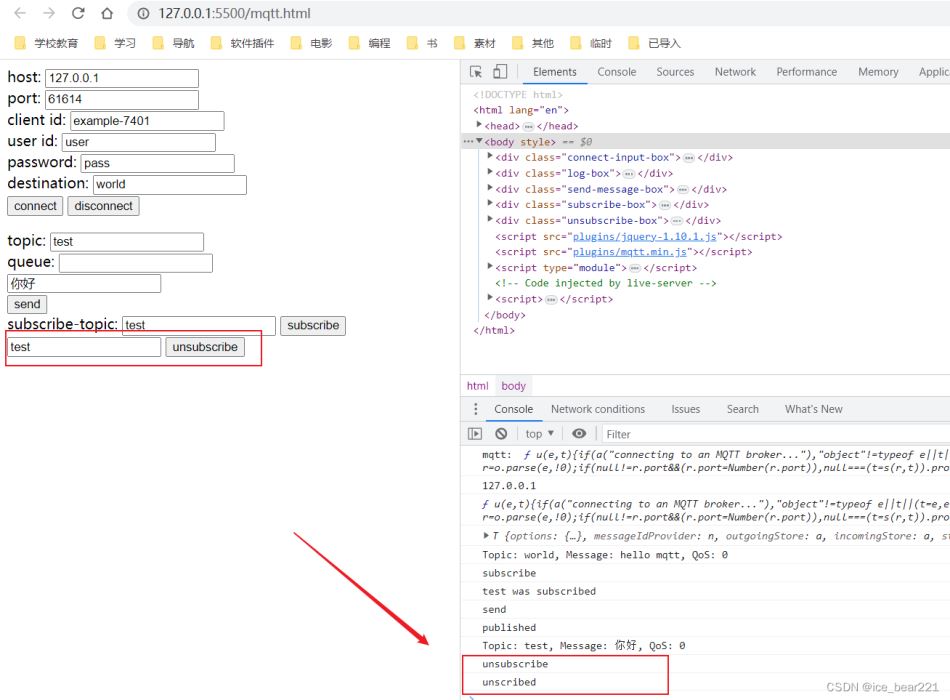
3.4 移除订阅
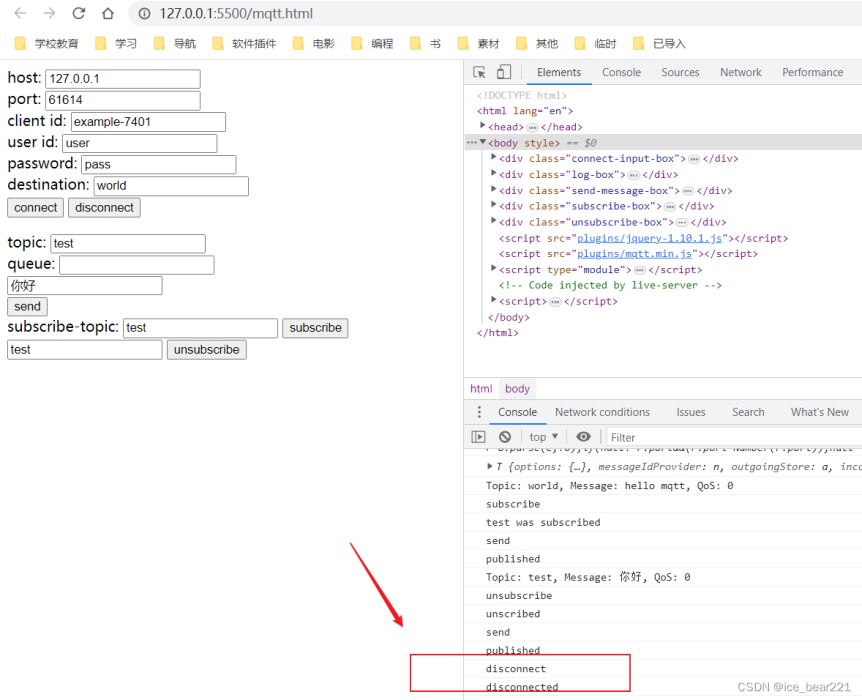
3.5 终止连接
4. 参考资料
JS HTML Web端应用MQTT通信测试
MQTT.js 基础指南
https://www.jsdelivr.com/package/npm/mqtt
5. 注意事项
在
SprintBoot项目中整合ActiveMQ后,接收到的数据为字节数组 一种解决方式为:
@JmsListener(destination = "test_producer", containerFactory = "topicListenerContainer")
    public void receiveTestProducer(Message message) throws JMSException {
        String msg = StringUtils.activeMQMessageParse(message);
        System.out.println("收到测试生产者的消息: " + msg);
    }


public class StringUtils {

    /**
     * 将字符串进行分割并获得字节数组
     * @param str 待处理字符串
     * @param split 分割字符串
     * @return 字节数组
     */
    public static byte[] stringToBytes(String str, String split) {
        String[] strArr = str.split(split);
        byte[] byteArr = new byte[strArr.length];
        for (int i = 0; i < strArr.length; i++) {
            byteArr[i] = (byte) Integer.parseInt(strArr[i]);
        }
        return byteArr;
    }

    /**
     * 根据字节数组获取指定字符集的字符串
     * @param byteArr 字节数组
     * @param charset 编码字符集
     * @return 处理后的字符串
     */
    public static String bytesToString(byte[] byteArr, Charset charset) {
        return new String(byteArr, charset);
    }

    /**
     * 将字符串根据分隔符转成字节数组,然后转成指定字符集的字符串
     * @param str 待处理字符串
     * @param split 分割字符串
     * @param charset 指定字符集
     * @return 处理后的字符串
     */
    public static String stringToString(String str, String split, Charset charset) {
        return bytesToString(stringToBytes(str, split), charset);
    }

    /**
     * 将ActiveMQ接收到的消息转换为UTF-8字符串
     * @param message
     * @return
     */
    public static String activeMQMessageParse(Message message) {
        String str = null;
        if (message instanceof ActiveMQTextMessage) {
            ActiveMQTextMessage textMessage = (ActiveMQTextMessage) message;
            try {
                str = textMessage.getText().toString();
            } catch (JMSException e) {
                e.printStackTrace();
            }
//            System.out.println("text : " + textMessage.getText());
        } else if (message instanceof ActiveMQBytesMessage) {
            ActiveMQBytesMessage bytesMessage = (ActiveMQBytesMessage) message;
            byte[] byteArr = new byte[0];
            try {
                byteArr = new byte[(int) bytesMessage.getBodyLength()];
                int flag = bytesMessage.readBytes(byteArr);
                str = bytesToString(byteArr, StandardCharsets.UTF_8);
//                System.out.println("bytes : " + flag + " : " + str);
            } catch (JMSException e) {
                e.printStackTrace();
            }
        }
        return str;
    }
}
至此关于在JavaScript中应用mqtt.js的教程结束,更多相关js应用mqtt.js内容请查阅本站往期文章或继续浏览下面的相关文章希望大家以后多多支持本站!