

本文详细介绍 JavaScript 中的计时事件,涵盖 setInterval 和 setTimeout 两个核心方法的使用语法、参数说明及实际应用。同时讲解如何利用 clearInterval 和 clearTimeout 停止计时器执行,通过具体代码实例演示实时时钟显示与定时弹窗控制,帮助开发者掌握前端时间控制技巧。
JavaScript 计时事件
借助 JavaScript,我们可以实现在设定的时间间隔之后执行代码,而非在函数调用后立即执行。这种机制被称为计时事件。
在 JavaScript 中处理计时事件相对简单,主要涉及四个常用方法:
setInterval():按照指定的毫秒数间隔,持续不停地执行指定代码。
clearInterval():用于停止由 setInterval() 方法执行的函数代码。
setTimeout():在指定的毫秒数之后执行指定代码。
clearTimeout():用于停止由 setTimeout() 方法执行的函数代码。
注意:setInterval() 和 setTimeout() 均属于 HTML DOM Window 对象的方法。
setInterval() 方法
setInterval() 用于按照指定的毫秒数间隔,持续不停地执行指定代码。
语法格式如下:
window.setInterval("javascript function",milliseconds);
调用 window.setInterval() 时,可以省略 window 前缀,直接调用 setInterval() 函数。
setInterval() 的第一个参数为要执行的函数(function);第二个参数为间隔的毫秒数。
注意:1000 毫秒等于一秒。
实例演示:
显示当前时间
<!DOCTYPE html>
<html>
	<head>
		<meta charset="utf-8">
		<title>时钟显示</title>
		<style>
			div{
				width: 300px;
				height: 100px;
				background-color: aquamarine;
				margin: 50px auto;
				text-align: center;
				line-height: 100px;
				border:1px solid black;
				border-radius: 100px;
			}
		</style>
	</head>
	<body>
		<div></div>
	</body>
		<script>
			var divEle=document.querySelector('div');

			setInterval(function(){dateTimes()},1000);
			//封装时间的函数
			function dateTimes(){
				var date=new Date();
				var dateHours=date.getHours();
				var dateMinutes=date.getMinutes();
				var dateSeconds=date.getSeconds();
				if(parseInt(dateHours)<10){
					dateHours='0'+dateHours;
				}
				if(parseInt(dateMinutes)<10){
					dateMinutes='0'+dateMinutes;
				}
				if(parseInt(dateSeconds)<10){
					dateSeconds='0'+dateSeconds;
				}
				var xingQi=date.getDay();
				var weeks=['星期日','星期一','星期二','星期三','星期四','星期五','星期六']
				var dateStr=date.getFullYear()+'年'+(date.getMonth()+1)+'月'+date.getDate()
				+'日,'+dateHours+":"+dateMinutes+":"+dateSeconds+','+weeks[xingQi];
				divEle.innerText=dateStr;
				// return dateStr;
			}
			// divEle.innerText=dateTimes();
		</script>
</html>
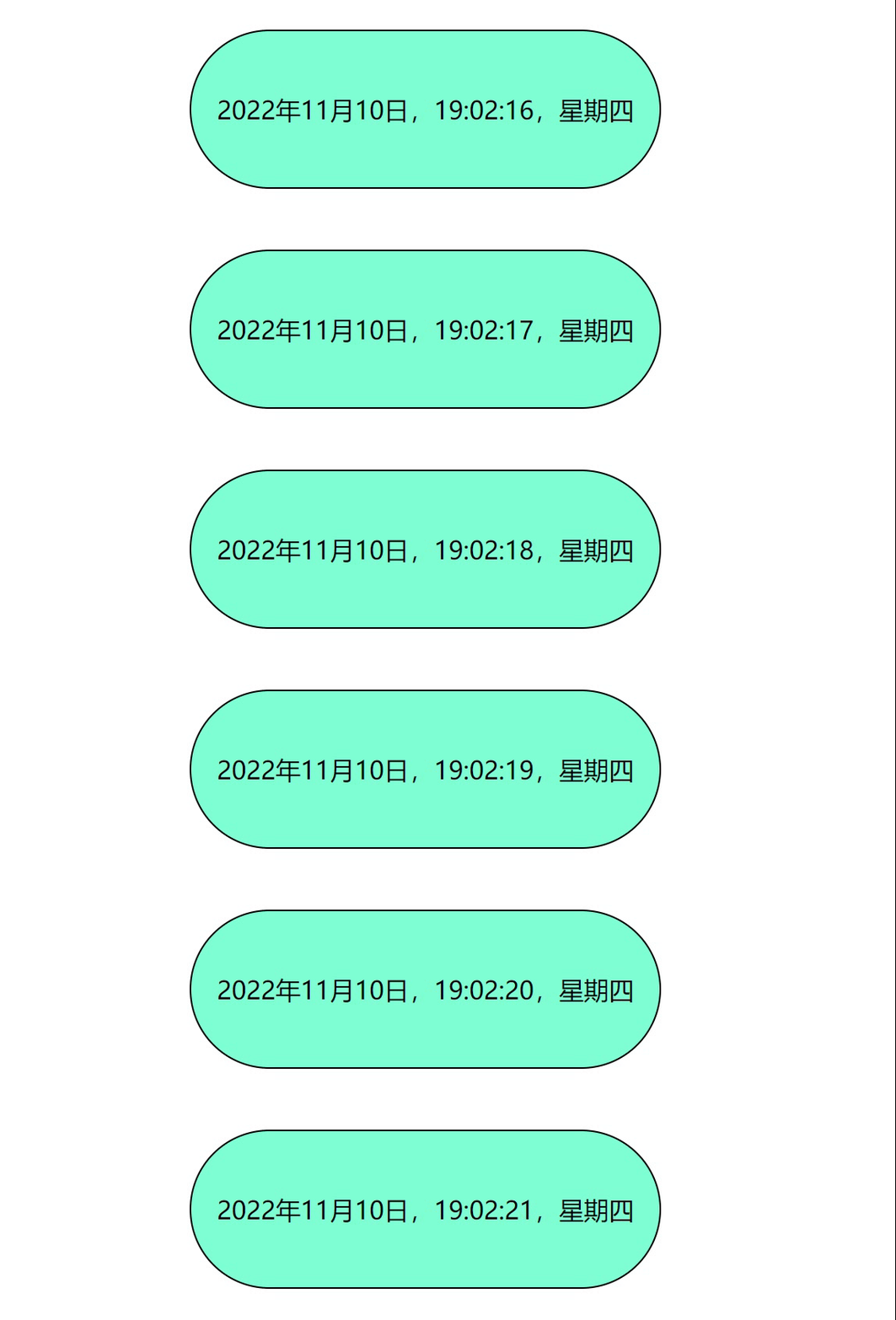
运行效果展示:
clearInterval() 方法
clearInterval() 方法用于停止由 setInterval() 方法执行的函数代码。
语法格式如下:
window.clearInterval(intervalVariable)
调用 window.clearInterval() 时,可以省略 window 前缀,直接调用 clearInterval() 函数。
要使用 clearInterval() 方法,在创建计时器时必须使用全局变量来保存返回值:
myVar=setInterval("javascript function",milliseconds);
随后,你可以使用 clearInterval() 方法来停止执行。
实例演示:
<!DOCTYPE html>
<html>
	<head>
		<meta charset="utf-8">
		<title>时钟显示</title>
		<style>
			div{
				width: 300px;
				height: 100px;
				background-color: aquamarine;
				margin: 50px auto;
				text-align: center;
				line-height: 100px;
				border:1px solid black;
				border-radius: 100px;
			}
			button{
				width: 100px;
				height: 30px;
				margin: 0 auto;
				margin-left: 50%;
			}
		</style>
	</head>
	<body>
		<div></div>
		<button onclick="myStopFunction()">时间停止</button>
	</body>
		<script>
			var divEle=document.querySelector('div');

			var myVar=setInterval(function(){dateTimes()},1000);
			//封装时间的函数
			function dateTimes(){
				var date=new Date();
				var dateHours=date.getHours();
				var dateMinutes=date.getMinutes();
				var dateSeconds=date.getSeconds();
				if(parseInt(dateHours)<10){
					dateHours='0'+dateHours;
				}
				if(parseInt(dateMinutes)<10){
					dateMinutes='0'+dateMinutes;
				}
				if(parseInt(dateSeconds)<10){
					dateSeconds='0'+dateSeconds;
				}
				var xingQi=date.getDay();
				var weeks=['星期日','星期一','星期二','星期三','星期四','星期五','星期六']
				var dateStr=date.getFullYear()+'年'+(date.getMonth()+1)+'月'+date.getDate()
				+'日,'+dateHours+":"+dateMinutes+":"+dateSeconds+','+weeks[xingQi];
				divEle.innerText=dateStr;
				// return dateStr;
			}
			function myStopFunction(){
				clearInterval(myVar);
			}
			// divEle.innerText=dateTimes();
		</script>
</html>
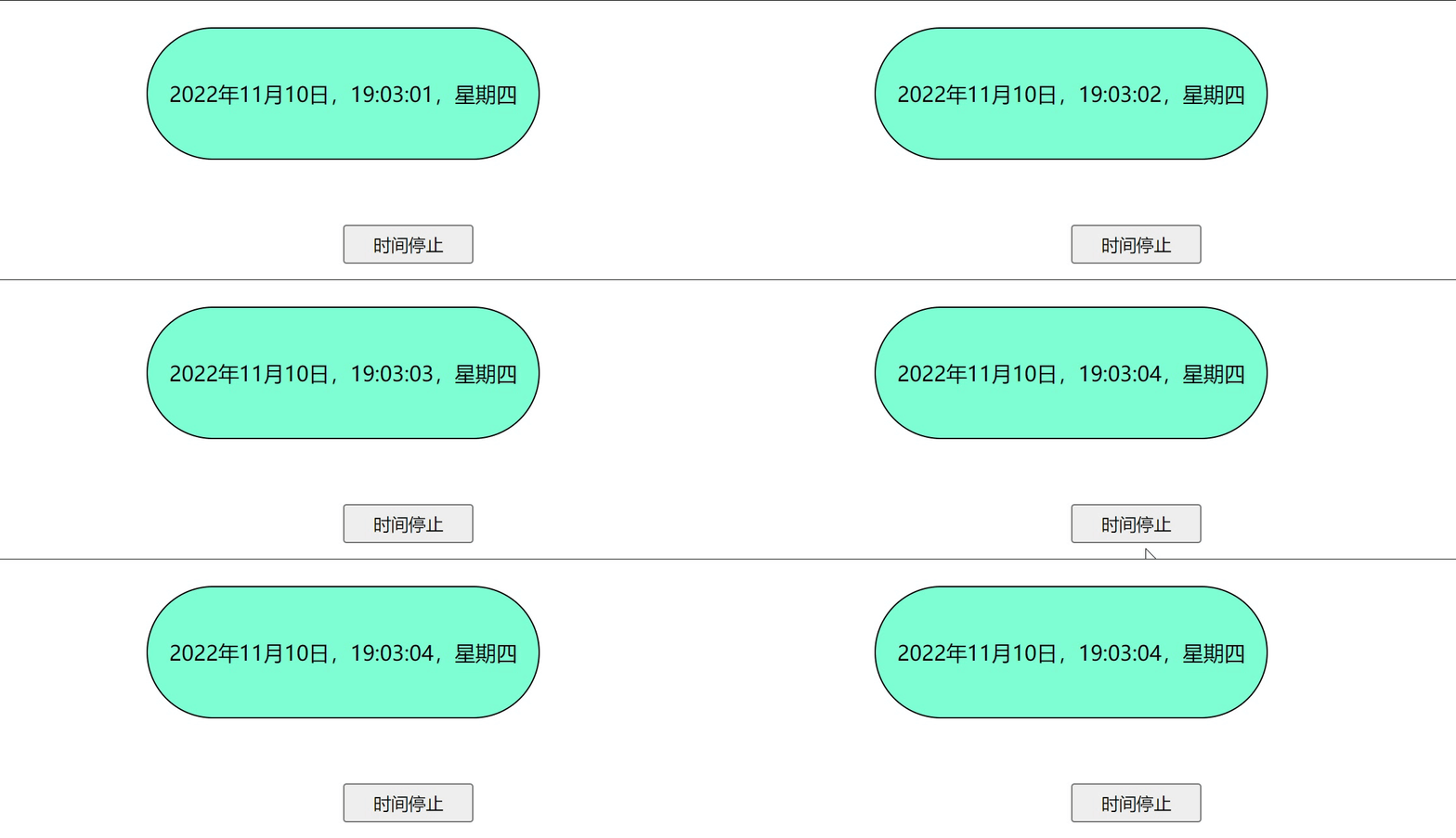
运行效果展示:
setTimeout() 方法
setTimeout() 用于在指定的毫秒数之后执行指定代码。
语法格式如下:
myVar= window.setTimeout("javascript function", milliseconds);
setTimeout() 方法会返回一个值。在上述语句中,该值被存储在名为 myVar 的变量中。若希望取消这个 setTimeout(),可以使用该变量名来指定它。
setTimeout() 的第一个参数是包含 JavaScript 语句的字符串。该语句可以是类似 "alert('5 seconds!')" 的形式,也可以是函数调用,例如 alertMsg。
第二个参数指示从当前时刻起多少毫秒后执行第一个参数。
提示:1000 毫秒等于一秒。
实例演示:
<!DOCTYPE html>
<html>
	<head>
		<meta charset="utf-8" />
		<title>计时器</title>
	</head>
	<body>
		<button onclick="showAlert()">弹出警告窗</button>
	</body>

	<script>

		var result2;
		function showAlert(){
			result2 =setTimeout(function(){
				alert('hello html');
			},3000);
		}

	</script>
</html>
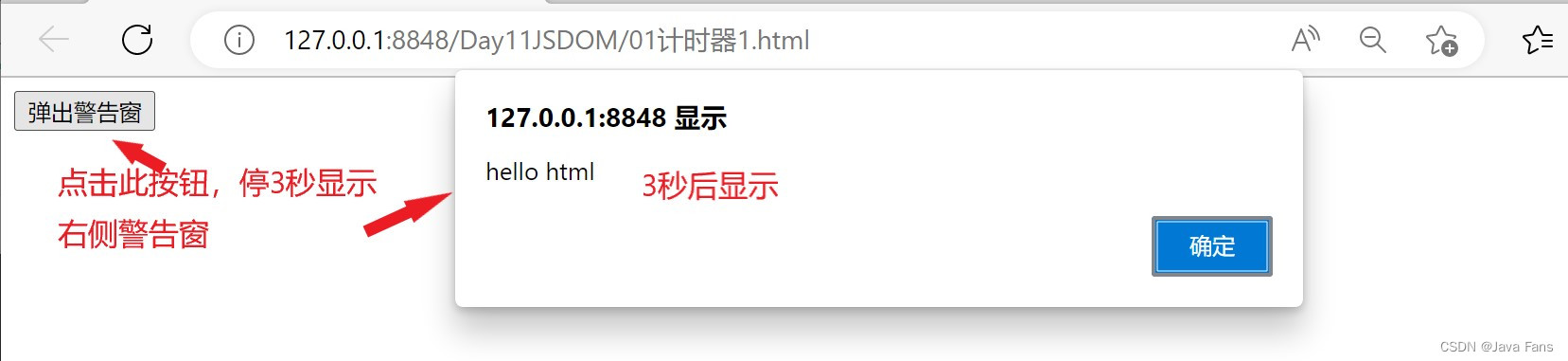
运行效果展示:
clearTimeout() 方法
clearTimeout() 方法用于停止由 setTimeout() 方法执行的函数代码。
语法格式如下:
window.clearTimeout(timeoutVariable)
调用 window.clearTimeout() 时,可以省略 window 前缀。
要使用 clearTimeout() 方法,必须在创建超时方法(setTimeout)时使用全局变量:
myVar=setTimeout("javascript function",milliseconds);
如果函数尚未被执行,你可以使用 clearTimeout() 方法来停止执行函数代码。
实例演示:
<!DOCTYPE html>
<html>
	<head>
		<meta charset="utf-8" />
		<title>计时器</title>
	</head>
	<body>
		<button onclick="showAlert()">弹出警告窗</button>
		<button onclick="stopAlert()">停止弹出警告窗</button>
	</body>

	<script>

		var result2;
		function showAlert(){
			result2 =setTimeout(function(){
				alert('hello html');
			},3000);
		}

		function stopAlert(){
			clearTimeout(result2);
		}

	</script>
</html>
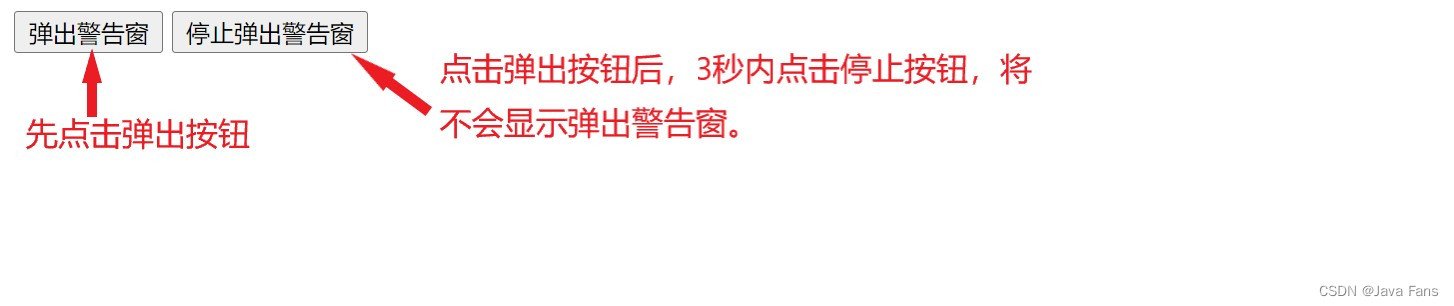
运行效果展示:
总结
到此这篇关于一篇文章带你学会JavaScript计时事件的文章就介绍到这了,更多相关JavaScript计时事件内容请搜索本站以前的文章或继续浏览下面的相关文章希望大家以后多多支持本站!