

本文介绍如何在 Vue 3.2 及以上版本中实现列表项的拖拽排序功能。通过结合 HTML5 原生拖拽事件与 Vue 的过渡动画,提供完整的模板、脚本及样式代码,帮助开发者快速掌握前端交互效果。
Vue 3 拖拽排序实现代码
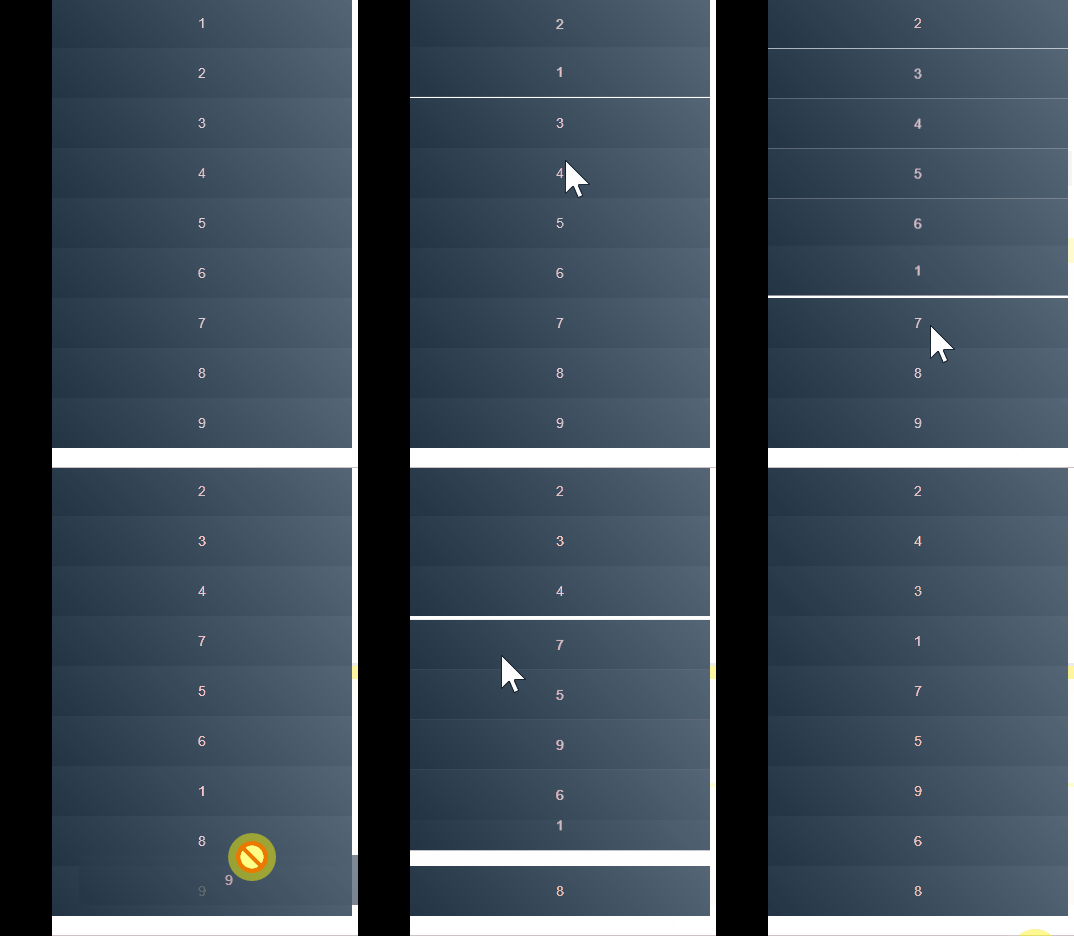
本示例的运行环境要求为 Vue 3.2 及以上版本,用户只需将代码复制并粘贴即可直接查看运行效果。具体表现效果如下图所示:
<template>
  <div class="container">
    <transition-group name="flip-list">
      <div v-for="item in items" :key="item" draggable="true" class="items" @dragstart="dragstart(item)"
        @dragenter="dragenter(item)" @dragend="dragend">{{item}}</div>
    </transition-group>
  </div>
</template>

<script setup>
import { ref } from "vue";
const items = ref([1, 2, 3, 4, 5, 6, 7, 8, 9])
const oldNum = ref(0)
const newNum = ref(0)
// 记录初始信息
const dragenter = (param) => {
  newNum.value = param
}
// 做最终操作
const dragend = () => {
  if(oldNum.value !== newNum.value){
    const oldIndex = items.value.indexOf(oldNum.value)
    const newIndex = items.value.indexOf(newNum.value)
    const newItems = [...items.value]
    // 删除老的节点
    newItems.splice(oldIndex,1)
    // 在列表中目标位置增加新的节点
    newItems.splice(newIndex,0,oldNum.value)
    // items改变transition-group就会起作用
    items.value = [...newItems]
  }
}
// 记录移动过程中信息
const dragstart = (param) => {
  oldNum.value = param;
}
</script>
<style scoped>
.items {
  width: 300px;
  height: 50px;
  line-height: 50px;
  text-align: center;
  background: linear-gradient(45deg, #234, #567);
  color: pink;
}

.flip-list-move {
  transition: transform 1s;
}
</style>
关于 JavaScript 实现拖拽排序的介绍到此结束,如需了解更多相关 JS 拖拽排序内容,建议搜索本站历史文章或继续浏览后续相关文章,感谢大家的支持。