

本文详细介绍如何使用JavaScript实现经典贪吃蛇游戏。核心逻辑采用单例模式动态创建页面元素,涵盖地图构建、蛇身模型管理、食物随机生成及键盘交互控制。通过定时器驱动蛇体移动,并实现穿墙机制与碰撞检测逻辑,完整展示前端游戏开发的关键技术点。
JavaScript实现经典贪吃蛇游戏
本文分享了一个使用JavaScript编写的经典贪吃蛇游戏完整代码示例,供读者参考学习。
项目主要采用单例模式进行开发,所有页面元素均通过脚本动态创建。
创建地图
第一步:创建游戏地图。
var Map;
    function map(){
        this.mapp=null;
        this.makemap=function(){
            this.mapp=document.createElement ("div");
            this.mapp.className ="mymap";
            document.body.appendChild(this.mapp );
        }
    }
创建贪吃蛇模型
第二步:构建贪吃蛇模型。
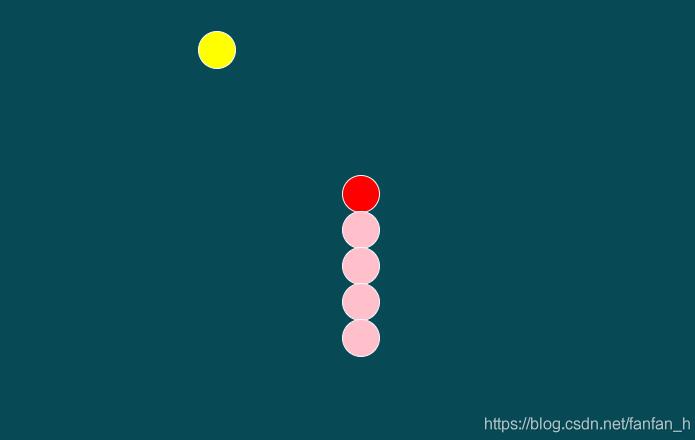
初始化一个集合用于存储蛇的前三节数据。遍历该集合以创建对应的DOM元素,设定每个蛇节的宽高均为30像素,并设置初始颜色。同时,初始化蛇头的移动方向为向右。
var Snack;
    function snack(){
        this.snackk=[["red",3,1,null],["pink",2,1,null],["pink",1,1,null]];
        this.direct="right";
        this.makesnack=function(){
             for(var i=0;i<this.snackk.length;i++){
                 if(this.snackk[i][3]==null){
                     this.snackk[i][3]=document.createElement ("div");
                     this.snackk[i][3].className ="eatsnack";
                     this.snackk[i][3].style.backgroundColor =this.snackk[i][0];
                     Map.mapp.appendChild(this.snackk[i][3]);
                 }
                 this.snackk[i][3].style.left=this.snackk[i][1]*30+"px";
                 this.snackk[i][3].style.top=this.snackk[i][2]*30+"px";
             }
        };
实现蛇的动态移动
第三步:实现蛇的动态移动。从后向前遍历存储蛇节的集合,将后方蛇节的坐标属性依次传递给前方蛇节,从而模拟移动效果。根据蛇头当前的移动方向,动态调整其left和top样式属性。此外,设置一个定时器,每隔100毫秒触发一次移动逻辑,使蛇持续运动。
this.movesnack=function(){
            var long=this.snackk.length-1;
            for(var i=long; i>0; i--){
                this.snackk[i][1]=this.snackk[i-1][1];
                this.snackk[i][2]=this.snackk [i-1][2];
            }
            switch(this.direct){
                case "right":  //向右
                        this.snackk[0][1] +=1;
                    break;
                case "left":  //向左
                    this.snackk[0][1] -=1;
                    break;
                case "down": //向下
                    this.snackk[0][2] +=1;
                     break;
                case "up":  //向上
                    this.snackk[0][2] -=1;
                     break;
            }
生成食物
第四步:生成食物。
在地图区域内随机生成食物位置,确保食物的尺寸与蛇身各节的尺寸保持一致。
var Guoguo;
    function guozi(){
        this.guoo=null;
        this.x;
        this.y;
        this.makeguozi=function(){
            this.x=Math.floor( Math.random() * 30);  //0-29
            this.y=Math.floor( Math.random() * 20);  //0-19
            if(this.guoo==null){
                this.guoo=document.createElement ("div");
                this.guoo.className ="guozi";
                Map.mapp.appendChild(this.guoo);
            }
            this.guoo.style.left=this.x * 30+"px";
            this.guoo.style.top =this.y * 30+"px";
        }
    }
绑定键盘事件
第五步:绑定键盘事件。监听用户的上下左右方向键输入,以此改变蛇头的移动方向。
document.body.onkeyup=function(e){
           // console.log(e);
            switch(e.keyCode){
                case 37:  //左
                        if(Snack.direct!="right"){
                            Snack.direct ="left";
                        }
                    break;
                case 39:// 右
                    if(Snack.direct!="left"){
                        Snack.direct ="right";
                    }
                    break;
                case 38: //上
                    if(Snack.direct!="down"){
                        Snack.direct ="up";
                    }
                    break;
                case 40:   //下
                    if(Snack.direct!="up"){
                       Snack.direct ="down";
                    }
                    break;
                case 87:
                    if (Snack.direct != "down") {
                        Snack.direct = "up";
                    }
                    break;
                case 65:
                    if (Snack.direct != "right") {
                        Snack.direct = "left";
                    }
                    break;
                case 68:
                    if (Snack.direct != "left") {
                        Snack.direct = "right";
                    }
                    break;
                case  83:
                    if (Snack.direct != "up") {
                        Snack.direct = "down";
                    }
                    break;
            }
        };
实现食物检测与蛇身增长
第六步:实现食物检测与蛇身增长。检测蛇头坐标与食物坐标是否重合,若发生碰撞,则在蛇身集合中追加新元素以延长蛇身,并立即在随机位置生成新的食物,随后继续检测后续的食物位置及碰撞情况。
if(this.snackk[0][1]==Guoguo.x && this.snackk[0][2]==Guoguo.y ){
                 this.snackk.push([
                         "pink",
                         this.snackk[this.snackk.length-1][1],
                         this.snackk[this.snackk.length-1][2],
                         null
                 ]);
                 Guoguo.makeguozi ();
                 }
设置穿墙机制
第七步:设置穿墙机制。当蛇头的left或top坐标值等于0时,将其重置为地图的最大边界值,从而实现蛇身穿过墙壁并从另一侧出现的效果。
if(this.snackk[0][1]>29){
                this.snackk[0][1]=0 ;  //从右边穿墙
            }
            if(this.snackk[0][1]<0){
                this.snackk[0][1]=29 ;  //从右边穿墙
            }
            if(this.snackk[0][2]>19){
                this.snackk[0][2]=0 ;  //从右边穿墙
            }
            if(this.snackk[0][2]<0){
                this.snackk[0][2]=19 ;  //从右边穿墙
            }
            this.makesnack();
            this.stopsnack();

        };
判定游戏结束条件
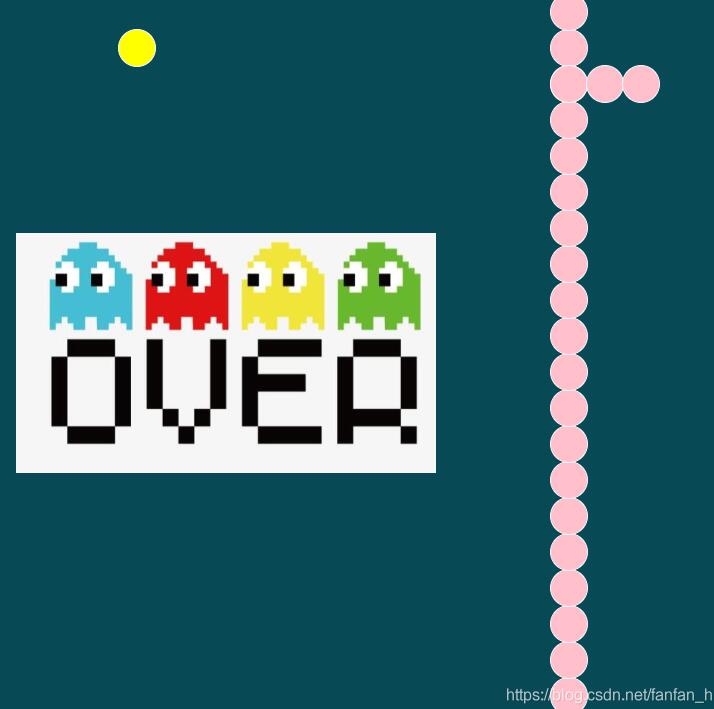
第八步:判定游戏结束条件。当蛇头坐标与蛇身任意一节坐标重合时,判定为撞到自己,游戏结束。此时需关闭定时器,并弹出游戏结束的提示图片。
this.stopsnack=function(){
            for(var k=this.snackk.length-1;k>0;k--){
                if(this.snackk[0][1]==this.snackk [k][1] && this.snackk[0][2]==this.snackk [k][2]){
                    clearInterval(time);
                    var gameover=document.createElement ("div");
                    gameover.className ="over";
                    gameover.style.display ="block";
                    Map.mapp.appendChild (gameover);
                }
            }
}
以上即为本文的全部内容,希望对读者的学习有所帮助,欢迎支持本站。