

本文介绍如何利用JavaScript自调用函数(IIFE)将局部变量暴露为全局变量。通过向自调用函数传入window对象,在函数内部将局部变量挂载到window上,即可在外部访问。文章包含基础语法、注意事项及随机数生成、动态定位等实际应用案例。
首先需要理解函数的自调用机制。
函数的自调用——自调用函数
这是一种在声明的同时立即执行的一次性函数。例如:
(function () {
  console.log("函数");

})();
运行后,浏览器控制台会直接打印出 函数 这两个字。
在页面加载完成后,该自调用函数体内的代码即执行完毕。
其标准使用形式如下:
(function (形参) {

})(实参);
需要注意以下几点:
若采用自调用构造函数的方式,务必在函数末尾加上分号。
那么,如何将局部变量转换为全局变量呢?
只需将局部变量赋值给window对象即可实现。
(function (win) {
  var num=10;//局部变量
  //js是一门动态类型的语言,对象没有属性,点了就有了
  win.num=num;
})(window);
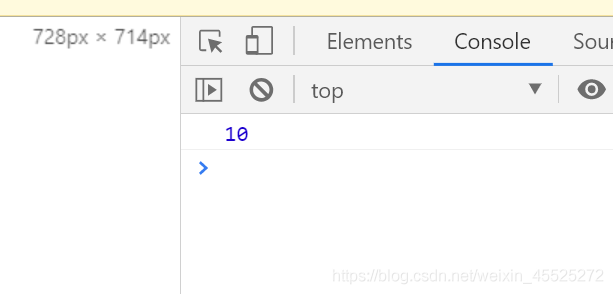
console.log(num);
此时,页面控制台会打印出num的值。
应用案例1——将随机数对象赋给window
<!DOCTYPE html>
<html lang="en">
<head>
  <meta charset="UTF-8">
  <title>title</title>
  <script>

     //通过自调用函数产生一个随机数对象,在自调用函数外面,调用该随机数对象方法产生随机数
     (function (window) {
       //产生随机数的构造函数
       function Random() {
       }
       //在原型对象中添加方法
       Random.prototype.getRandom = function (min,max) {
         return Math.floor(Math.random()*(max-min)+min);
       };
       //把Random对象暴露给顶级对象window--->外部可以直接使用这个对象
       window.Random=Random;
     })(window);
     //实例化随机数对象
     var rm=new Random();
     //调用方法产生随机数
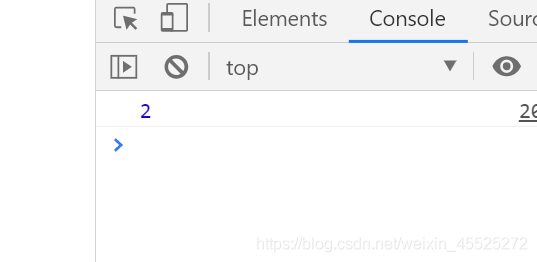
     console.log(rm.getRandom(0,5));


    //全局变量
  </script>
</head>
<body>


</body>
</html>
应用案例2——产生随机位置的小方块
<!DOCTYPE html>
<html lang="en">
<head>
  <meta charset="UTF-8">
  <meta >
  <title>title</title>
  <style>
    .map{
      width: 800px;
      height: 600px;
      background-color: #CCC;
      position: relative;
    }
  </style>
</head>
<body>
<div class="map"></div>
<script src="common.js"></script>
<script>
  //产生随机数对象的
  (function (window) {
    function Random() {
    }
    Random.prototype.getRandom=function (min,max) {
      return Math.floor(Math.random()*(max-min)+min);
    };
    //把局部对象暴露给window顶级对象,就成了全局的对象
    window.Random=new Random();
  })(window);//自调用构造函数的方式,分号一定要加上


  //产生小方块对象
  (function (window) {
    //console.log(Random.getRandom(0,5));
    //选择器的方式来获取元素对象
    var map=document.querySelector(".map");

    //食物的构造函数
    function Food(width,height,color) {
      this.width=width||20;//默认的小方块的宽
      this.height=height||20;//默认的小方块的高
      //横坐标,纵坐标
      this.x=0;//横坐标随机产生的
      this.y=0;//纵坐标随机产生的
      this.color=color;//小方块的背景颜色
      this.element=document.createElement("div");//小方块的元素
    }
    //初始化小方块的显示的效果及位置---显示地图上
    Food.prototype.init=function (map) {
      //设置小方块的样式
      var div=this.element;
      div.style.position="absolute";//脱离文档流
      div.style.width=this.width+"px";
      div.style.height=this.height+"px";
      div.style.backgroundColor=this.color;
      //把小方块加到map地图中
      map.appendChild(div);
      this.render(map);
    };
    //产生随机位置
    Food.prototype.render=function (map) {
      //随机产生横纵坐标
      var x=Random.getRandom(0,map.offsetWidth/this.width)*this.width;
      var y=Random.getRandom(0,map.offsetHeight/this.height)*this.height;
      this.x=x;
      this.y=y;
      var div=this.element;
      div.style.left=this.x+"px";
      div.style.top=this.y+"px";
    };

    //实例化对象
    var fd=new Food(20,20,"green");
    fd.init(map);
    console.log(fd.x+"===="+fd.y);


  })(window);


  // function refresh(){
  //   window.location.reload();
  // }
  // setTimeout(refresh(), 1000);
</script>
</body>
</html>
至此,关于JavaScript将局部变量转化为全局变量的方法介绍完毕。如需了解更多相关JavaScript局部变量与全局变量的内容,请搜索本站历史文章或继续浏览下方的相关文章。感谢大家的支持!